---
meta:
title: "Multiple copies of Liveblocks are being loaded in your project"
parentTitle: "Error"
description:
"Multiple copies of Liveblocks are being loaded in your project. This will
cause issues!"
---
## Why this error occurred
Multiple copies of some Liveblocks package ended up being bundled in your
application bundle.
This can happen because your production bundle includes two entire copies of two
different versions of Liveblocks. Or it can be the case that it includes the
same version of Liveblocks in the bundle twice because the ESM and the CJS
version got bundled separately.
It’s important that only a single copy of Liveblocks exists in your application
bundle at runtime, otherwise bugs will happen. Plus your bundle will be
unnecessarily large.
## Possible causes
- Your project is using
[internal packages](#using-liveblocks-with-internal-packages) that also rely
on Liveblocks, but maybe some are on different versions.
- Your project is using a non-standard bundler setup. If you believe this is an
issue with the way Liveblocks is packaged, feel free to open a support
request.
## Possible ways to fix it
To investigate your setup, run the following command to see if all your
Liveblocks dependencies are on the same version:
```bash
npm ls | grep @liveblocks
```
If they're not all on the same version, you can upgrade them by running:
```bash
npx liveblocks@latest upgrade
```
If you're using shared internal packages that depend on Liveblocks, see
[Using Liveblocks with internal packages](#using-liveblocks-with-internal-packages)
below for the recommended setup.
If all your Liveblocks dependencies are on the same version already, and you're
still seeing this error, you’re experiencing the
[dual-package hazard](https://nodejs.org/api/packages.html#dual-package-hazard)
problem, which means that both the ESM and the CJS version of Liveblocks end up
in your production bundle as two separate "instances". Of course, this isn’t
supposed to happen. Please let us know about this by
[opening a GitHub issue](https://github.com/liveblocks/liveblocks/issues/new?template=bug_report.md),
or reaching out in our support channel on
[Discord](https://liveblocks.io/discord).
## Using Liveblocks with internal packages
Consider a setup where you have two applications that both depend on Liveblocks
directly, and on a shared internal package that also depends on Liveblocks.
If the shared package declares Liveblocks as a regular dependency, your package
manager will install the Liveblocks version specified by the shared package,
which may conflict with the version your application needs:
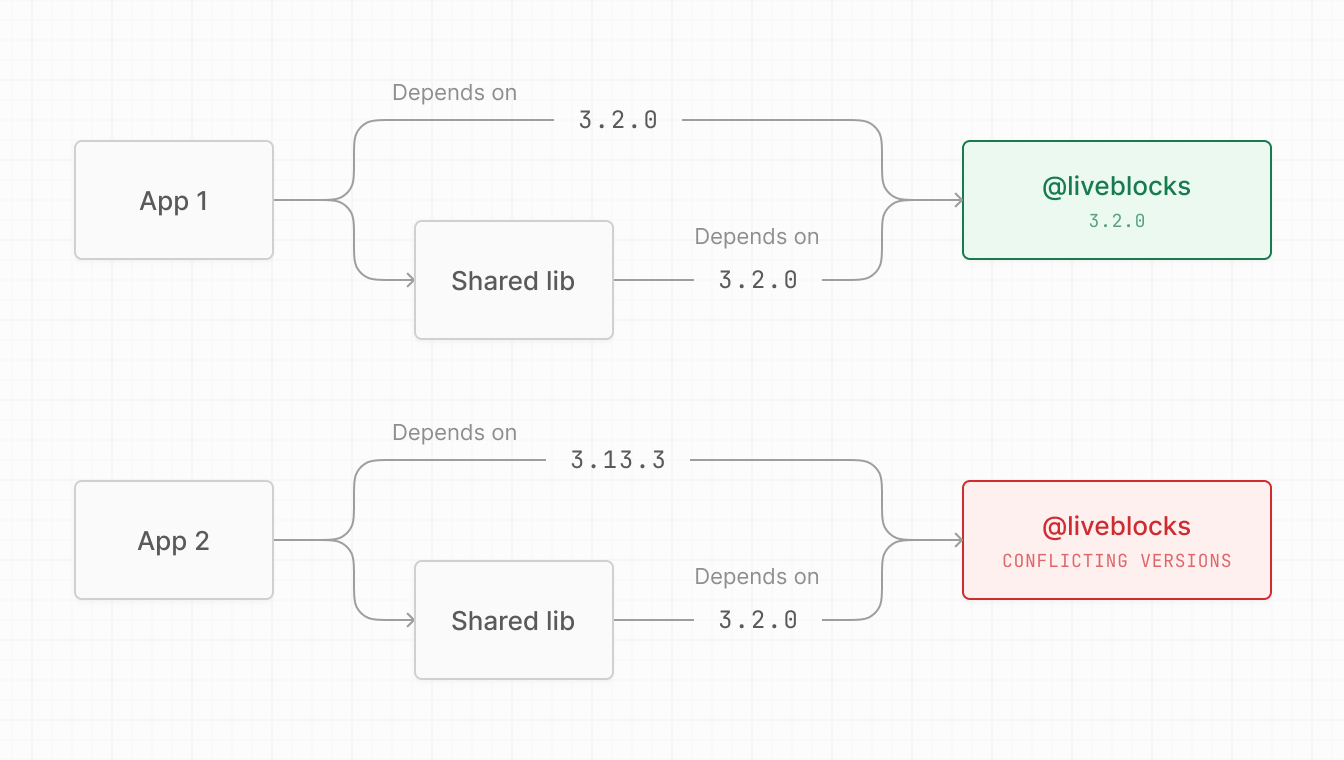
The version numbers used here are just examples.
The recommended approach is to declare Liveblocks as a "peer dependency" in your
shared package's `package.json`. This tells the package manager: "I'm compatible
with Liveblocks ^3, but the host application decides which version to use."
Then, only declare Liveblocks in the `"dependencies"` of your actual
applications.
```json
{
"peerDependencies": {
"@liveblocks/client": "^3",
"@liveblocks/react": "^3"
}
}
```
Use a major version range like `"^3"` to allow flexibility while ensuring
compatibility.
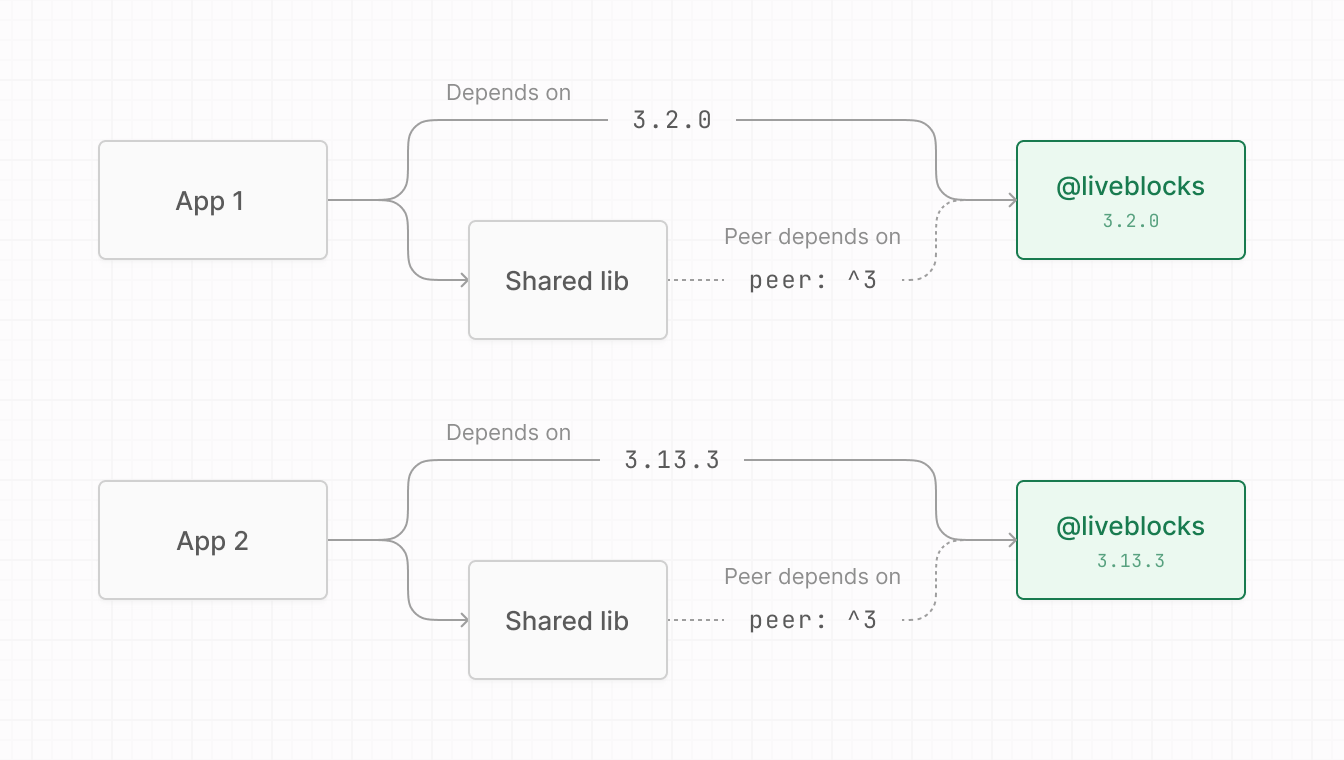
The version numbers used here are just examples.
---
For an overview of all available documentation, see [/llms.txt](/llms.txt).