Organizations
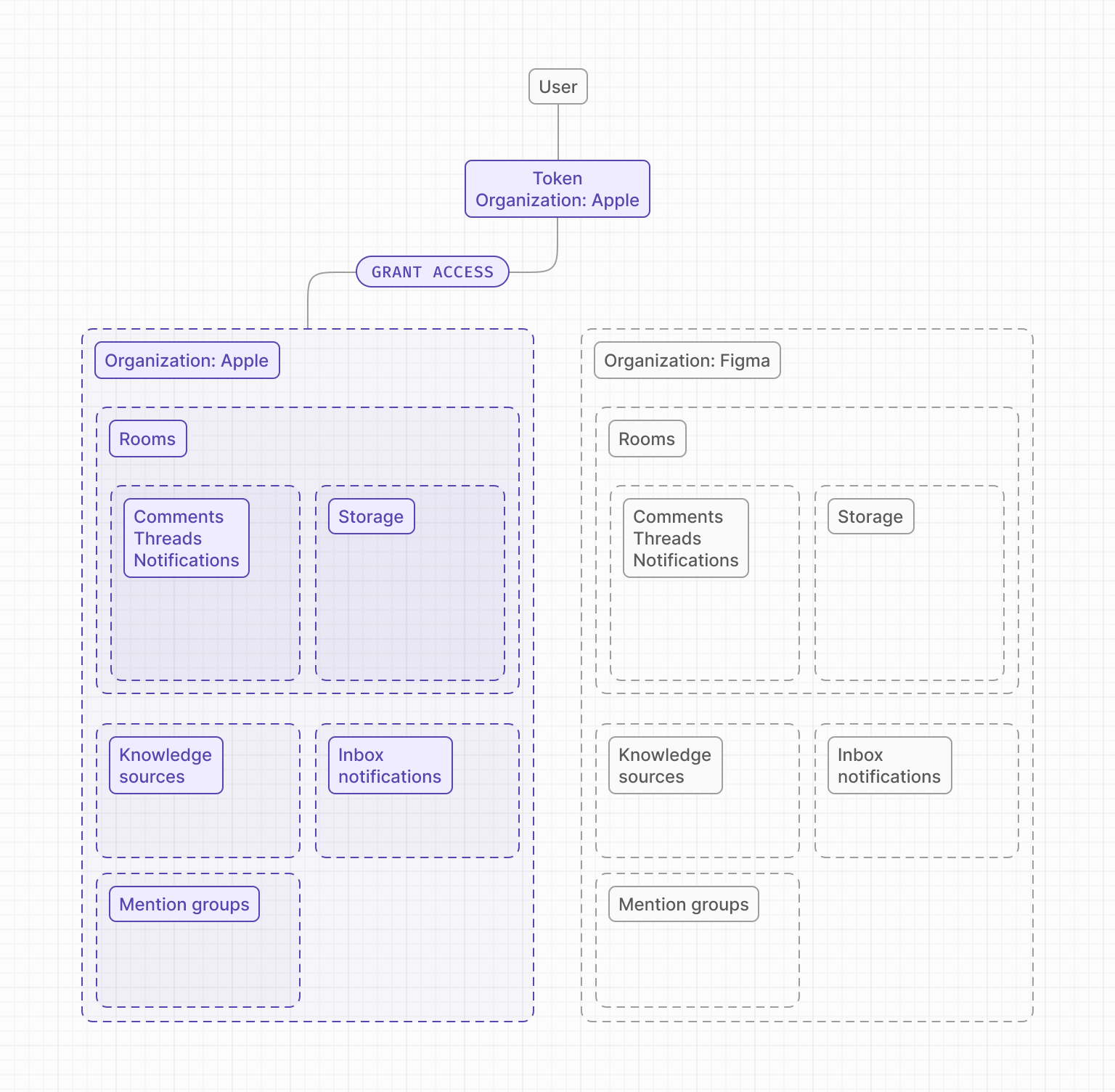
Organizations allow you to compartmentalize Liveblocks resources, such as inbox notifications, rooms, and everything associated with rooms such as comment threads, realtime data stored, and more. Each organization represents a separate organization or customer in your system, meaning you can easily add a workspace/org switcher to your application, with each workspace having its own notification inbox.
If you don't specify an organization, no configuration is needed. By default,
resources belong to the default organization ID.
Setting up organizations
To set up Organizations, you just need to set a organizationId when creating a
resource, for example, when creating a room.
It's not possible to change a resource's organizationId after creation. You
will need to migrate the resource into a new room in the correct organization.
Resources using organizations
A number of Liveblocks resources use organizations, such as rooms, comments, text editors, Yjs, Storage, inbox notifications, mention groups.
Above you can see getRooms,
triggerInboxNotification,
deleteAllInboxNotifications
and
getUserRoomSubscriptionSettings
using organizations. Organizations can also be used with the
REST API.
Authentication
When authorizing a user with Liveblocks, you can specify the organization they belong to. Each user is only authorized for one organization at a time, meaning they need to re-authenticate to access resources in another organization, such as notifications. Organizations can be used with both ID Token and Access Token authentication.
With ID tokens
When using ID tokens, you can set the organizationId when using
identifyUser. Tokens generated for a specific organization, will only allow
access to resources inside this organization, even if the user has access to
rooms in other organizations.
Learn more about ID tokens.
With access tokens
When using access tokens, you can set the organizationId when you prepare a
session. Tokens generated for a specific organization, will only allow access to
resources inside this organization, even if the token has permissions to rooms
in other organizations.
Learn more about access tokens.
Switching organizations
The easiest way to switch organizations is to refresh the page, for example with
location.reload(), then pass a new organizationId to your chosen
authentication method.