Get started with a Chat SDK bot using Liveblocks and Next.js
Liveblocks is a realtime collaboration infrastructure for building performant
collaborative experiences. Follow the following steps to start building a bot
that reads and responds to Liveblocks comment threads using the
Chat SDK and the
@liveblocks/chat-sdk-adapter
in your Next.js /app directory application.
See the finished result in the Chat SDK Bot example.
Quickstart
Install Liveblocks and Chat SDK
Install the Liveblocks Chat SDK adapter, the Chat SDK, and a state adapter.
TerminalAdd your environment variables
Create a new
.env.localfile and add your Liveblocks secret key and webhook secret from the dashboard..env.localYou'll create the webhook and get the secret in the final step.
Create a user database
Create a file to store your bot's user ID and a function to resolve users. The
resolveUsersfunction converts user IDs from mentions into display names.app/database.tsCreate the bot instance
Create a bot instance using the Chat SDK with the Liveblocks adapter. The adapter connects your bot to Liveblocks comment threads.
app/bot.tsHandle mentions and reactions
Add event handlers to respond when users mention the bot or react to messages. Add these handlers to your
app/bot.tsfile after the bot instance.app/bot.tsCreate the webhook endpoint
Create an API route to receive Liveblocks webhooks. The bot processes incoming comments and reactions through this endpoint.
app/api/webhooks/liveblocks/route.tsFor production deployments on Vercel, use
waitUntilfrom@vercel/functionsfor background processing:app/api/webhooks/liveblocks/route.tsSet up Liveblocks webhooks
The final step is to configure Liveblocks webhooks to send events to your bot.
- Follow the guide on testing webhooks locally
- When creating the webhook endpoint in the dashboard, enable these events:
commentCreatedcommentReactionAddedcommentReactionRemoved
- Copy your webhook secret (
whsec_...) and add it to.env.local
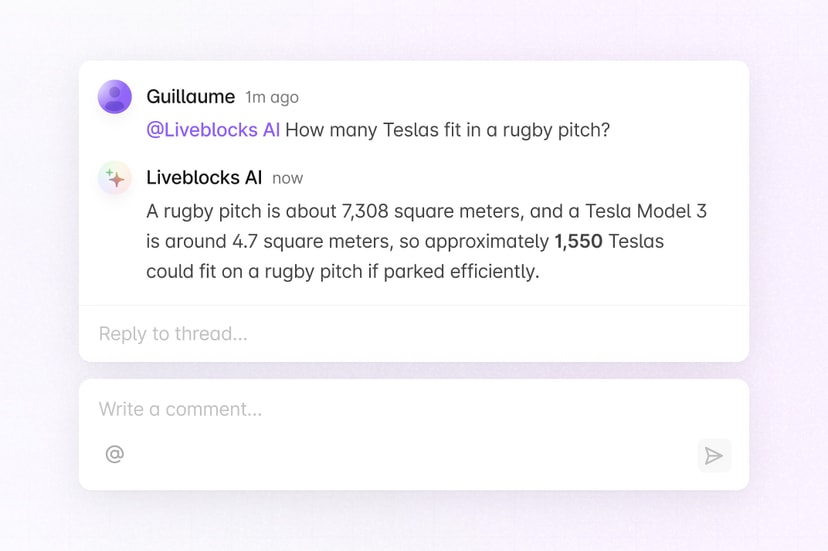
Now when users @-mention your bot or react to messages in comment threads, your bot will respond automatically.
Set up webhooks
What to read next
Congratulations! You've set up a bot that responds to Liveblocks comment threads using the Chat SDK.
- Chat SDK documentation
- @liveblocks/chat-sdk-adapter README
- Webhooks documentation
- How to test webhooks on localhost