Enabling agentic workflows with Liveblocks
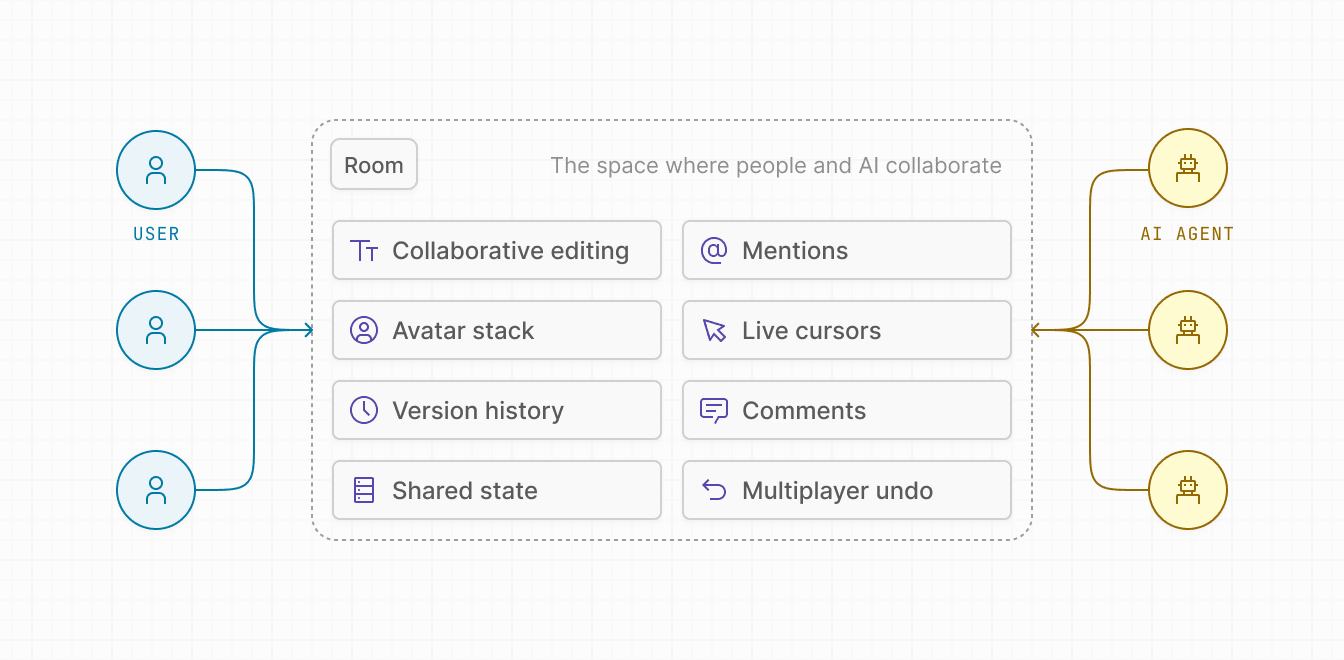
AI agents can participate as first-class collaborators inside Liveblocks rooms. Two REST API capabilities make this possible:
- Ephemeral Presence (
POST /v2/rooms/{roomId}/presence): Lets an agent appear in a room with a name, avatar, and custom presence data, with an auto-expiring TTL. - JSON Patch (
PATCH /v2/rooms/{roomId}/storage/json-patch): Lets an agent modify Storage using the RFC 6902 standard, which is well understood by LLMs, making it straightforward for AI models to generate patch operations directly from natural language instructions.
Both are language-agnostic HTTP endpoints, so agents built in Python, TypeScript, or any other language can use them without a native Liveblocks client.
Making your agent visible with ephemeral presence
The
POST /v2/rooms/{roomId}/presence
endpoint lets your agent set presence in a room just like a connected user
would. The presence expires automatically once the TTL elapses, so the agent
never lingers after it’s done.
Authenticate with your project’s secret key in the Authorization header.
The request body accepts:
userId: The agent’s stable identifier.data: Any presence object you want connected clients to see.userInfo: Optional name, avatar URL, and color for the agent.ttl: How long (in seconds) the presence should live (minimum: 2, maximum: 3599).
A 204 response means the presence was set successfully.
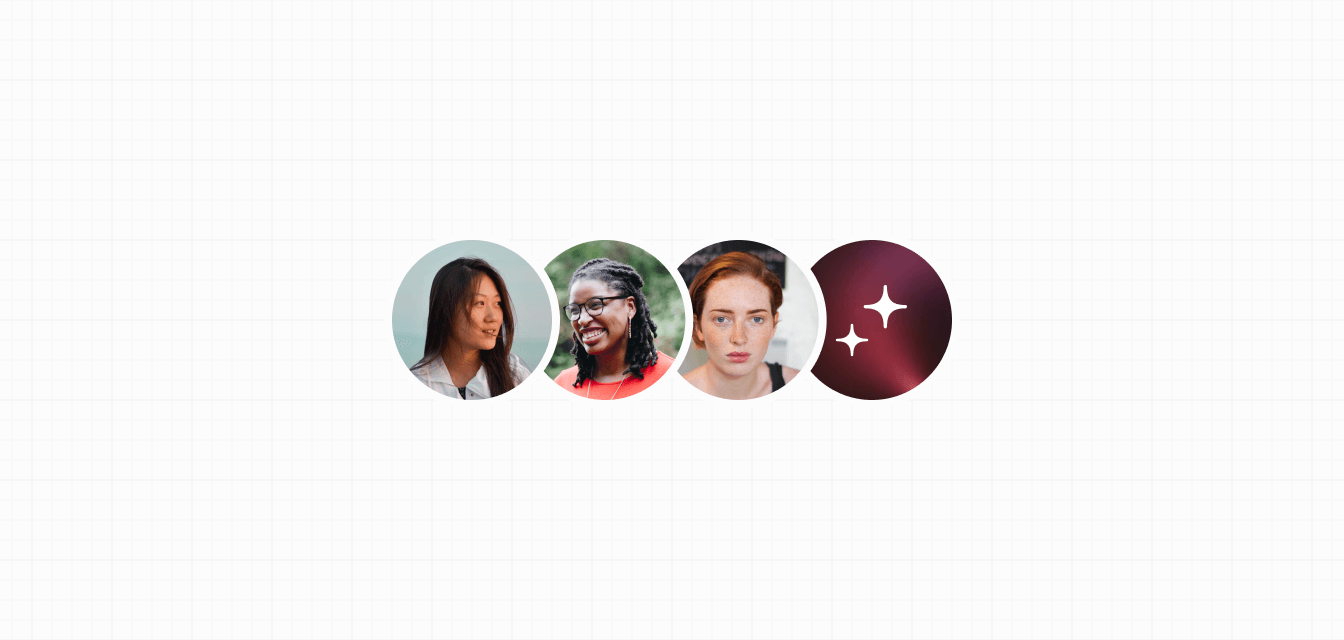
Rendering the agent as an avatar
Because the agent’s presence is set server-side, it flows to all connected
clients through the normal Liveblocks presence system. The agent appears in
useOthers alongside real
users, so existing avatar stack components work without any changes.
The userInfo.avatar you pass to the presence endpoint populates info.avatar
here, so the agent shows up with its own avatar.
Highlighting form fields
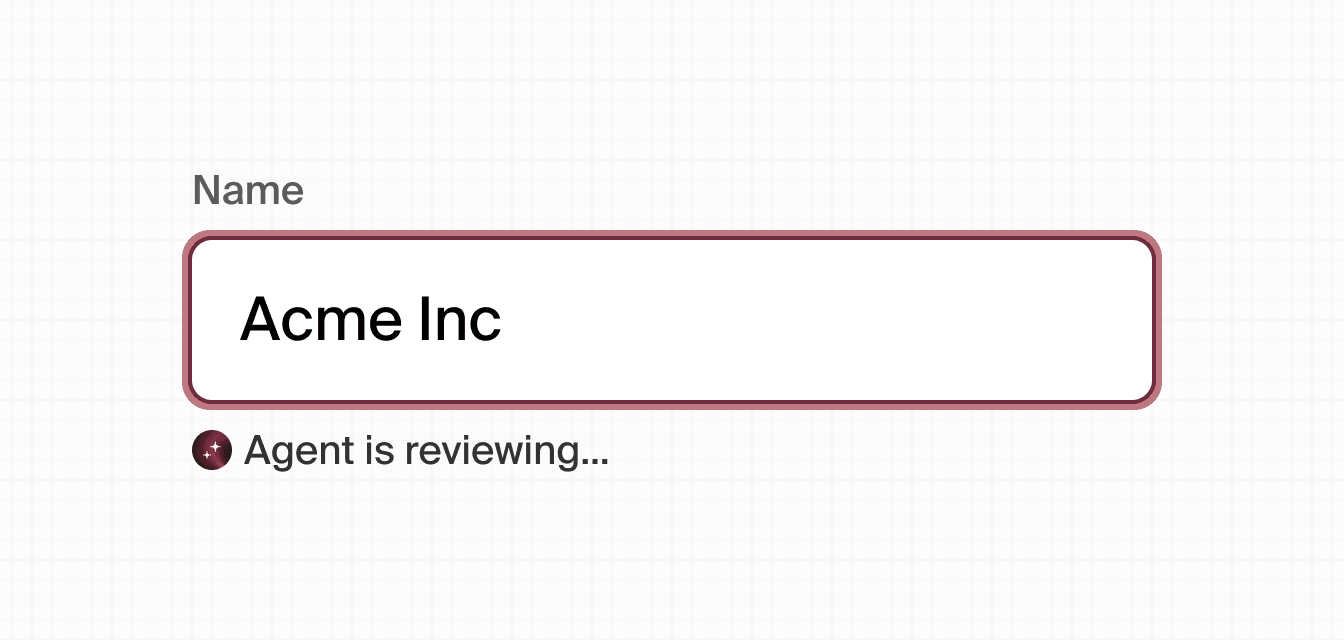
Presence data can carry any shape you choose. A focusedField property, for
example, lets the frontend highlight which input the agent is currently working
on, giving users real-time insight into what the agent is doing.
As the agent moves between fields, call the presence endpoint again with an
updated focusedField value. Each call resets the TTL, so the presence stays
alive as long as the agent keeps working.
Modifying Storage with JSON Patch
The
PATCH /v2/rooms/{roomId}/storage/json-patch
endpoint lets an agent write directly to a room’s Storage document over HTTP.
The body is a JSON array of operations following the
RFC 6902 specification.
JSON Patch is a well-established standard that LLMs already understand, which means you can ask a model to produce the patch operations directly from a natural language instruction without writing custom tooling or prompt engineering.
Supported operations are add, remove, replace, move, copy, and test.
If any operation fails, the whole patch is rejected and the document is left
unchanged.
For a full reference of all operations and error handling, see the Modifying Storage via REST API with JSON Patch guide.
The example below uses Python, which is common in agentic pipelines:
A 200 response means all operations were applied. A 422 response means the
patch failed; the response body includes an error code, a human-readable
message, and an optional suggestion.
End-to-end example: agent reviews a form
The following example walks through an agent that reviews a multi-field form. It uses ephemeral presence to show users what it’s doing in real time, and JSON Patch to commit its changes to Storage.
On the frontend, the FormField component from the
section above will highlight each field as the agent
focuses on it, and useStorage will reflect the patched values as they arrive
in real time, no extra wiring required.
Triggering agentic workflows
There are several natural places to start an agent workflow. Choose the one that fits your product best, or combine multiple triggers.
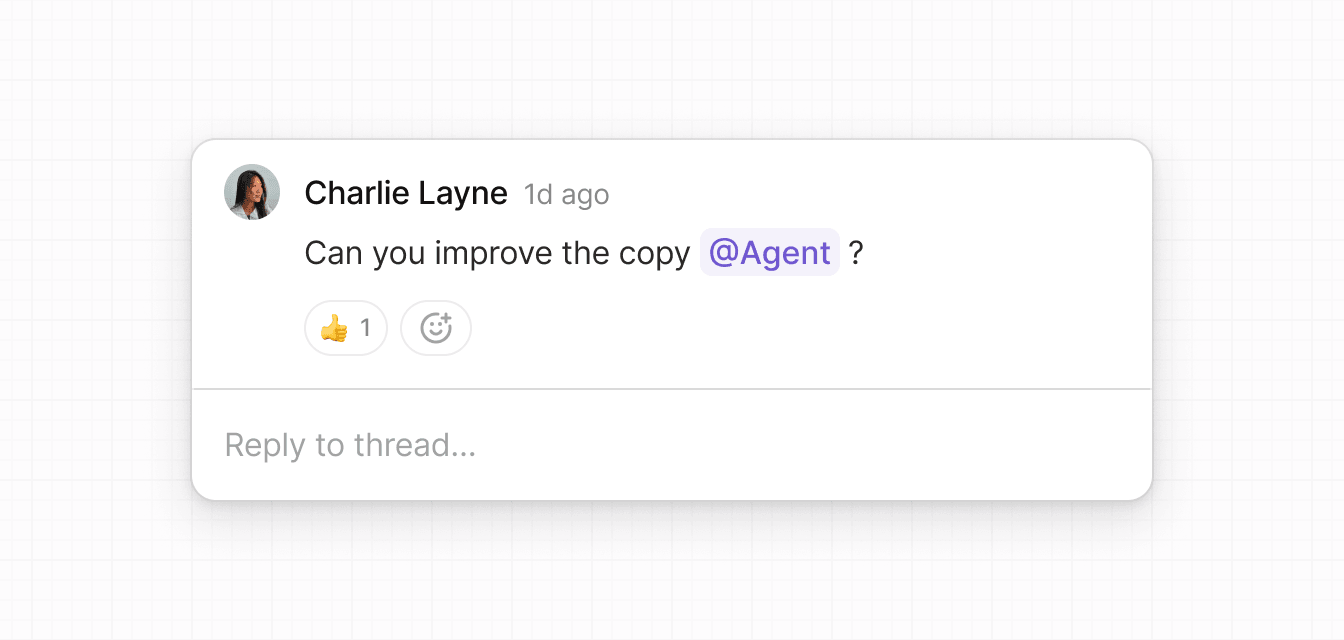
Comments webhooks—mentioning an AI agent
Users can invoke an agent by mentioning it in a comment (e.g.
@AI Agent, please review this form). The
commentCreated webhook fires
for every new comment, giving you a place to detect the mention and dispatch the
agent.
Register the agent as a mentionable user
Add the agent’s ID to
resolveUsersandresolveMentionSuggestionsin yourLiveblocksProviderso it appears in the@mention picker alongside real users.For more information on
resolveUsersandresolveMentionSuggestions, see Users and mentions.Handle the
commentCreatedwebhookWhen a comment is created, the webhook payload contains
roomId,threadId, andcommentId. Fetch the full comment using the Liveblocks Node SDK, then usegetMentionsFromCommentBodyto extract all mentions and check whether the agent’s ID is among them.app/api/liveblocks-webhook/route.tstriggerAgentWorkflowis where you kick off your agent — call an n8n webhook, invoke a CrewAI crew, hit an LLM API, or run any other pipeline you've built.Securing webhooksAlways verify the webhook signature before processing events. See the Webhooks documentation for verification examples.
Storage webhooks
The storageUpdated event fires whenever Storage is written to. This is useful
for agents that react to user edits, for example auto-validation,
auto-summarization, or data enrichment.
Direct API call or button
The simplest trigger of all: a user clicks a button in your UI, which calls your backend endpoint, which runs the agent. This gives you full control over when and how the agent is invoked.
A scheduled job (CRON) is another variant which can run the agent periodically to batch process rooms or perform maintenance tasks.
Other triggers
- Notification webhooks: Fire when a user receives an inbox notification, which can be a signal to summarize unread activity or draft a reply.
- External events: Slack messages, GitHub PR events, email, Zapier triggers,
or any inbound webhook that carries a
roomIdcan start an agent run. - Scheduled / CRON jobs: Poll rooms on a fixed schedule to run quality checks, generate reports, or clean up stale data.
Integrating with agentic frameworks
Because both APIs are plain HTTP endpoints, Liveblocks works with any agent framework that can make HTTP requests.
- n8n: Add an HTTP Request node to call the presence and JSON Patch endpoints. Use a Liveblocks webhook as the workflow trigger so agents fire automatically on comment or storage events.
- CrewAI :Wrap the REST calls in a custom
Tooland pass it to your agents. Agents can then set presence or patch storage as part of a multi-step task. - LangChain / LangGraph: Define Liveblocks tools for function-calling models. The LLM can generate JSON Patch operations directly — the RFC 6902 format is part of many models' training data, so no custom schema or special prompting is needed.
- Any HTTP-capable framework: fetch, axios, Python
requests, Gonet/http, cURL—if it can make aPOSTorPATCHrequest it can drive Liveblocks.
Next steps
- Modifying Storage via REST API with JSON Patch: Full reference for all JSON Patch operations.
- Webhooks: All available webhook events and signature verification.
- REST API reference: Complete request and response schemas for all endpoints.
- Users and mentions: Setting up
resolveUsersandresolveMentionSuggestions.