Management API
The Management API is currently in private beta for Enterprise customers. Reach out to sales@liveblocks.io to enable it on your team.
The Liveblocks Management API allows you to interact programmatically with your Liveblocks projects and webhooks. With the API, you can create, update, and delete projects, webhooks, and more.
The Liveblocks Management API is organized around REST. The API has predictable resource-oriented URLs, accepts form-encoded request bodies, returns JSON-encoded responses, and uses standard HTTP response codes, authentication, and verbs. See the API reference for more information.
How it works
When Management API is enabled, you'll need to authenticate your requests using an access token. This access token is generated from your Liveblocks team and can be found in the dashboard teams settings page under the Management API section.
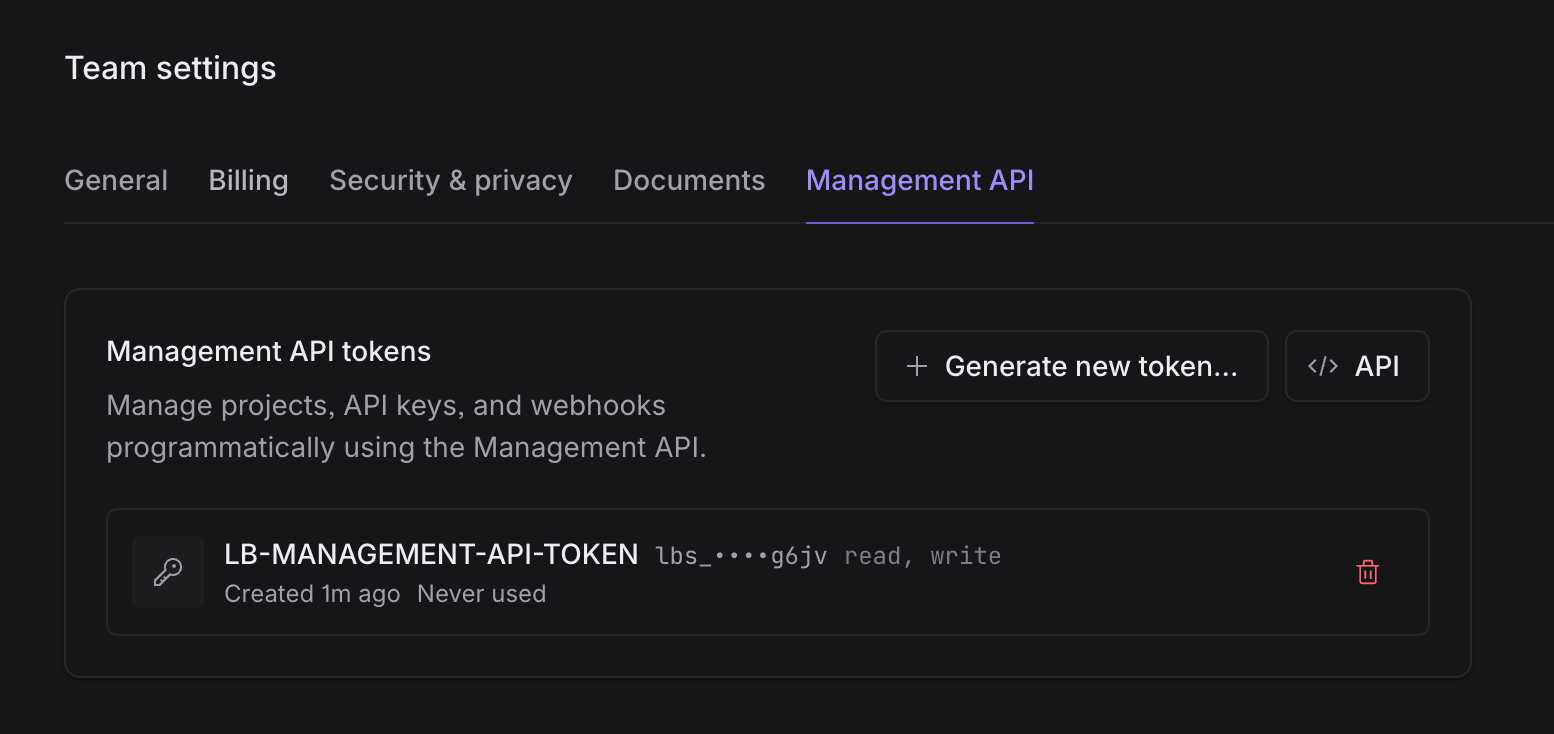
Management API access tokens are team-linked and can only be created by team owners. If you don't have team owner permissions, contact your team owner to generate a token for you.
Generating an access token
To generate a new Management API access token click the “Generate new token…” button to open the token generation dialog.
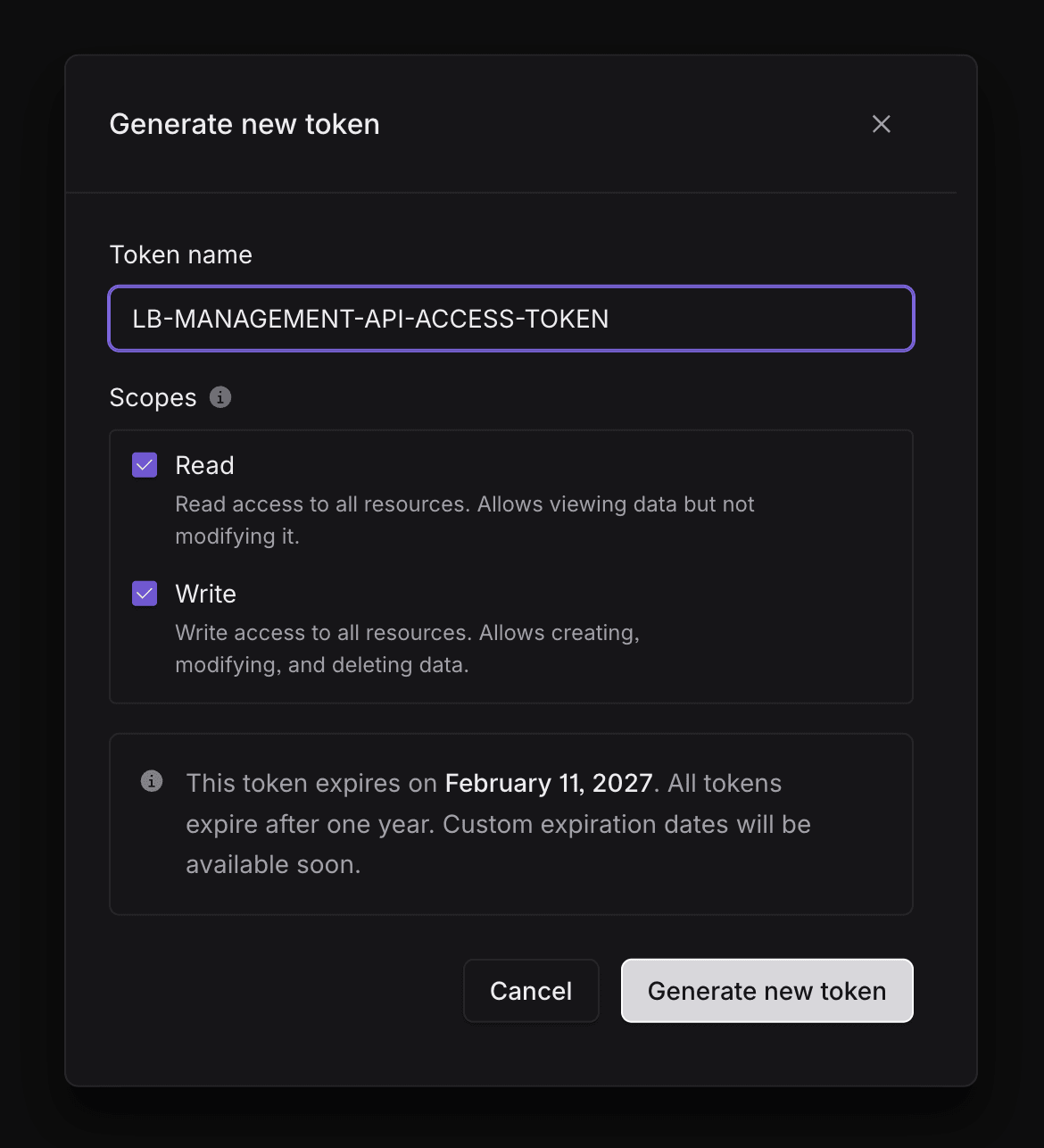
In the dialog, some options are available.
Token name
A name for your token, which is used to help you identify and manage your tokens.
Scopes
Scopes that define your token's permissions. You can select one or both scopes depending on your needs.
- Read: Allows viewing data but not modifying it. Grants read access to all resources.
- Write: Allows creating, modifying, and deleting data. Grants write access to all resources.
More granular scopes will be available in a future update. If you'd like to provide feedback or have specific scope requirements, please contact sales@liveblocks.io.
Generate new token
Once you've configured your token name and scopes, click Generate new token to create it. After generation, a dialog will appear displaying your new Management API token. This is the only time you'll be able to view and copy the full token value.
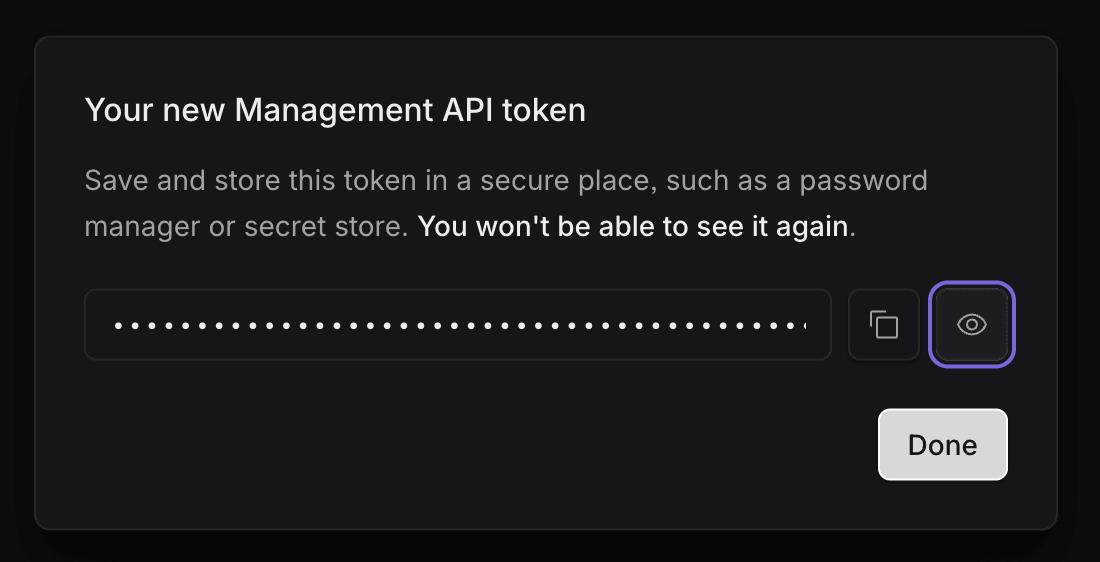
Save and store this token in a secure place, such as a password manager or secret store. You won't be able to see it again after closing this dialog. Use the copy icon in the dialog to copy the token to your clipboard before clicking “Done”.
After you close the dialog, your new token will appear in the Management API tokens list. The token value will be partially obscured for security, showing only the first few characters. You can delete any token at any time using the delete icon next to it.
Access tokens expiry
All Management API access tokens have an expiration date. When generating a new token, you can choose from the following expiration options:
- 7 days: Token expires 7 days from creation
- 30 days: Token expires 30 days from creation
- 90 days: Token expires 90 days from creation
- 1 year: Token expires 1 year from creation (default)
- Custom date: Choose a specific expiration date, up to a maximum of 1 year from today
The expiration date is displayed when you generate a new token, and you can view it for existing tokens in the Management API tokens list.
When a token expires, you'll need to generate a new token to continue using the Management API. Make sure to rotate your tokens before they expire to avoid interruptions in your API access.
Expiration reminders
Liveblocks sends email reminders to team owners before tokens expire. You'll receive notifications at 7 days and 1 day before expiration, giving you time to generate replacement tokens and update your integrations.
Revoking an access token
If you need to revoke a Management API access token, click the delete icon next to the token in the Management API tokens list. A confirmation dialog will appear asking you to confirm the revocation.
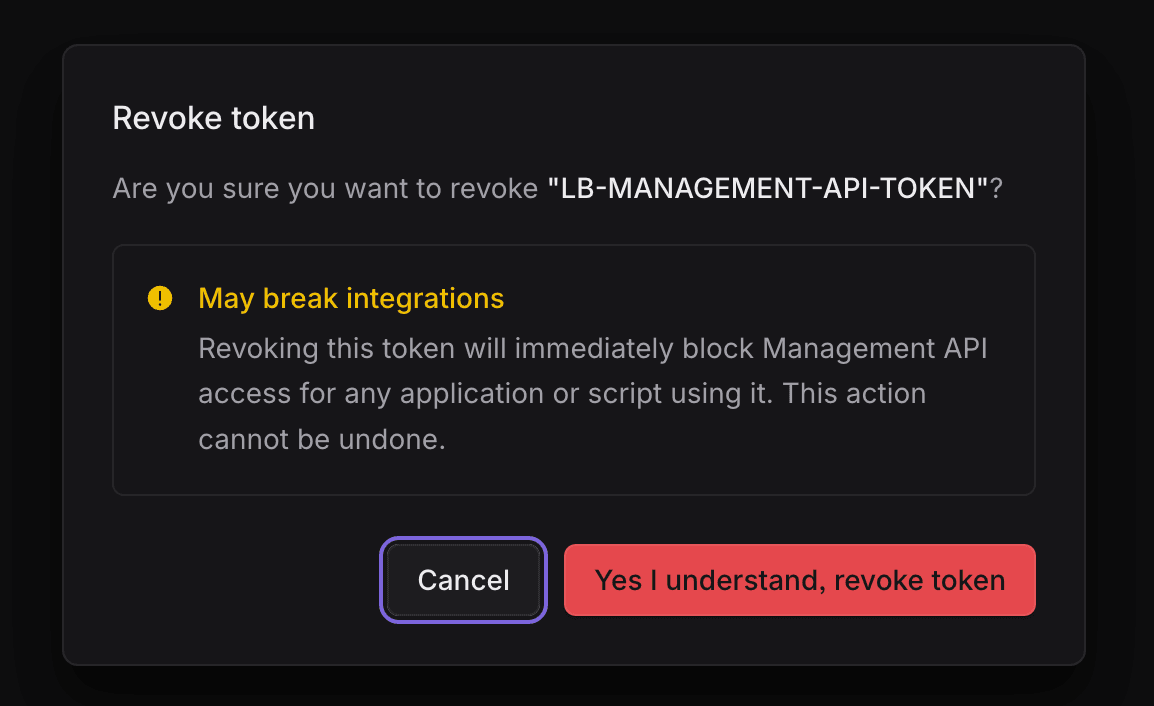
Revoking a token will immediately block Management API access for any application or script using it. This may break integrations that depend on the token. Once revoked, you cannot restore the token and will need to generate a new one if you need to restore access.
Before revoking a token, make sure to:
- Verify that no active integrations or scripts are using the token
- Generate a replacement token if needed, and update your integrations to use the new token
- Confirm that revoking the token won't disrupt critical operations
If you're certain you want to proceed, click “Yes I understand, revoke token” in the confirmation dialog. The token will be immediately revoked and removed from your tokens list.
Usage
The Management API can be called from any terminals or in CI/CI pipelines using
the curl command. Pass your management token, e.g. lbs_sd7H24..., in the
Authorization header.
Filter projects by name
Use the optional query parameter with the name field to list projects whose
name exactly matches the provided value. Matching is case-sensitive, and project
names are not unique, so the response may contain multiple projects. Pagination
applies to the filtered results.
Rate limiting
The Management API enforces rate limits to ensure fair usage and system stability. By default, each Management API access token (MAAT) is limited to 1,000 requests per 60 seconds.
This limit applies cumulatively across all requests made with a single access
token. If you exceed this limit, all API calls using that token will be blocked
for the next minute, and the API will return a 429 Too Many Requests HTTP
status response.
Rate limits are subject to our fair use policy. If you need higher rate limits for your use case, please contact sales@liveblocks.io to discuss your requirements.
API reference
See the API reference for more information.