Sign in

How to notify users about unread comments outside of your app

Liveblocks Comments allows you to build a commenting experience. With our webhooks and REST API, it’s possible to aggregate a list of unread comments, and use them to trigger notifications in Slack, Microsoft Teams, or any other external service with an API, using webhooks. Notifications can also be displayed in your app using useInboxNotifications and the InboxNotification component.

What we’re building

In this guide we’ll be learning how to notify users about unread comments outside of your app, and more specifically, we’ll be looking at how to:

What are inbox notifications?

Liveblocks uses the concept of inbox notifications, which differ to external notifications. Inbox notifications are displayed within in-app inboxes, group multiple activities together, and can change over time, like when a new comment is added to a thread.

External notifications, such as Slack, and Microsoft Teams, are different, and Liveblocks is set up to send them in a way that won’t overload your users with notifications. This means that Liveblocks will wait to trigger these notifications until a certain amount of time has passed, and will only trigger them if your users has not read the notification on the front-end, which we automatically keep track of. We then aggregate multiple unread comments into a single notification, so your users just get a single ping per thread.

Learn more about Notifications for Comments in the overview page.

Using webhooks

Liveblocks provides a number of webhooks that can send requests to your API endpoint when certain events occurs. One webhook we provide is the NotificationEvent webhook, which is triggered for each participating user in a thread, and can be used to send external notifications to your users.

The information it returns allows you to retrieve comments that have not yet been read by the user, making it possible to aggregate multiple unread comments into a single external notification. Let’s take a look at how to set this up.

Notification channels

You can send notifications via different channels, such as email, Slack, Microsoft Teams, and Web Push. In our dashboard, you can enable notifications on certain channels, and in this guide, we’ll be using the Slack channel. You must always enable the correct channel to ensure your NotificationEvent webhook events are triggered, and this guide will take you through setting it up.

Create an endpoint in your project

When a webhook event is triggered, it can send a POST request to the back end in your project. In this guide, we’ll be using a Next.js route handler (API endpoint) as an example, but other frameworks work similarly.

In order to use webhooks, we’ll need to retrieve the headers and body from the request. Here’s the basic endpoint we’ll be starting from:

export async function POST(request: Request) {  const body = await request.json();  const headers = request.headers;
// Handle webhooks and notifications // ...
return new Response(null, { status: 200 });}

Create this endpoint in your project, and make it available on localhost at the following URL:

/api/liveblocks-notifications

Make a note of this endpoint URL, as you’ll be using it later.

Testing webhooks locally

Running webhooks locally can be difficult, but one way to do this is to use a tool such as localtunnel or ngrok which allow you to temporarily put your localhost server online.

If your project is running on localhost:3000, you can run the following command to generate a temporary URL that’s available while your localhost server is running:

Terminal
npx localtunnel --port 3000

localtunnel generates a base URL that can be placed into the Liveblocks webhooks dashboard for quick testing. To use this, take the full address of your webhook endpoint, and replace the domain in your localhost address with the generated URL.

# Take your local URLhttp://localhost:3000/api/liveblocks-notifications
# Replace localhost with the generated domain, then copy ithttps://my-localtunnel-url.loca.lt/api/liveblocks-notifications

You now have a URL that can be used in the webhooks dashboard.

Set up webhooks on the Liveblocks dashboard

To use webhooks, you need to pass your endpoint URL to the webhooks dashboard inside your Liveblocks project, and tell the webhook to trigger when a comment has been created.

  1. Select your project

    From the Liveblocks dashboard, navigate to the project you’d like to use with webhooks, or create a new project.
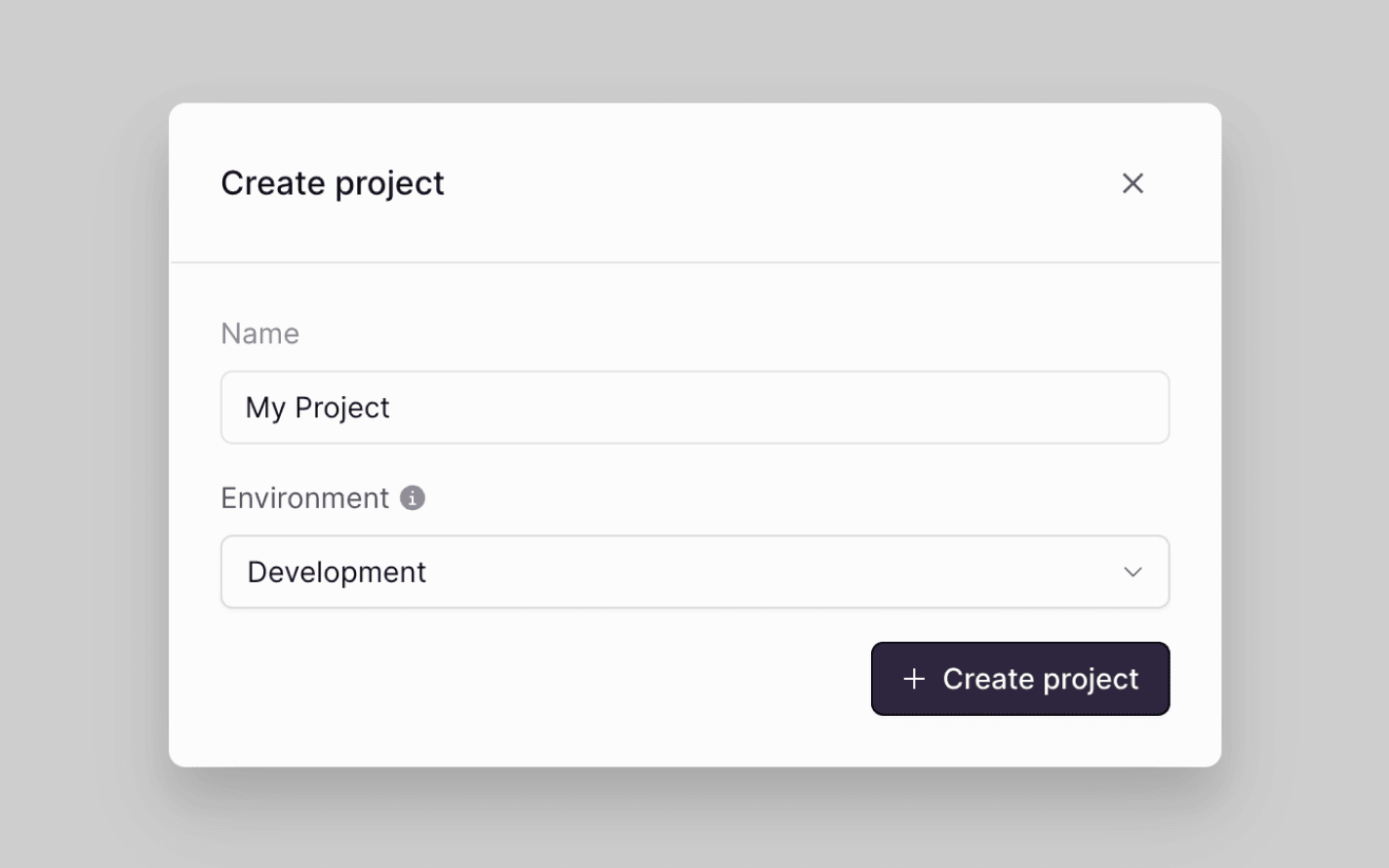
    Create a Liveblocks project
  2. Go to the notifications dashboard

    Click on the “Notifications” tab on the menu at the left.
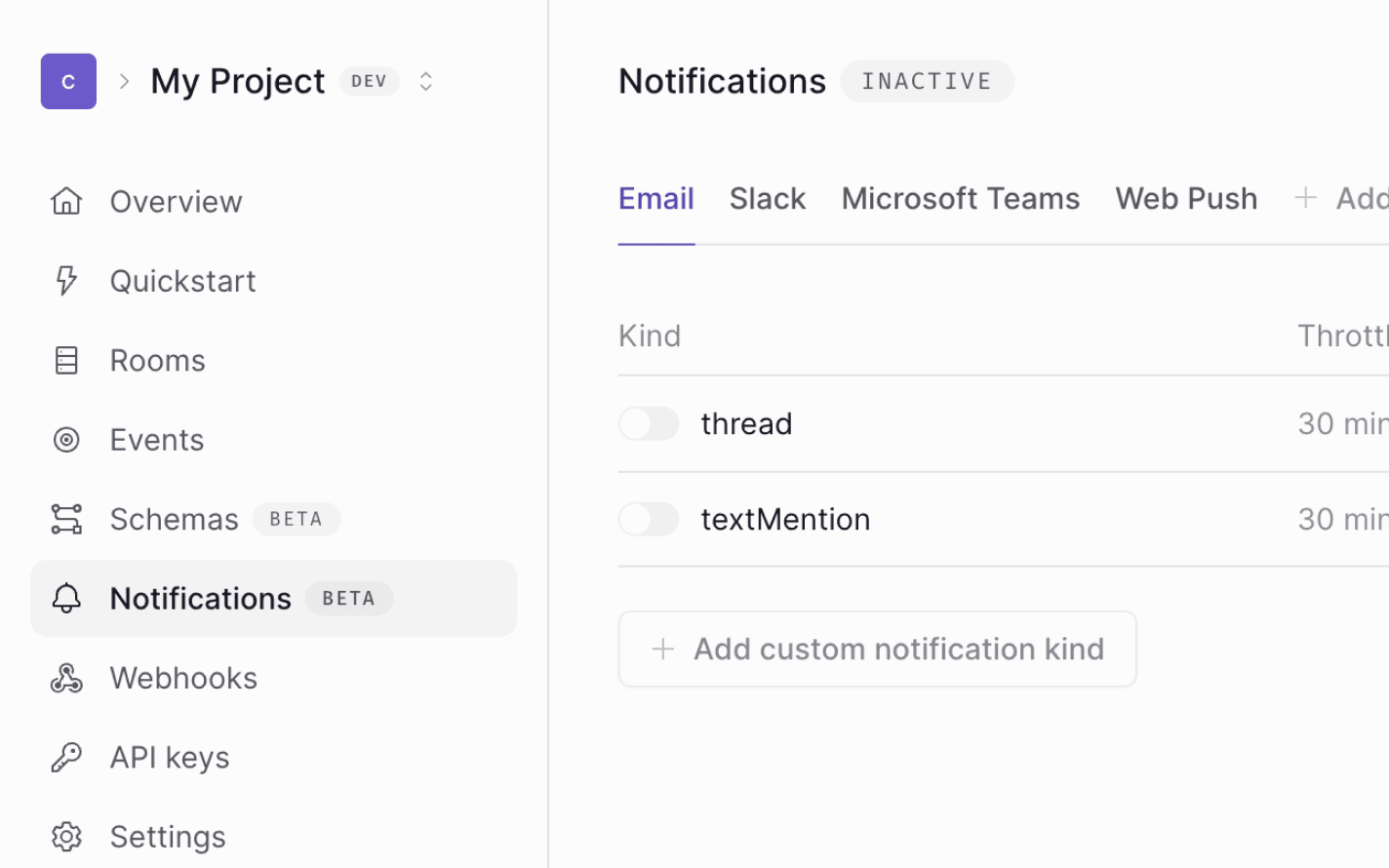
    Click notifications
  3. Enable the thread notification type

    Click on “Edit” at the top right, enable thread notifications on the Slack channel, and publish your changes.
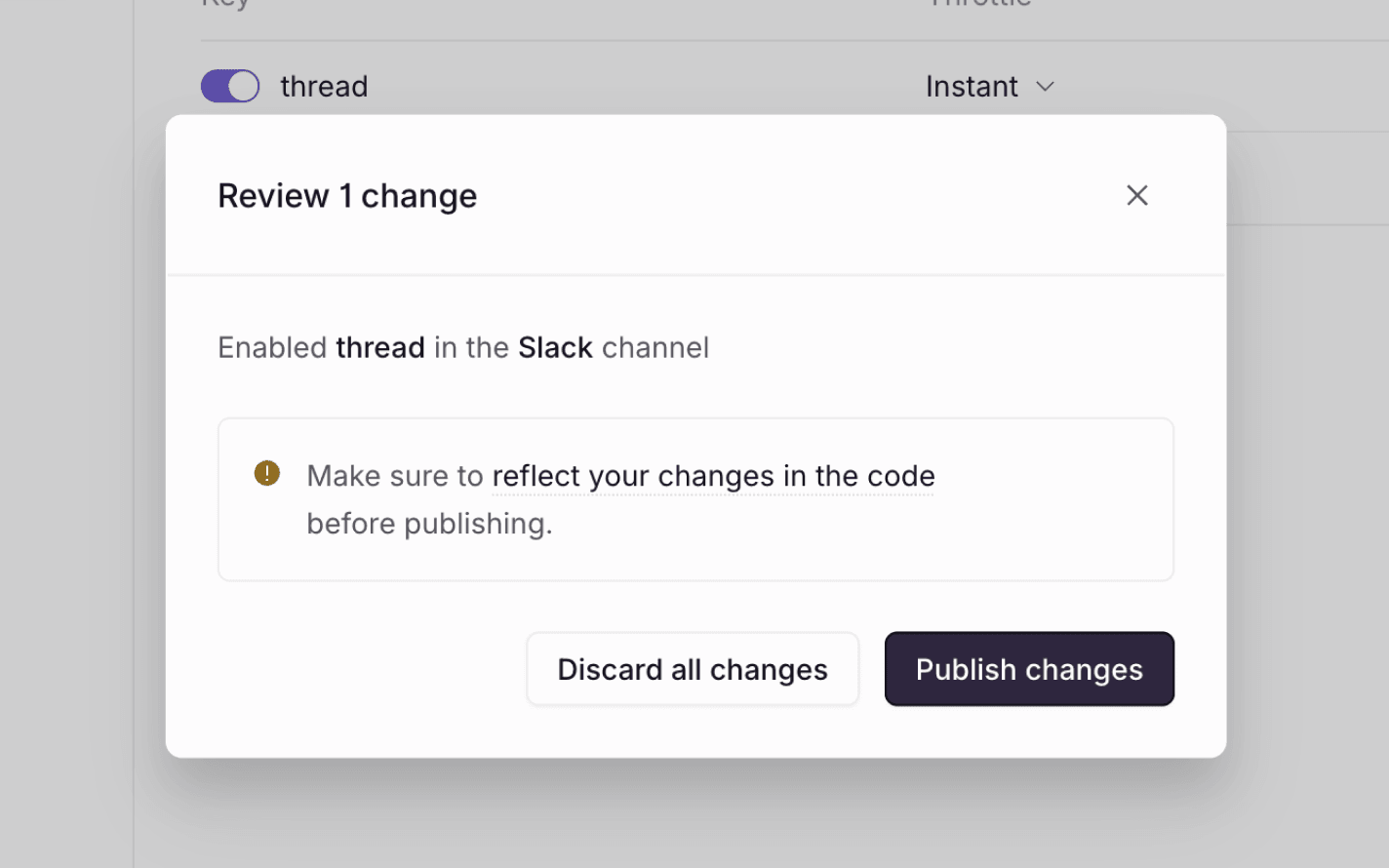
    Enable thread notifications
  4. Go to the webhooks dashboard

    Click on the “Webhooks” tab on the menu at the left.
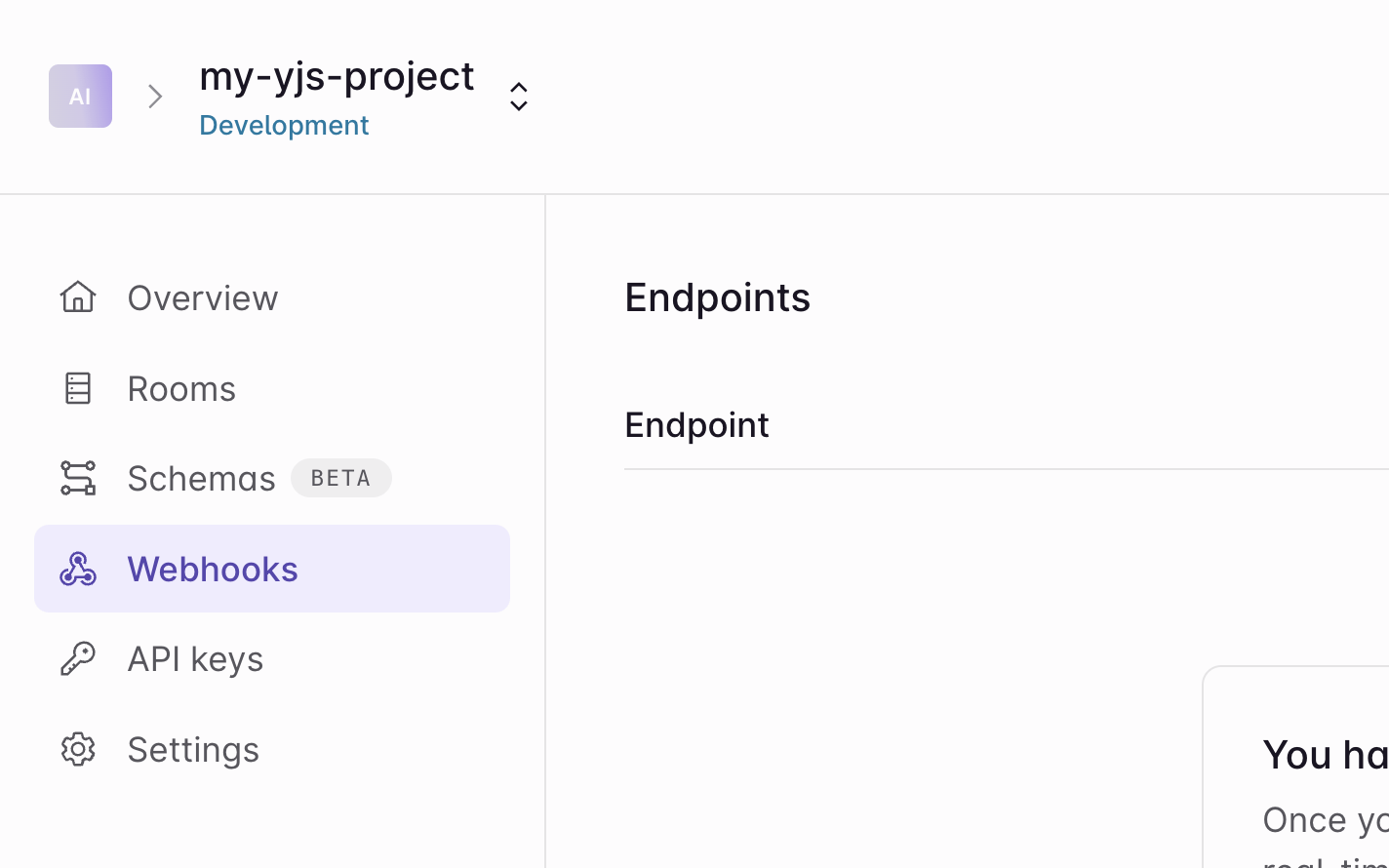
    Click webhooks
  5. Create an endpoint

    Click the “Add endpoint…” button on the webhooks dashboard to start setting up your webhook.
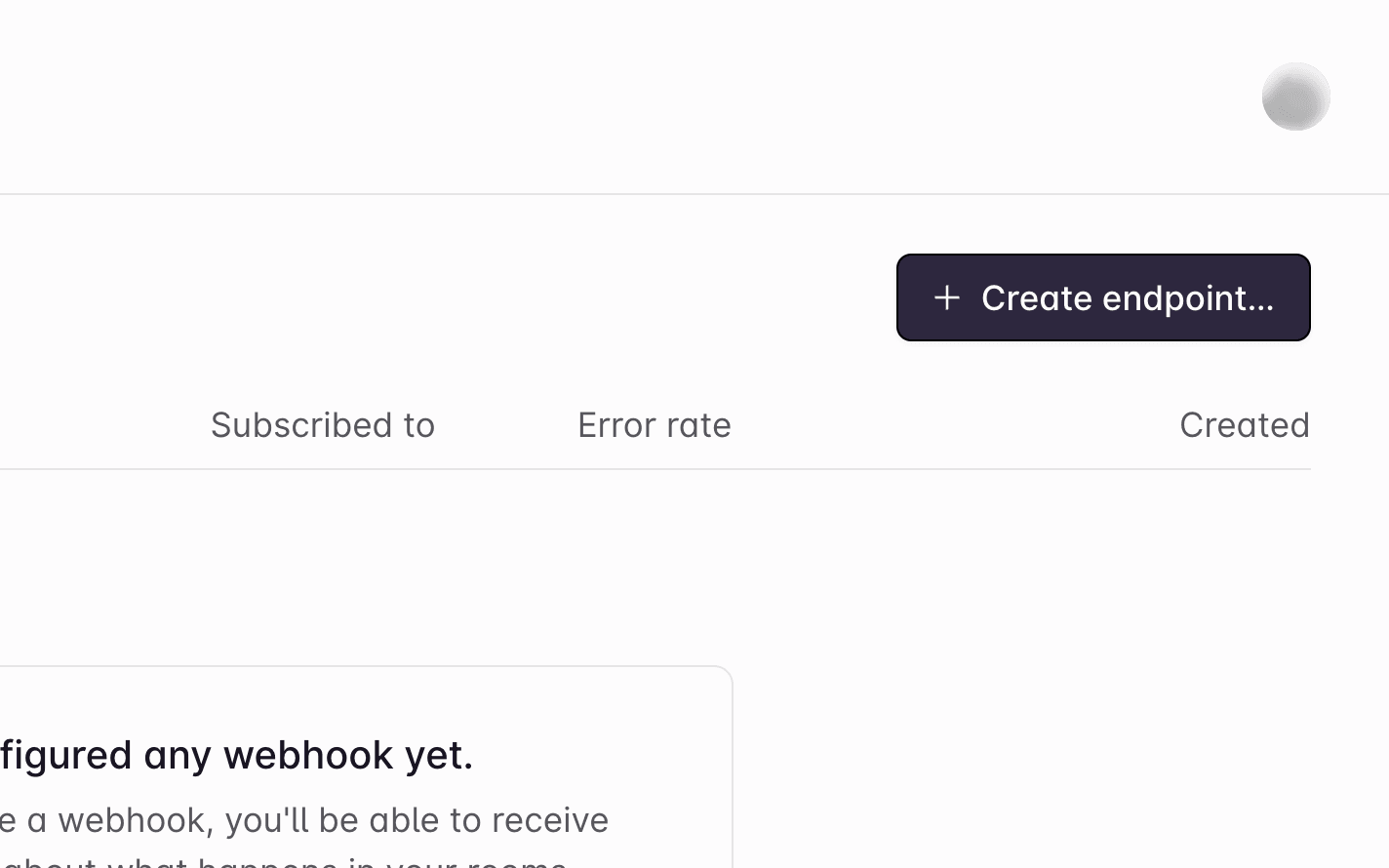
    Click add endpoint
  6. Add your endpoint URL

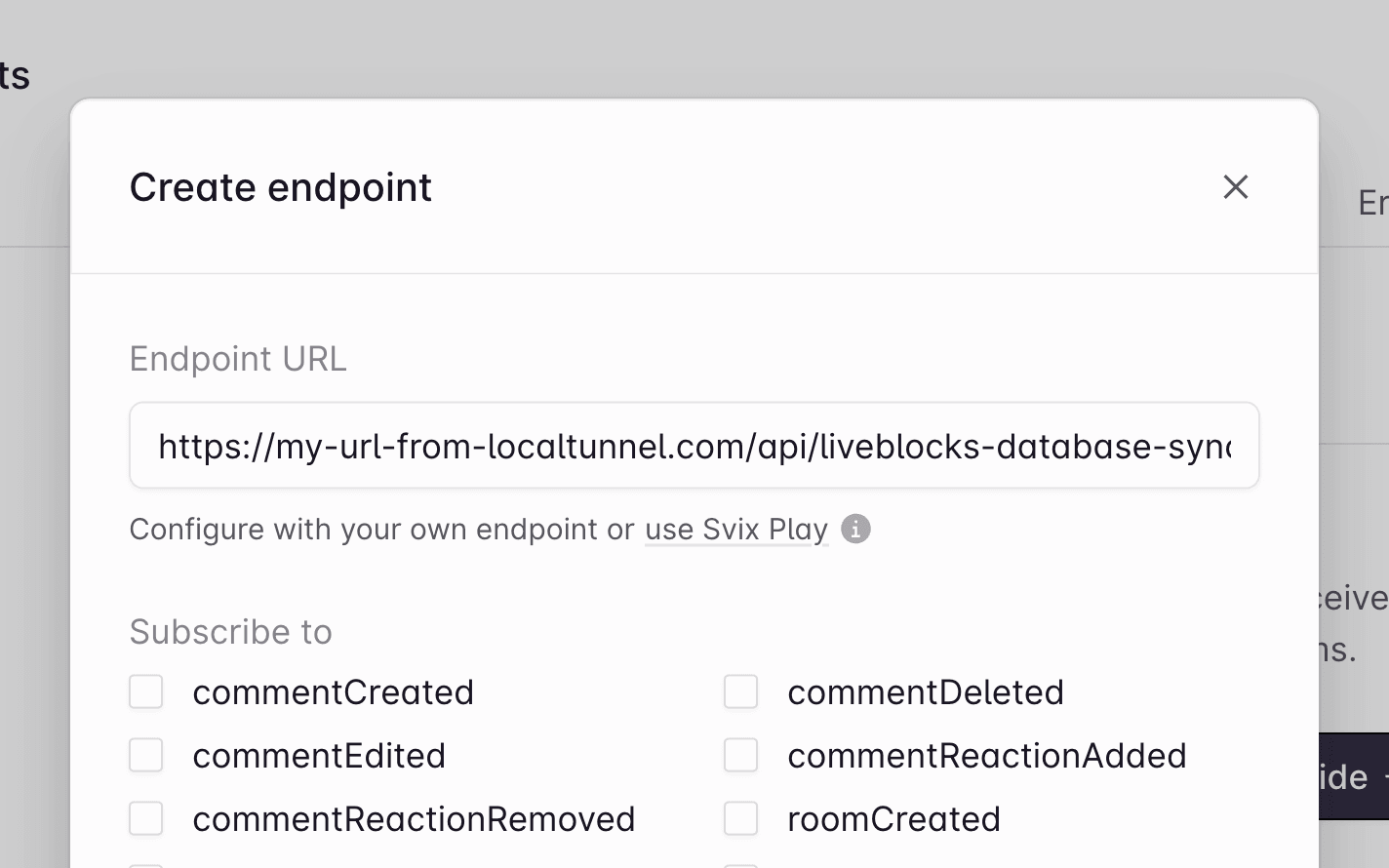
    Enter the URL of the endpoint. In a production app this will be the real endpoint, but for now enter your localtunnel URL from earlier.

    Add endpoint URL
  7. Enable notification webhook events

    Check the “notification” event in the dialog to enable the correct webhooks events.
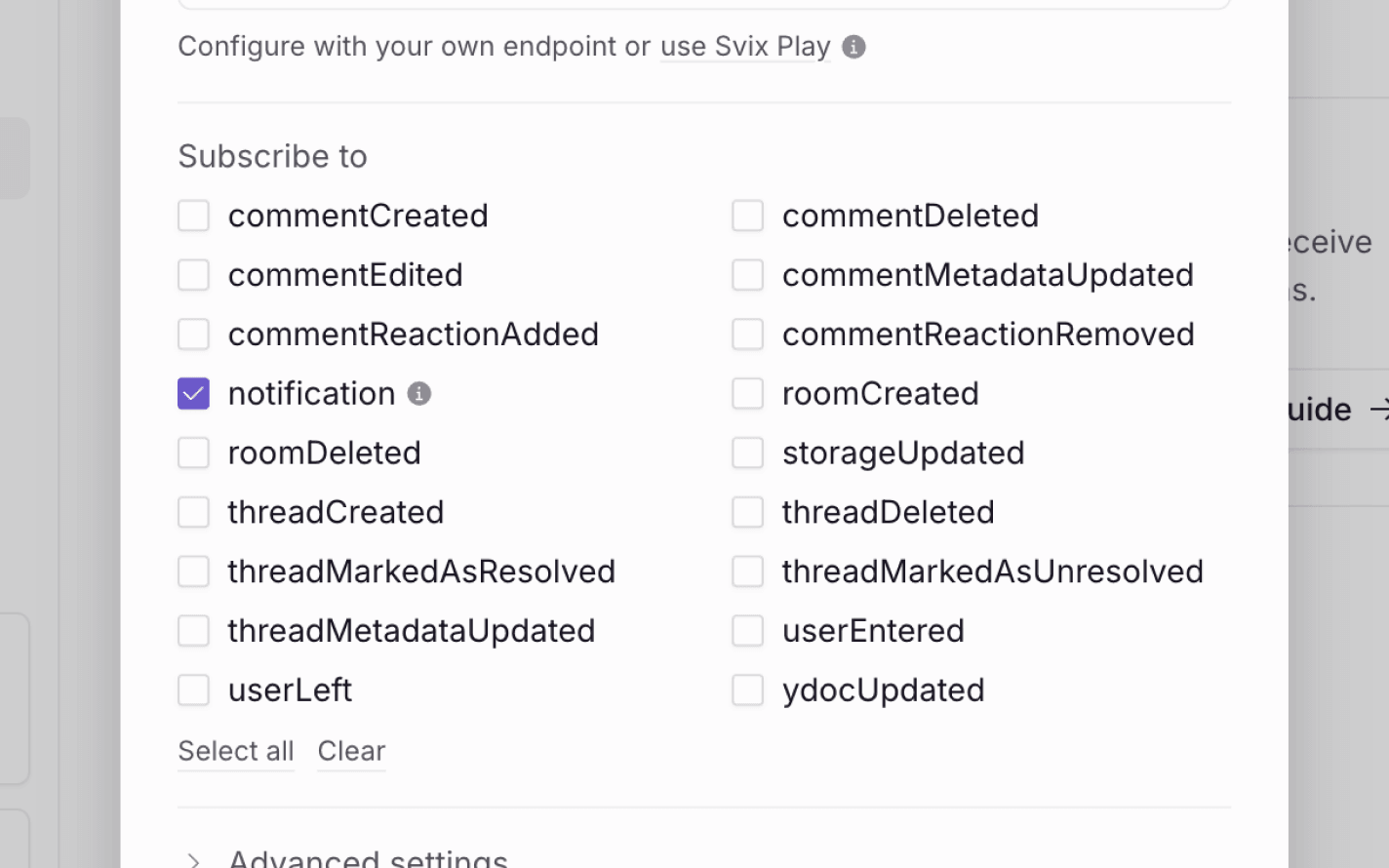
    Add endpoint URL
  8. Get your webhook secret key

    Click “Add endpoint” at the bottom, then find your “Secret key” on the next page, and copy it.
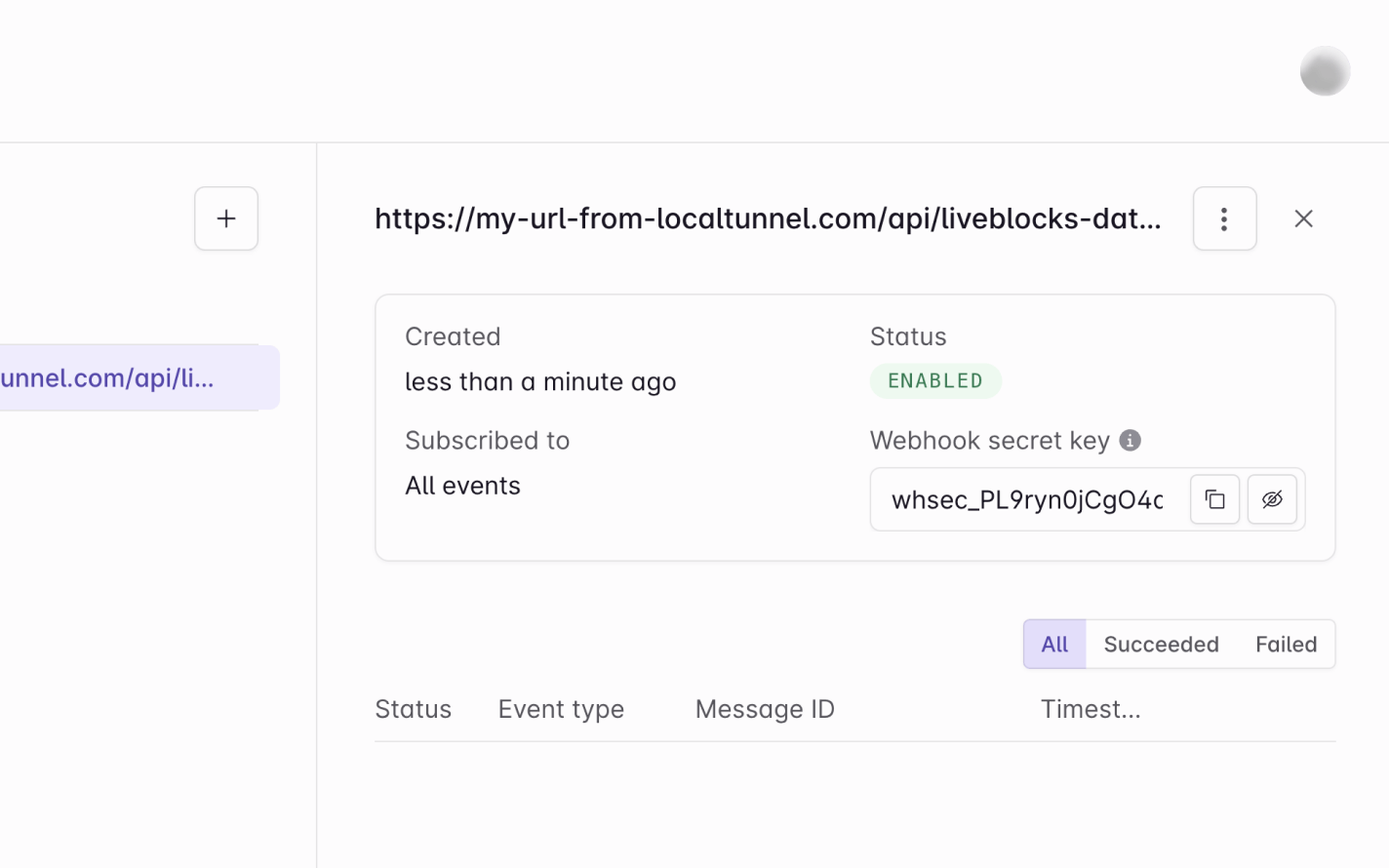
    Copy your webhook secret key
  9. Webhooks dashboard is set up!

    Notification webhooks are set up! Let’s go back to the code.

Verify the webhook request

The @liveblocks/node package provides you with a function that verifies whether the current request is a real webhook request from Liveblocks. You can set this up by setting up a WebhookHandler and running verifyRequest.

Make sure to add your webhook secret key from earlier—in a real project we’d recommend using an environment variable for this.

import { WebhookHandler } from "@liveblocks/node";
// Add your webhook secret key from a project's webhooks dashboardconst WEBHOOK_SECRET = "YOUR_WEBHOOK_SECRET_KEY";const webhookHandler = new WebhookHandler(WEBHOOK_SECRET);
export async function POST(request: Request) { const body = await request.json(); const headers = request.headers;
// Verify if this is a real webhook request let event; try { event = webhookHandler.verifyRequest({ headers: headers, rawBody: JSON.stringify(body), }); } catch (err) { console.error(err); return new Response("Could not verify webhook call", { status: 400 }); }
// Send notifications // ...
return new Response(null, { status: 200 });}

Check the event and notification permissions

After verifying the request, we can then check we’re receiving the correct type of event, on the correct channel. There are different notification events, and in this case we’d like to check for thread notification, as we’re specifically listening for new comments. We can do this using ThreadNotificationEvent, making sure to check for the slack channel.

import { WebhookHandler, isThreadNotificationEvent } from "@liveblocks/node";
// Add your webhook secret key from a project's webhooks dashboardconst WEBHOOK_SECRET = "YOUR_WEBHOOK_SECRET_KEY";const webhookHandler = new WebhookHandler(WEBHOOK_SECRET);
export async function POST(request: Request) { const body = await request.json(); const headers = request.headers;
// Verify if this is a real webhook request let event; try { event = webhookHandler.verifyRequest({ headers: headers, rawBody: JSON.stringify(body), }); } catch (err) { console.error(err); return new Response("Could not verify webhook call", { status: 400 }); }
// When an inbox notification has been created on the slack channel if (isThreadNotificationEvent(event) && event.data.channel === "slack") { const { roomId, threadId, inboxNotificationId, userId } = event.data;
// Check if user has access to room if (!(userId, roomId)) { return new Response(null, { status: 200 }); }
// Send notifications // ... }
return new Response(null, { status: 200 });}

Note that we’re also checking if the user should receive a notification—Liveblocks doesn’t have knowledge of your permissions system on the back end, so it’s your responsibility to check if this user should have access to the room.

Get comment and thread data

The next step is to use the Liveblocks client from @liveblocks/node to retrieve the inbox notification, and the corresponding thread’s data. To do this we’ll need to add our project’s secret key from the dashboard to the Liveblocks client (not the webhook secret key we used earlier), before awaiting the following functions: getInboxNotification and getThread.

import {  Liveblocks,  WebhookHandler,  isThreadNotificationEvent,} from "@liveblocks/node";
// Add your webhook secret key from a project's webhooks dashboardconst WEBHOOK_SECRET = "YOUR_WEBHOOK_SECRET_KEY";const webhookHandler = new WebhookHandler(WEBHOOK_SECRET);
// Add your secret key from a project's API keys dashboardconst API_SECRET = "";const liveblocks = new Liveblocks({ secret: API_SECRET });
export async function POST(request: Request) { const body = await request.json(); const headers = request.headers;
// Verify if this is a real webhook request let event; try { event = webhookHandler.verifyRequest({ headers: headers, rawBody: JSON.stringify(body), }); } catch (err) { console.error(err); return new Response("Could not verify webhook call", { status: 400 }); }
// When an inbox notification has been created if (isThreadNotificationEvent(event) && event.data.channel === "slack") { const { roomId, threadId, inboxNotificationId, userId } = event.data;
// Check if user has access to room if (!(userId, roomId)) { return new Response(null, { status: 200 }); }
try { // Get thread and notification const [thread, inboxNotification] = await Promise.all([ liveblocks.getThread({ roomId, threadId }), liveblocks.getInboxNotification({ inboxNotificationId, userId }), ]);
// Send external notifications // ... } catch (err) { console.log(err); return new Response("Could not fetch notification data", { status: 500 }); } }
return new Response(null, { status: 200 });}

Get the unread comments

The next step is to get each unread comment by comparing the readAt time in the inbox notification with the createAt time on each comment. We’re also filtering out each comment with no body, which represents a deleted comment.

import {  Liveblocks,  WebhookHandler,  isThreadNotificationEvent,} from "@liveblocks/node";
// Add your webhook secret key from a project's webhooks dashboardconst WEBHOOK_SECRET = "YOUR_WEBHOOK_SECRET_KEY";const webhookHandler = new WebhookHandler(WEBHOOK_SECRET);
// Add your secret key from a project's API keys dashboardconst API_SECRET = "";const liveblocks = new Liveblocks({ secret: API_SECRET });
export async function POST(request: Request) { const body = await request.json(); const headers = request.headers;
// Verify if this is a real webhook request let event; try { event = webhookHandler.verifyRequest({ headers: headers, rawBody: JSON.stringify(body), }); } catch (err) { console.error(err); return new Response("Could not verify webhook call", { status: 400 }); }
// When an inbox notification has been created if (isThreadNotificationEvent(event) && event.data.channel === "slack") { const { roomId, threadId, inboxNotificationId, userId } = event.data;
// Check if user has access to room if (!(userId, roomId)) { return new Response(null, { status: 200 }); }
try { // Get thread and notification const [thread, inboxNotification] = await Promise.all([ liveblocks.getThread({ roomId, threadId }), liveblocks.getInboxNotification({ inboxNotificationId, userId }), ]);
// Get unread comments (and filter out deleted comments) const readAt = inboxNotification.readAt; const unreadComments = thread.comments .filter((comment) => (readAt ? comment.createdAt > readAt : true)) .filter((comment) => comment.body !== undefined);
// No unread comments, therefore no notification needed if (unreadComments.length === 0) { return new Response(null, { status: 200 }); }
// Send notifications // ... } catch (err) { console.log(err); return new Response("Could not fetch notification data", { status: 500 }); } }
return new Response(null, { status: 200 });}

If there are no unread notifications, then we’re choosing not to send an email.

Generating comment text for the external notification

Now that we have the comment data, we have one more step before sending the notifications—formatting each comment’s text, found inside comment.body, and generating the text for our external notification.

By using await stringifyCommentBody, we can convert each comment into plain text, markdown, or HTML. In this code snippet, you can see we’re looping through each comment, and replacing comment.body with a markdown string.

import {  Liveblocks,  WebhookHandler,  isThreadNotificationEvent,  stringifyCommentBody,} from "@liveblocks/node";
// Add your webhook secret key from a project's webhooks dashboardconst WEBHOOK_SECRET = "YOUR_WEBHOOK_SECRET_KEY";const webhookHandler = new WebhookHandler(WEBHOOK_SECRET);
// Add your secret key from a project's API keys dashboardconst API_SECRET = "";const liveblocks = new Liveblocks({ secret: API_SECRET });
export async function POST(request: Request) { const body = await request.json(); const headers = request.headers;
// Verify if this is a real webhook request let event; try { event = webhookHandler.verifyRequest({ headers: headers, rawBody: JSON.stringify(body), }); } catch (err) { console.error(err); return new Response("Could not verify webhook call", { status: 400 }); }
// When an inbox notification has been created if (event.type === "notification") { const { roomId, threadId, inboxNotificationId, userId } = event.data;
// Check if user has access to room if (!(userId, roomId)) { return new Response(null, { status: 200 }); }
try { // Get thread and notification const [thread, inboxNotification] = await Promise.all([ liveblocks.getThread({ roomId, threadId }), liveblocks.getInboxNotification({ inboxNotificationId, userId }), ]);
// Get unread comments (and filter out deleted comments) const readAt = inboxNotification.readAt; const unreadComments = thread.comments .filter((comment) => (readAt ? comment.createdAt > readAt : true)) .filter((comment) => comment.body !== undefined);
// No unread comments, therefore notification needed if (unreadComments.length === 0) { return new Response(null, { status: 200 }); }
// Convert comments to markdown and return { body: "**...**", ...comment } format const textComments = await Promise.all( unreadComments.map(async (comment) => ({ body: await stringifyCommentBody(comment.body, { format: "markdown", }), ...comment, })) );
// Create final markdown for notification let markdown = "# New notifications"; for (const comment of textComments) { markdown += ` **Comment by ${comment.userId} at ${comment.createdAt}**: ${comment.body} `; } markdown += ` [Go to thread](https://my-company.com/room/${roomId}#${threadId}) `;
// Send notifications // ... } catch (err) { console.log(err); return new Response("Could not fetch notification data", { status: 500 }); } }
return new Response(null, { status: 200 });}

This snippet outputs simple formatting, for example it renders a user IDs (e.g. @jory.quispe) instead of a names (e.g. @Jory Quispe), but you can create more complex formatting easily by using more complex stringifyCommentBody options.

Send external notifications

Now that the comment’s body has been formatted, we can send the external notifications. In this example, we’re sending our markdown to an incoming webhook in Slack.

import {  Liveblocks,  WebhookHandler,  isThreadNotificationEvent,  stringifyCommentBody,} from "@liveblocks/node";
// Add your webhook secret key from a project's webhooks dashboardconst WEBHOOK_SECRET = "YOUR_WEBHOOK_SECRET_KEY";const webhookHandler = new WebhookHandler(WEBHOOK_SECRET);
// Add your secret key from a project's API keys dashboardconst API_SECRET = "";const liveblocks = new Liveblocks({ secret: API_SECRET });
export async function POST(request: Request) { const body = await request.json(); const headers = request.headers;
// Verify if this is a real webhook request let event; try { event = webhookHandler.verifyRequest({ headers: headers, rawBody: JSON.stringify(body), }); } catch (err) { console.error(err); return new Response("Could not verify webhook call", { status: 400 }); }
// When an inbox notification has been created if (event.type === "notification") { const { roomId, threadId, inboxNotificationId, userId } = event.data;
// Check if user has access to room if (!(userId, roomId)) { return new Response(null, { status: 200 }); }
try { // Get thread and notification const [thread, inboxNotification] = await Promise.all([ liveblocks.getThread({ roomId, threadId }), liveblocks.getInboxNotification({ inboxNotificationId, userId }), ]);
// Get unread comments (and filter out deleted comments) const readAt = inboxNotification.readAt; const unreadComments = thread.comments .filter((comment) => (readAt ? comment.createdAt > readAt : true)) .filter((comment) => comment.body !== undefined);
// No unread comments, therefore notification needed if (unreadComments.length === 0) { return new Response(null, { status: 200 }); }
// Convert comments to markdown and return { body: "**...**", ...comment } format const textComments = await Promise.all( unreadComments.map(async (comment) => ({ body: await stringifyCommentBody(comment.body, { format: "markdown", }), ...comment, })) );
// Create final markdown for notification let markdown = "# New notifications"; for (const comment of textComments) { markdown += ` **Comment by ${comment.userId} at ${comment.createdAt}**: ${comment.body} `; } markdown += ` [Go to thread](https://my-company.com/room/${roomId}#${threadId}) `;
// Send your external notifications, e.g. to Slack await fetch( "https://hooks.slack.com/services/T00000000/B00000000/XXXXXXXXXXXXXXXXXXXXXXXX", { method: "POST", headers: { "Content-Type": "application/json" }, body: JSON.stringify({ text: markdown, username: `@${userId}`, }), } ); } catch (err) { console.log(err); return new Response("Could not fetch notification data", { status: 500 }); } }
return new Response(null, { status: 200 });}

We’ve now successfully sent an external notification to a user!

Allow users to toggle notifications

Using Liveblocks hooks and methods, it’s possible to create a notifications settings interface, allowing end users to choose which notifications they’d like to receive, and on which channels, saving their preferences.
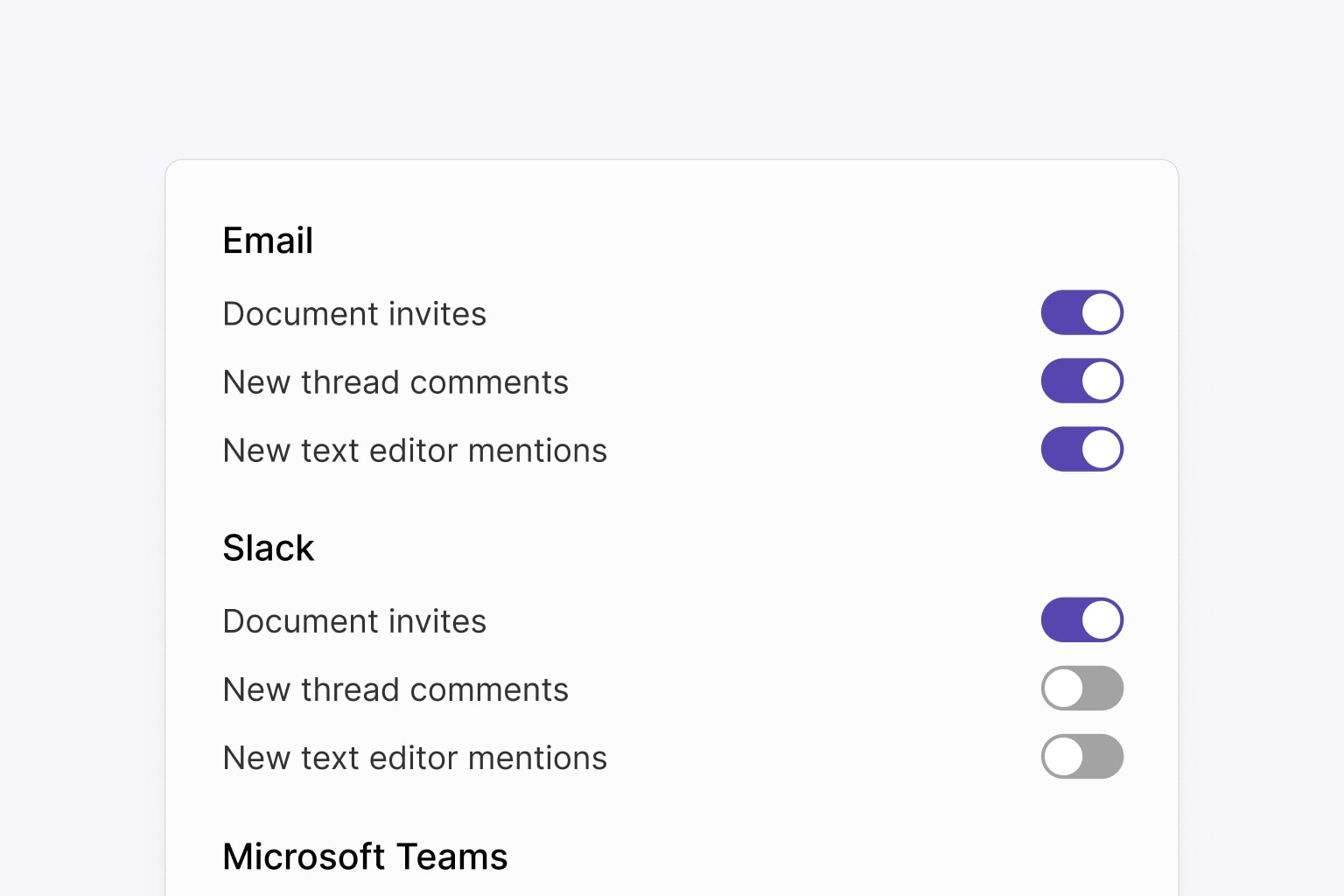
Notification settings

Learn more in our guide on creating a notification settings panel.

Recap

Great, we’re successfully sending external notifications to users when comments are left unread! In this guide we’ve learned:

We use cookies to collect data to improve your experience on our site. Read our Privacy Policy to learn more.