Concepts
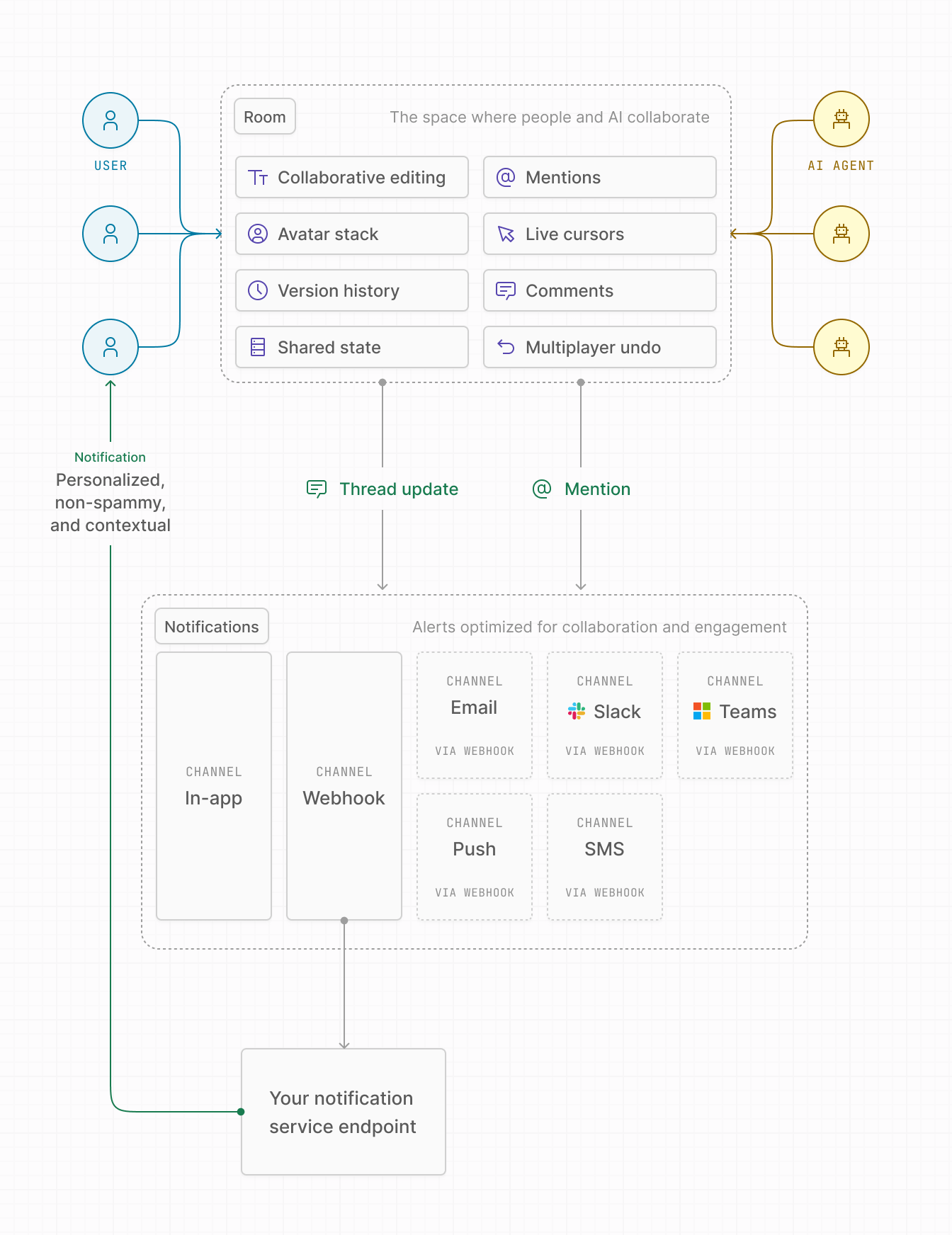
Liveblocks is the realtime infrastructure and conflict-free sync layer for your product. It provides the stateful WebSocket room-based architecture and primitives to let people and AI agents work together inside your app—both in realtime and asynchronously. Think of Liveblocks as the collaboration architecture your product never had. This page introduces the core concepts behind Liveblocks so you understand how everything fits together.
What is Liveblocks?
Liveblocks is a realtime infrastructure for multiplayer apps. It’s built on a small set of foundational concepts list below. These concepts work together to let people and AI collaborate inside your app, without changing your existing authentication, backend, or data model.
| Concept | Description |
|---|---|
| Projects | Top-level container for your application |
| Organizations | Compartmentalize rooms and notifications per organization |
| Rooms | Spaces in your product where collaboration happens, such as documents |
| Primitives | The building blocks that makes multiplayer possible at scale: Presence, Broadcast, Storage, Feeds, Threads |
| Users | People and AI agents doing work together |
| Products | Sync, Comments, and Notifications |
| Platform | The realtime backend, admin dashboard, and SDKs that make collaboration possible at scale |
Projects
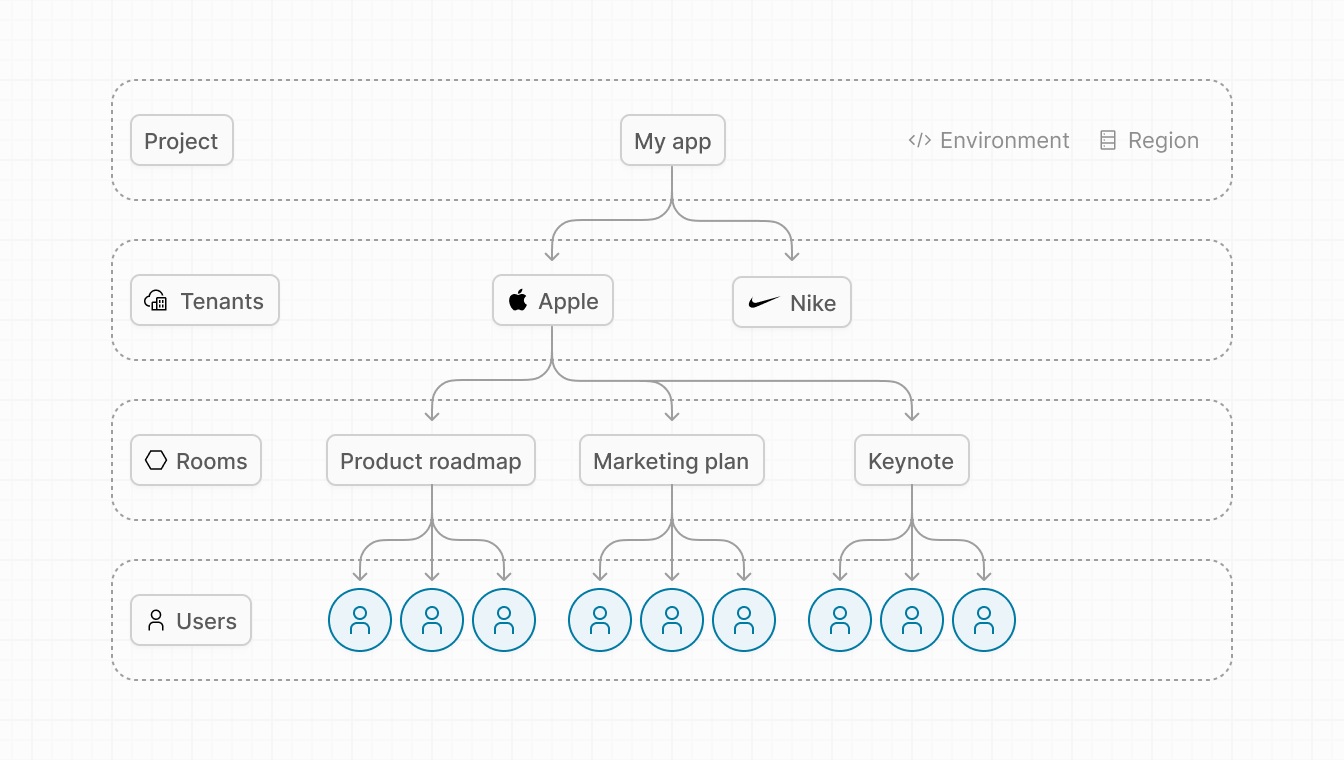
A project is the top-level container in your Liveblocks team workspace that usually maps to an application. Each project includes things like API keys, rooms, AI agents, usage metrics, event logs, webhook settings, notification settings, region and environment settings, and more.
Regions
You can choose to locate a project in one of the following regions. The region cannot be changed once the project has been created.
| Region | Data hosted | Availability |
|---|---|---|
| Earth | Globally on Cloudflare edge servers and AWS us‑east‑1 | All plans |
| US | US only with Cloudflare FedRAMP and AWS us‑east‑1 | Enterprise plan |
| EU | EU only with Cloudflare EU and AWS eu‑central‑1 | Enterprise plan |
Environments
You can assign one of the following environment tags to a project. The environment tag cannot be changed once the project has been created. Teams typically create separate projects for production, staging, and development. Encrypted keys and higher limits apply to production environment projects.
| Environment | Description |
|---|---|
| Development | For development, testing, and prototyping |
| Production | For production |
Organizations
Organizations allow you to compartmentalize Liveblocks resources, such as inbox notifications, rooms, and everything associated with rooms such as comment threads, realtime data stored, and more. Each organization represents a separate organization or customer in your system, meaning you can easily add a workspace/org switcher to your application, with each workspace having its own notification inbox. Each project can have multiple organizations, though only one is required.
Rooms
A room is a stateful WebSocket server on the edge. It represents the space where people and AI agents collaborate together. Inside a room, you can enable things like Presence, shared state for multiplayer interactions, contextual comment threads, @ mentions and actions that trigger notifications.
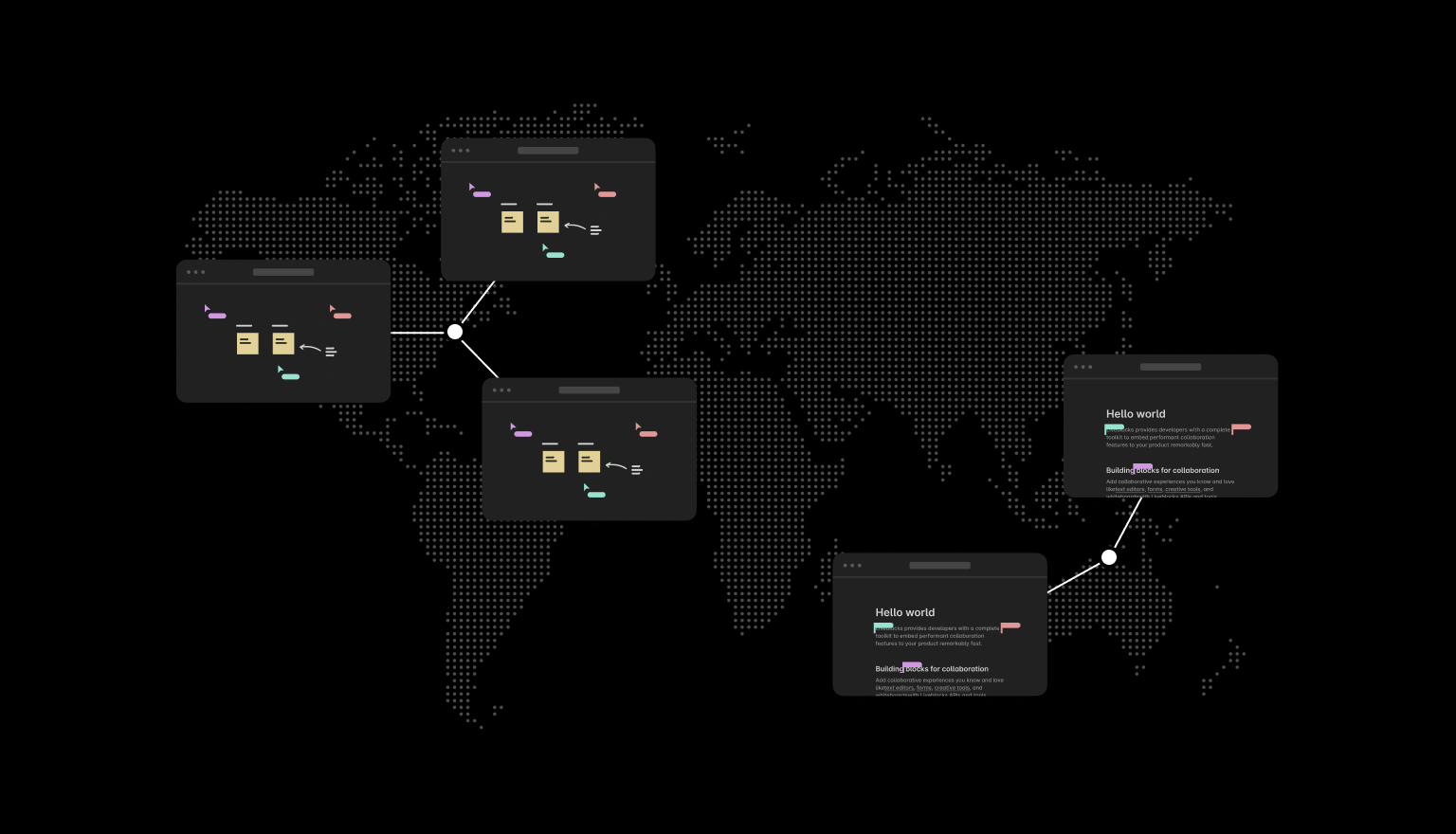
Rooms typically map to artifacts people and AI agents can create inside your product, such as text documents, workflow diagrams, spreadsheets, whiteboards, forms, 3D files, video editors, design files, presentations, and more.
Primitives
Primitives are the building blocks available inside rooms that make multiplayer possible at scale: Presence, Broadcast, Storage, Feeds, Threads.
Products
Liveblocks products provide pre-built components, hooks, and APIs that handle the complexity of realtime collaboration, allowing you to focus on building your product’s unique experience.
Users
Users are the entities that do work together in your application. Liveblocks provides the realtime infrastructure and collaboration features they use to collaborate. There are two types of users: people and AI agents.
People
People are the authenticated user using your application. Liveblocks only needs
a userId to identify them. Users can:
- View and edit content.
- See Presence and activity.
- Leave contextual comments.
- @ mention users, groups, and AI agents.
- Receive notifications.
AI Agents
AI agents are AI-driven collaborators that can act inside your product. Liveblocks supports two types of AI agents: singleplayer AI assistants powered by Liveblocks AI Copilots and backend agents powered by your own infrastructure.
Singleplayer AI assistants
Singleplayer AI assistants can be built with Liveblocks AI Copilots. They are configured directly in the dashboard. Ideal for chatbot-style assistive behavior.
- Works with any LLM (OpenAI, Anthropic, Gemini, or custom).
- Supports RAG knowledge from PDFs, images, websites, and text.
- Fully compatible with the
<AiChat />component. - Acts on behalf of a user to take actions inside your app.
- Accessed through chat (not via @ mentions).
Backend AI agents
Backend AI agents are powered by your own infrastructure or tools like n8n, LangChain, Crew AI, and more. Backend AI agents behave like true collaborators inside rooms.
- They appear in rooms with Presence.
- Users can @mention them in comments or text documents.
- Room events (mentions, edits, messages) are sent to your webhook endpoint.
- Your agent returns actions that update UI, create comments, or drive workflows.
Platform
The Liveblocks Platform powers collaboration at runtime through a realtime back end, using WebSocket infrastructure to handle Presence, connection management, low-latency messaging, and room orchestration. Async pipelines manage notification delivery, webhooks, and event batching and grouping. An admin dashboard provides usage and monitoring, project and API keys management, webhook management, notification channel management, hosting regions, and event logs. The platform also includes a DevTools browser extension and a comprehensive set of SDKs and packages.