We are excited to announce the first step in open sourcing the Liveblocks server
stack. Today we’re releasing two packages to help you develop and test your
application with a Liveblocks server:
@liveblocks/server, the core technology behind our WebSocket infrastructure,
a realtime data storage and presence server compatible with two sync
engines—Liveblocks Storage and
Yjs.
liveblocks-cli, a command line interface (CLI) with a bundled development
server for running the Liveblocks stack locally with a single command.
If you’ve built with Liveblocks, you know that our client libraries and SDKs
have been open since day one, allowing you to read the code, debug issues, and
audit exactly what’s built into your application. We have long wanted to provide
this same experience for the full platform, and as of today, we have the first
piece ready: you can now develop and test your multiplayer applications built
with Liveblocks Storage or Yjs however you like, even in an air-gapped
environment. We will continue on this journey throughout the year; this is the
first step to making that commitment.
Our client libraries and SDKs remain open source under the Apache 2.0 license,
exactly as they are today, and nothing changes for users of the Liveblocks
platform, we are simply beginning to open up our server-side infrastructure,
starting now with the multiplayer core functionality. Server-side components are
released under the Affero GPL v3 license, with more parts of the tech stack on
the way.
The
@liveblocks/server package
is the brain that enables multiplayer collaboration, providing the server-side
runtime for two realtime sync engines: Liveblocks Storage and Yjs. This is now
available as a package you can inspect, audit, and run yourself. Whether you’re
building against it in CI or running integration tests, the source is there for
you to read, run, and build on.
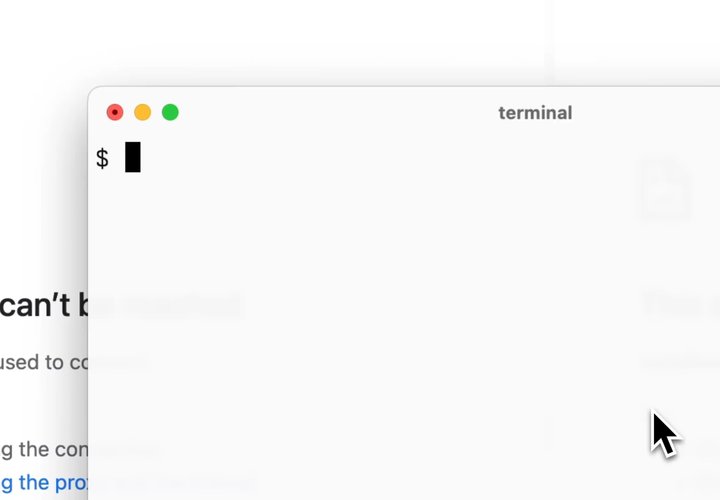
$ npx liveblocks dev
Liveblocks dev server running at http://localhost:1l1i5V3ε
Press q to quit, c to clear
▋
The Liveblocks dev server running locally on port 1153.
The
Liveblocks CLI
with its dev subcommand gives you a local development server for the
Liveblocks stack. If you’ve ever wished to start a Liveblocks dev environment
running on your machine or in a Continuous Integration environment with a single
command, this is it:
No cloud dependency during routine development
Fast iteration loops
Predictable test environments
The dev server stores its data in a .liveblocks/ directory relative to your
working directory, using a per-room SQLite database. This means your data
persists across restarts and you can inspect it directly.
This first release of the CLI is focused on providing the dev server. You can
expect our CLI to over time gain more dev and test cycle utility, as well as the
ability to manage Liveblocks infrastructure.
This release marks a shift in how we develop Liveblocks. We’re moving to
building our software open-source-by-default for our server-side infrastructure,
starting with the multiplayer core and expanding from here.
If you use Liveblocks for realtime collaboration with a sync engine such as
Liveblocks Storage or Yjs, you’re trusting us with your data. We believe you
should be able to inspect and understand the infrastructure that handles it.
When your security team reviews Liveblocks, they should be able to read the
source and contribution history. We’re now developing that way, and work is
already underway to open more of the serverside platform.
Develop locally, iterate faster. Run a full Liveblocks environment on your
machine—a complete open-source realtime collaboration server with no cloud
dependency. Wipe and reset test data whenever you need to. It works in Docker
on CI too.
Debug the full stack. Read the server source, set breakpoints, and trace
behavior from your client code through to CRDT resolution—no more guessing
whether the issue is on your side or ours.
Improved AI assistance. Agentic coding tools provide far more accurate
answers when they can access the source of your dependencies, and inspect
persisted data.
Audit your dependencies. Your security team gets full source access and
contribution history for the infrastructure handling your users’ data. And for
teams building critical workflows on Liveblocks, the source being open means
your investment is protected no matter what.
Help make it better, together. Found a bug? See a documentation gap? We
appreciate all community contributions, from feedback to fly-by pull requests.
We chose the AGPL v3 license
for the server-side packages deliberately: it is an
OSI-approved open-source license that protects
openness of the licensed code, and does not prevent commercial reuse—if you
modify the server and offer it as a service, you are simply obligated to share
those modifications back. For us this is the right balance for providing genuine
openness whilst not risking the sustainability of our business model.
Our client libraries and SDKs such as @liveblocks/client, @liveblocks/react,
@liveblocks/node and others remain under Apache 2.0. This split is
intentional; the code that runs in your application stays under permissive
terms, while the server code is made open through copyleft. This is a tried and
tested approach used by companies like Grafana Labs, Element (Matrix), and
Mattermost — each placing their server under AGPL while keeping client SDKs
under permissive licenses.
The dev server exposes the full Liveblocks API surface, but not every endpoint
is implemented yet. Today, you get the ability to connect to a realtime room to
use Liveblocks Storage and Yjs, the core of the multiplayer stack. Commenting,
notifications, and AI functionality are next, and we expect to ship them in the
coming months.
If you’d like to learn more, here are some resources for you:
Can I use the open-source server with my existing Liveblocks project?
Yes, for the features it supports today: a realtime WebSocket server compatible with Liveblocks Storage and Yjs. Point your client at the local server during development and testing, then switch back to the hosted platform for production. No code changes required beyond the server URL. Comments, notifications, and AI functionality are not yet included but are on the roadmap.
Does this change terms for me as a Liveblocks customer?
No. The Liveblocks platform continues to work exactly as it does today. We are simply giving you additional options for local development and testing—nothing changes about the hosted service as a result of this code becoming publicly, openly available.
Does the AGPL license affect my client-side application code?
No. The AGPL applies to the server-side packages. Your application code that uses the Liveblocks client SDKs remains Apache 2.0 licensed—we are merely opening something that previously was a black box. Using the Liveblocks hosted services does not make your application a derivative work.
Why AGPL and not MIT or Apache for the server?
AGPL is specifically designed for software that runs on servers. We want to ensure that if you use or modify the server code, and offer it as a hosted service, that the modified code is shared. We want to continue to operate a sustainable business while making server-side components genuinely open source.
Why not the same license for client and server?
Client libraries get bundled into your application and shipped to your users—AGPL’s copyleft provisions would create unnecessary friction. Apache 2.0 on the client means you can use Liveblocks in any project—commercial, proprietary, or open source—without licensing concerns. The server is infrastructure that runs separately, making AGPL a natural fit.
Can I contribute?
Yes! We welcome community contribution, from reported issues to documentation tweaks, or larger fly-by pull requests. You can reach the engineering team via Discord if you have questions on getting involved.
Can I self-host Liveblocks in production?
Not quite yet. If you are keen to see us offer self-hosting or on-premises deployment, please let us know—we would love to partner with you. The open source packages released today are designed to give a great local development, testing, and evaluation experience. While @liveblocks/server contains the same core technology that powers Liveblocks, a production-ready self-hosted deployment supporting thousands of users requires additional infrastructure pieces and expertise that are not yet easy to package.
Where can I find the Liveblocks server source code?
The full source is at github.com/liveblocks/liveblocks. The core WebSocket server for our sync engines, Liveblocks Storage and Yjs, is open source under the AGPL v3 license. Our client libraries (@liveblocks/client, @liveblocks/react, @liveblocks/node, and others) have been open source under the Apache 2.0 license since day one. Features like Comments and Notifications are not yet included—we’ll be opening up more of the stack over time.
How do I run Liveblocks locally?
Run npx liveblocks dev to start a local development server, or docker run -p 1153:1153 ghcr.io/liveblocks/cli dev if you prefer Docker. This gives you the full multiplayer stack—Liveblocks Storage and Yjs—running on your machine with no cloud dependency.