WebSocket is a critical building block for multiplayer apps. But once you start building, you quickly run into the harder problems: flaky connections, reconnection, presence, shared state, room lifecycle, and keeping multiple actors in sync.
Most teams start building a multiplayer app by saying, “we just need
WebSockets”. That’s true for about a week. Then the real problems show up.
Connections drop. Tabs go offline. Users reconnect from another device. Two
people edit the same thing at once. Presence gets out of sync. A comment appears
in one place but not another. A room goes idle, wakes up again, and now the UI
isn’t sure what state it should trust.
WebSocket matters a lot. It’s the backbone of most realtime products. But in a
multiplayer app, opening a WebSocket connection is only one layer of the job.
The hard part of realtime collaboration starts right after that.
It’s tempting to say WebSocket is the easy part, and everything else is hard.
That’s not really true. WebSocket already introduces a whole new class of
problems compared to a normal request-response app. The moment you keep a
long-lived connection open, you now have to think about flaky networks,
heartbeats, missed updates, reconnect logic, connection status, retry storms,
and what should happen when a client disappears mid-session.
That complexity becomes much more obvious in collaborative products. Imagine
someone editing a document on a train. Their connection drops for a few seconds.
They keep typing. Then the tab reconnects. What should happen next? Which
updates need to be replayed? Which state is still valid? Should other
collaborators still see that person as present? If so, for how long? Those are
WebSocket problems, and users feel them immediately when they’re handled badly.
Even with a solid WebSocket layer, multiplayer apps get much harder the moment
multiple actors are working on the same data at the same time. That is the part
people tend to underestimate. A multiplayer app is not just a stream of events
flying around over a socket. It’s a stateful system where users, back end
workflows, and now AI agents can all read and write shared data concurrently.
That means transport is not enough. You also need a way to keep shared state
correct, visible, and responsive under constant change. This is where the sync
engine starts to matter. A sync engine decides how updates are applied, merged,
streamed, persisted, and replayed. It’s the layer that turns raw transport into
something people can actually collaborate on. Without it, every new feature
starts pulling the system apart.
This is usually the first real wall teams hit. Two people update the same piece
of data at the same time. Or one person and one AI agent do. Or a backend
workflow modifies the same record while someone is still editing it in the UI.
Now what?
If you only think in terms of message delivery, you end up asking the wrong
question: did the event arrive? The real question is: what should the shared
state become? That’s a sync problem, not just a transport problem.
Presence sounds simple until you build it. Live cursors. Avatar stacks. Typing
state. Selections. Active tools. Who is viewing what. Who is editing what. Which
agent is currently doing work.
These signals are ephemeral, but they’re a huge part of what makes
realtime collaboration feel
alive. They’re also tightly connected to the shared state itself. A cursor
without the right document state is confusing. A selection without the right
text range is broken. A typing indicator without reliable connection state
becomes noise.
This is why presence is not just UI polish. It is part of the collaborative
model. The best multiplayer products don’t treat it as an afterthought. Presence
and shared state need to evolve together.
This is one of the least glamorous parts of multiplayer, and one of the most
important. Users refresh. Laptops sleep. Browsers freeze background tabs. Mobile
connections bounce between Wi-Fi and cellular. A server restarts. A room goes
idle and wakes up again. A client reconnects after missing a burst of updates.
All of those moments need to feel seamless. If they don’t, users stop trusting
the product. They start wondering whether the document is stale, whether their
comment was sent, whether someone else saw their changes, whether the system is
still live. You can’t fake your way through this part. A good multiplayer
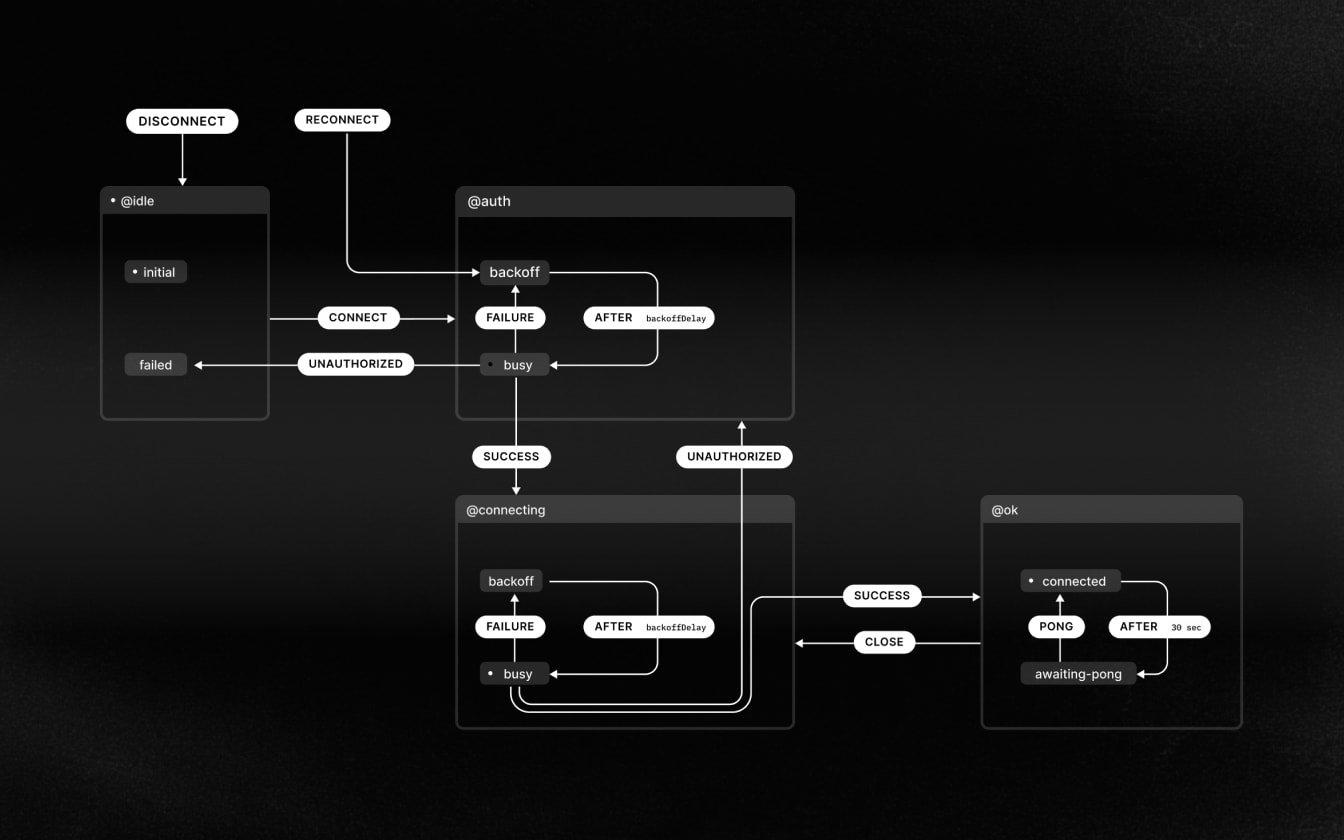
product needs a connection engine that can recover gracefully, restore state,
and make connection status legible to the UI.
Multiplayer apps don’t live in perfect network conditions.
Another thing teams discover late: multiplayer apps need structure. A socket
server can move events around, but collaborative products need a shared context
around the work. A document. A whiteboard. A design file. A ticket. A
conversation. A project plan.
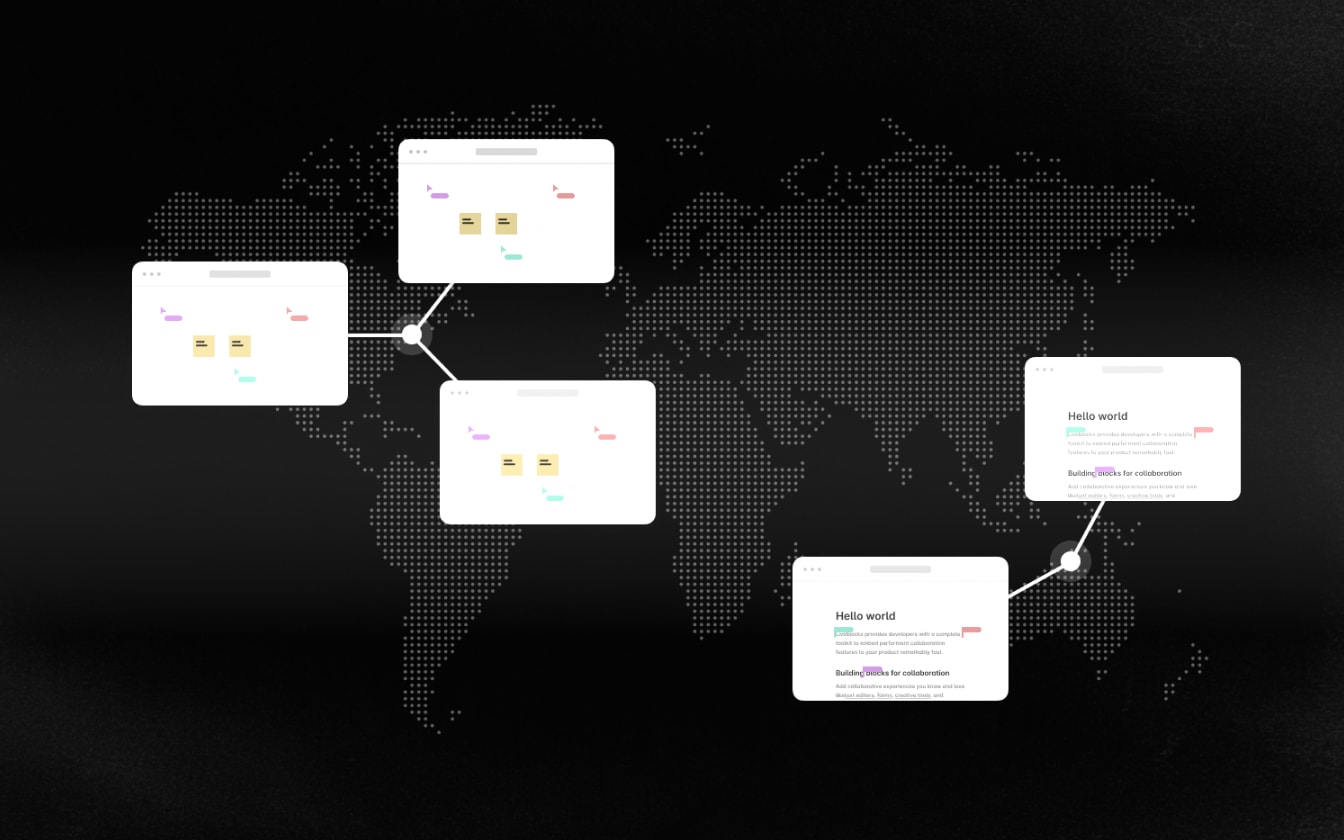
That’s why rooms matter. A room gives you a clean
collaboration surface where people, agents, and backend systems can operate on
the same artifact in realtime. It also gives you isolation. Presence belongs to
that room. Shared state belongs to that room. Comments and threads belong to
that room. Notifications may surface elsewhere, often at the user or workspace
level, but they still derive from activity in that room. Without that kind of
model, teams usually end up stitching together a growing pile of systems that
were never meant to behave like one product.
Rooms give multiplayer systems structure and isolation.
This is where things get surprisingly tricky. Undo and redo in a multiplayer app
can’t work like they do in a single-player app. If one user presses undo, they
shouldn’t erase everyone else’s work. Selections need to stay meaningful as
content shifts underneath them. Mentions need to notify the right person without
spamming everyone. Comments need to appear live in context, not as a separate
disconnected stream.
For instance, one of the most commonly used approaches to handle undo/redo is to
save the application’s previous states and rewind through those when the user
hits undo.
An interactive visualization displaying a canvas and its multiple states
across time.
Single-player undo/redo
In a multiplayer app, nailing the UX of undo/redo is much more complex. It’s
important to account for more than just the state of the document. Selection
state and group intermediary commands need to be accounted for as well.
An interactive visualization displaying two side-by-side canvases and users
keeping their selections after others hit undo or redo.
A
B
Multiplayer undo/redo accounting for selection state
Multiplayer apps are no longer just a few browser tabs talking to each other.
Now you may also have background workflows, automations, and AI agents
participating in the same experience. They may read shared state, leave
comments, update records, post messages, or show live presence while they work.
That changes the architecture. Suddenly, your collaboration layer has to support
more than a client-side WebSocket connection. It also needs to support
server-side participation. It needs a model where people and agents can work in
the same room, on the same state, with the same visibility.
By the time a multiplayer app is production-ready, most teams have built far
more than a socket layer.
They’ve built a connection engine for flaky networks and reconnection. A sync
engine for shared state. A presence system. A room model. Durable storage.
Replay and catch-up logic. Comments and threads. Notification logic. Back end
workflows. Observability around room health and connection quality.
That’s the part nobody tells you at the beginning. Multiplayer apps are not just
realtime apps. They are coordination systems.
WebSocket is still the right foundation for many multiplayer products. It gives
you low-latency, bidirectional communication and the responsiveness people
expect from collaborative software. WebSockets are foundational to realtime
collaboration, but they are not the whole architecture.
But WebSocket is not the product architecture. It’s the transport layer
underneath a much bigger system: one that has to keep shared state correct, make
presence feel alive, recover from bad networks, and coordinate multiple humans
and agents in the same flow.
That’s why the best collaborative products feel simple on the surface and
complex underneath. They hide the hard parts well.
If you’re building a multiplayer product, WebSocket is absolutely part of the
job. It’s also not enough. The part nobody tells you is that once your app
becomes collaborative, the real challenge is no longer just opening a
connection. It’s keeping state correct, visible, and responsive as multiple
actors work at once, often over unreliable networks, inside a system that has to
recover gracefully when reality gets messy.
Problem
Symptom
What solves it
Concurrent edits
Changes arrive, but the shared state is still wrong
A sync engine with conflict resolution
Presence
Cursors, selections, and typing state drift out of context
A presence system tied to the same realtime collaboration model
Reconnection and offline states
Users stop trusting whether the document is current
A connection engine with replay, catch-up, and recovery
Room lifecycle and isolation
Features feel stitched together instead of product-shaped
A room model with clear boundaries and ownership
Multiplayer UX details
Undo, mentions, and comments break under concurrency
Product behaviors built on top of the sync model, not just UI
Backend systems and AI agents
Humans and automations update the same state without visibility
Server-side participation in the same collaboration layer
That’s what makes multiplayer hard. And that’s also what makes it worth getting
right. If you’re exploring how to build this kind of product, our
get started guides are a good place to begin.