• DocsDocs
  • PricingPricing
Sign in
Get started
Sign in
Get started
    • Realtime Infrastructure
      • Presence
        Presence

        Online users, cursors, selections

      • Broadcast
        Broadcast

        Temporary event signals

      • Storage
        Storage

        Synced conflict-free data

      • Feeds
        FeedsBeta

        Messages and activity logs

      • Threads
        Threads

        Contextual conversations

    • Collaboration features
      • Multiplayer
        Multiplayer

        Realtime collaboration

      • Comments
        Comments

        Contextual commenting

      • Notifications
        Notifications

        Smart alerts for your app

      • AI Copilots
        AI Copilots

        Individual AI assistants

    • Tools
      • Examples

        Gallery of open source examples

      • Showcase

        Gallery of collaborative experiences

      • Next.js Starter Kit

        Kickstart your Next.js collaborative app

      • DevTools

        Browser extension

      • Tutorial

        Step-by-step interactive tutorial

      • Guides

        How-to guides and tutorial

      • Figma UI Kit

        Liveblocks Collaboration Kit

    • Company
      • Blog

        The latest from Liveblocks

      • Customers

        The teams Liveblocks empowers

      • Changelog

        Weekly product updates

      • Security

        Our approach to security

      • About

        The story and team behind Liveblocks

      • Careers

        Explore opportunities to join our team

  • Docs
  • Pricing
  • Realtime Infrastructure
    • Presence
    • Broadcast
    • Storage
    • FeedsBeta
    • Threads
    Collaborative features
    • Multiplayer
    • Comments
    • Notifications
    • AI Copilots
    Solutions
    • People platforms
    • Sales tools
    • Startups
    Use cases
    • Multiplayer forms
    • Multiplayer text editor
    • Multiplayer creative tools
    • Multiplayer whiteboard
    • Comments
    • Sharing and permissions
    • Document browsing
  • Resources
    • Documentation
    • Examples
    • Showcase
    • DevTools
    • React components
    • Next.js Starter Kit
    • Tutorial
    • Guides
    • Release notes
    Technologies
    • Next.js
    • React
    • JavaScript
    • Redux
    • Zustand
    • Yjs
    • Tiptap
    • BlockNote
    • Slate
    • Lexical
    • Quill
    • Monaco
    • CodeMirror
  • Company
    • Pricing
    • Blog
    • Customers
    • Changelog
    • About
    • Contact us
    • Careers
    • Terms of service
    • Privacy policy
    • DPA
    • Security
    • Trust center
    • Subprocessors
  • HomepageSystem status
    • Github
    • Discord
    • X
    • LinkedIn
    • YouTube
    © 2026 Liveblocks Inc.
Blog/Product & Design

What the future of productivity apps looks like

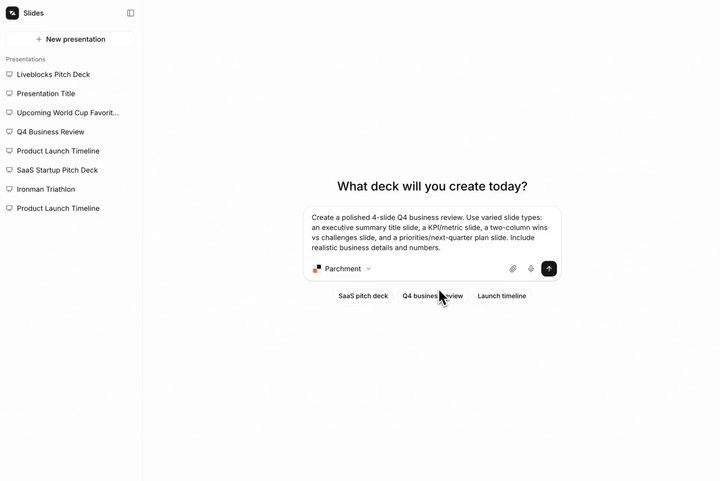
The best apps are becoming places where people and AI work together in realtime. We built an AI slideshow editor as an example of this future, a tool featuring agent presence, multiplayer editing, AI comments, and more.

Picture of Chris Nicholas
Chris Nicholas on June 3rd
What the future of productivity apps looks like
June 3rd·7 min read
  • Picture of Chris NicholasChris Nicholas
Share article
AICollaborationCommentsPresence

Ready to get started?

Join thousands of companies using Liveblocks to build multiplayer experiences for people and agents.

Get started for free

Related blog posts

  • Understanding sync engines: How Figma, Linear, and Google Docs work

    Understanding sync engines: How Figma, Linear, and Google Docs work

    Picture of Max Heichling
    December 17th, 2025
    Product & Design
  • Mock up AI agents in your product with the Liveblocks Collaboration Kit for Figma

    Mock up AI agents in your product with the Liveblocks Collaboration Kit for Figma

    Picture of Chris Nicholas
    Picture of Pierre Le Vaillant
    August 28th, 2025
    Product & Design
  • Rethinking product strategy in the age of AI with Melissa Perri

    Rethinking product strategy in the age of AI with Melissa Perri

    Picture of Steven Fabre
    April 22nd, 2025
    Product & Design

Increasingly, the best software is built around collaboration: people and AI agents working together in the same documents, in realtime. Live presence, conflict-free editing, comments, and notifications are becoming the baseline for modern productivity apps, and not just extras bolted on at the end.

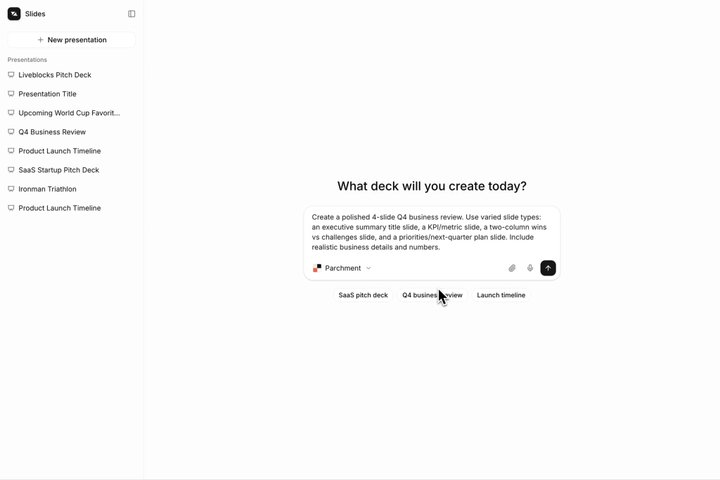
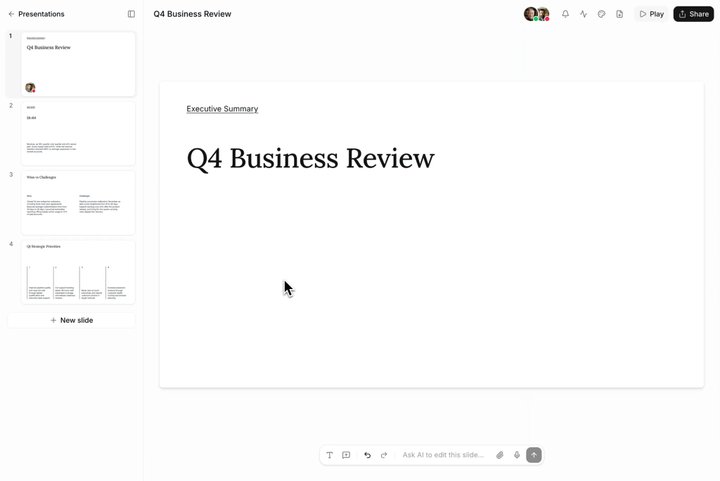
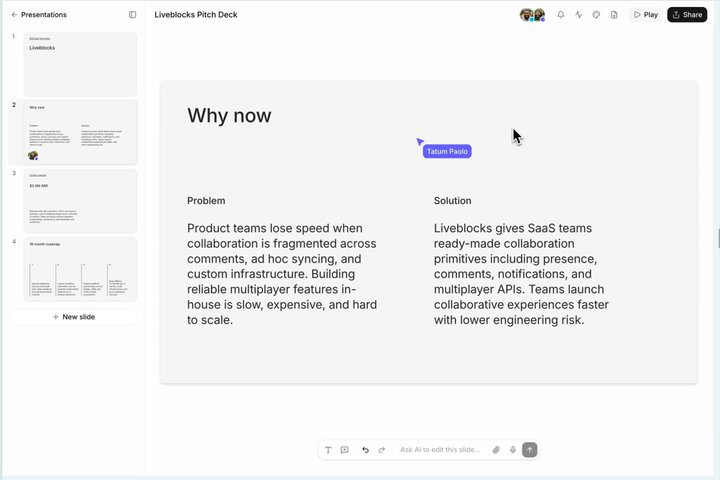
To show what that future looks like, we built an AI slideshow editor. It’s one example of this new kind of app—a shared canvas where humans and agents collaborate, each able to see and build on the other’s work as it happens.

Your browser does not support the video tag.AI slideshow editor

slides-example.liveblocks.io

Here’s what makes an app like this work, and how you can build the same foundation into your own product with Liveblocks.

  • Agents as participants, not background jobs: AI working amongst humans.
  • Sync engines are necessary: Humans and agents editing simultaneously.
  • Context is everything: No explaining, AI should already understand.

Agents as participants, not background jobs

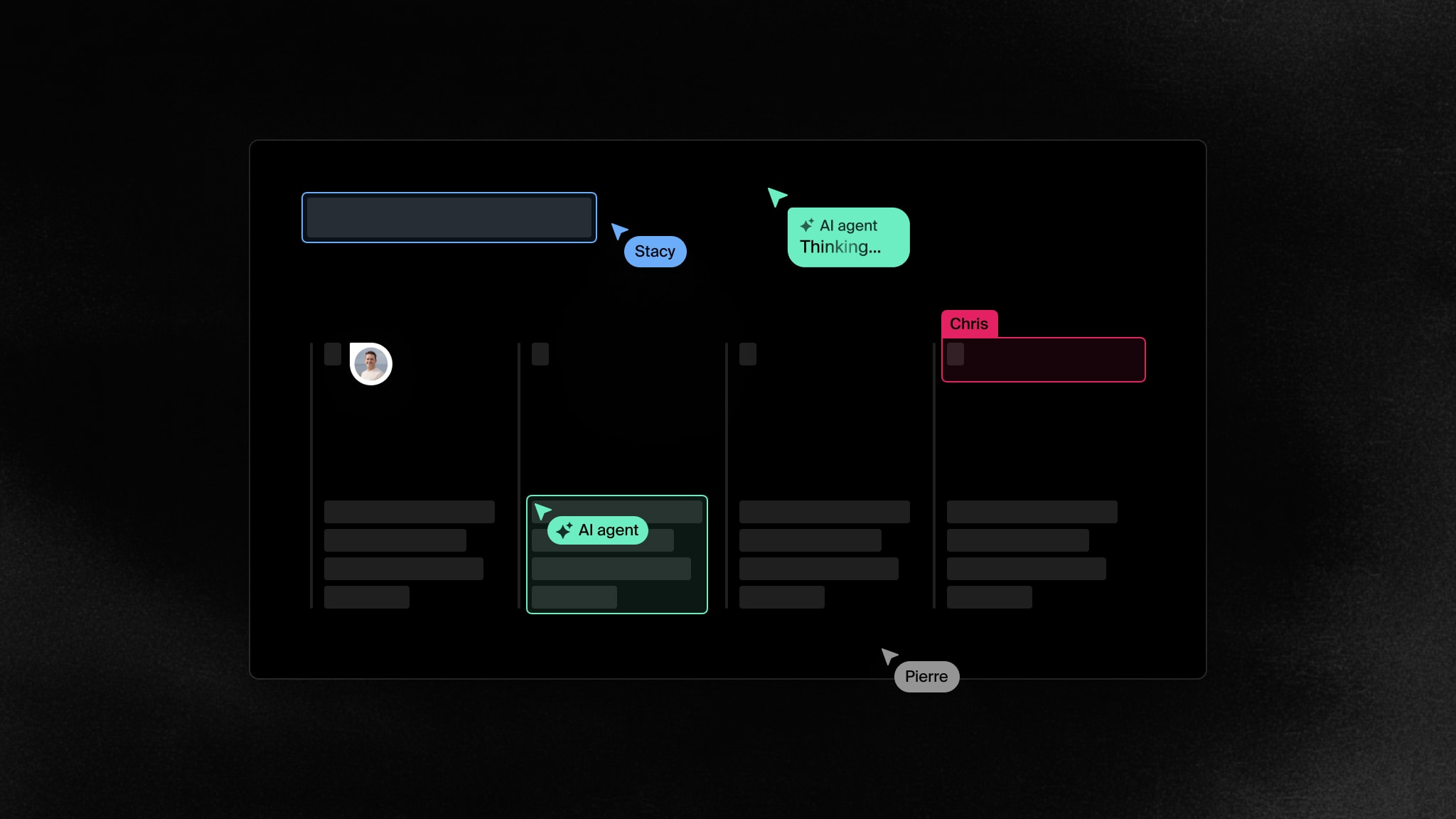
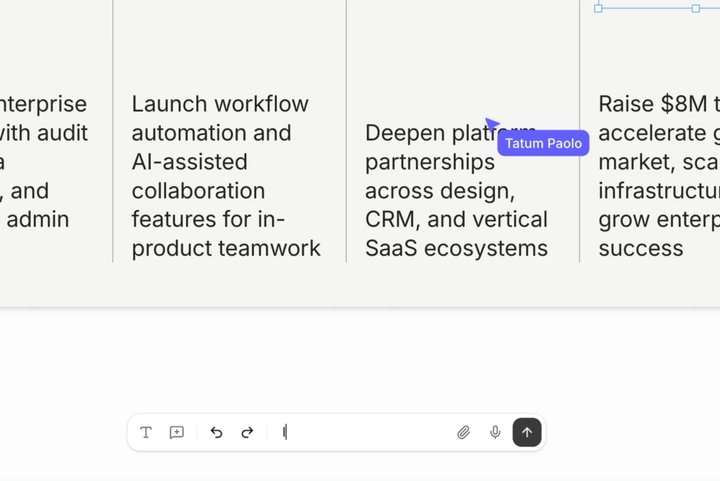
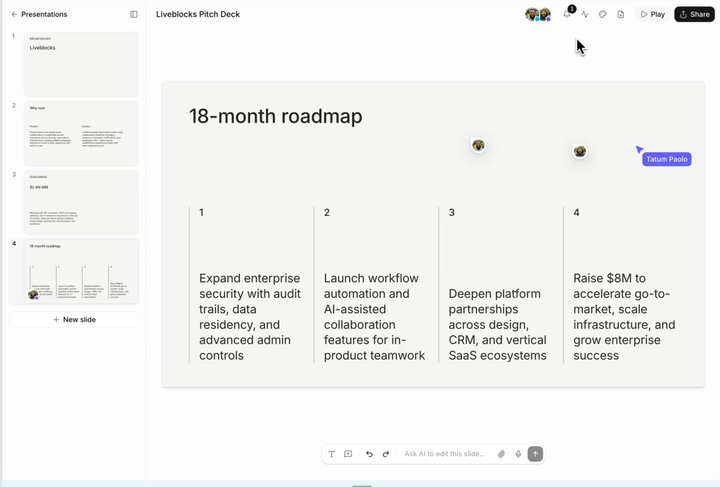
In the apps of the future, agents won’t run as invisible background jobs—they’ll be participants you can watch working alongside you. When an AI makes a change, every connected user should feel their presence and see their modifications happen in realtime, like you would with a human collaborator.

Your browser does not support the video tag.AI generates slides

Live presence is the first thing that makes a productivity app feel alive, and in this future it applies to agents too. Any server-side workflow or agent should be able to connect to your app, make changes, and broadcast where it is—so everyone can see what it’s working on, not just the result when it’s done.

Agent presence

Presence is especially simple with Liveblocks, and can be slotted into any workflow and app in minutes. Let’s take a look a simple example of an agent editing a title field.

Your browser does not support the video tag.AI makes an edit

To build this, call setPresence from your back end with the agent’s information and presence data, and it appears live in the room like any other user.

await liveblocks.setPresence("my-room-id", {  userId: "agent-123",
userInfo: { name: "Agent" },
data: { editing: "title-1", status: "Thinking…", },});

In the front-end, you can fetch the agent’s presence data with useOthers, and render custom presence UI with it. useOthers returns a list of every connected users, so we’ll filter the results to only return the agent.

function AgentPresence() {  const others = useOthers();  const agent = others.find(({ id }) => id === "agent-123");
// { editing: "title-1", status: "Thinking…" } console.log(agent.presence);
return <Cursor presence={agent.presence} />;}

Learn more in our documentation under get started with agent presence.

Sync engines are necessary

For humans and agents to coexist in the same document, you need a sync engine. Editing the same data simultaneously, without overwriting each other’s work, is hard—and it’s the problem every productivity app eventually runs into.

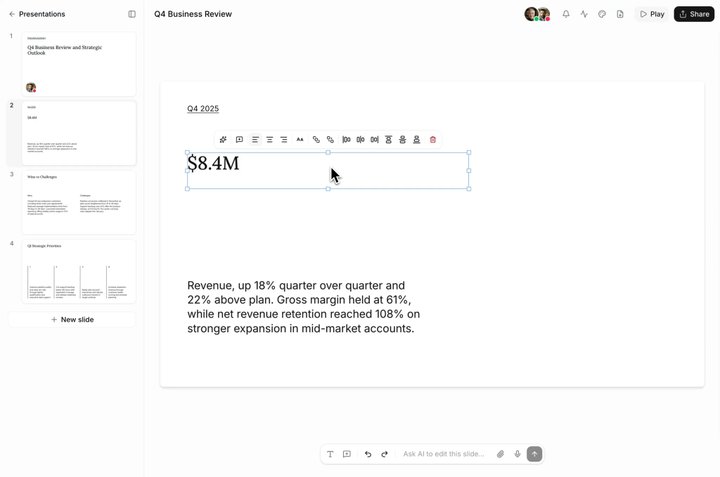
Your browser does not support the video tag.Humans and agents editing simultaneously

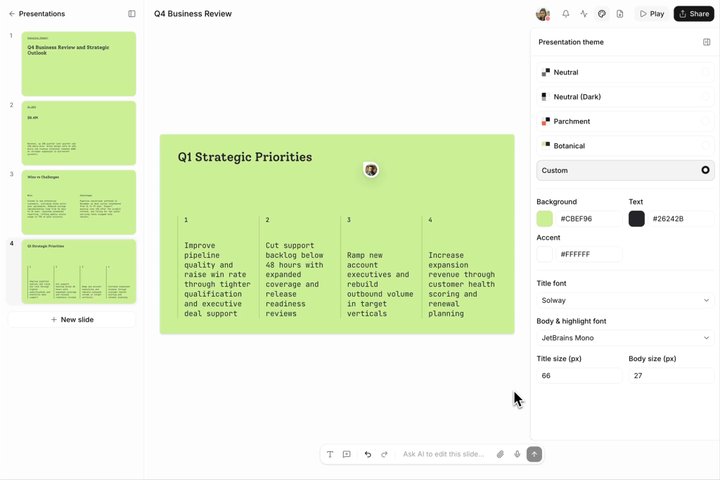
With one in place, any number of humans and agents can work together at once. Each change is merged and resolved automatically, so nobody’s edits get lost—no matter how many collaborators, human or otherwise, are in the room. The best sync engines capture the intent behind every change, not just the final state—so when you change the theme, the text someone else is editing stays untouched.

Your browser does not support the video tag.Humans and agents editing simultaneously

Liveblocks Storage

Liveblocks Storage is our sync engine designed to power apps like Pitch and Figma, and it works by using the intent behind changes to automatically merge conflicting changes into a coherent state. In the slideshow editor, the slides, text elements, and themes all live in Storage.

Your browser does not support the video tag.Everything is in Storage

To change a background color, like in the video above, fetch the current background color with useStorage, and create a function to change it with useMutation.

function BackgroundPicker() {  const background = useStorage((root) => root.background);
const setBackground = useMutation(({ storage }, newColor: string) => { storage.set("background", newColor); });
return <ColorPicker value={background} onChange={setBackground} />;}

You can also make modifications to Liveblocks Storage from the server with mutateStorage, which is how agents edit the same document as your users.

const { text: background } = await generateText({  model: openai("gpt-5.5"),  prompt: `Select a background hex code. User prompt: ${prompt}`,});
await liveblocks.mutateStorage("my-room-id", async ({ root }) => { root.set("background", background);});

All changes made from the client or server are sent in realtime to every connected user, and conflicts are automatically resolved. Learn more in our documentation under get started with multiplayer editing.

Context is everything

AI without context is rarely useful. Ask an agent to “make this larger” in a generic chat window and it has to guess what “this” is, and a confident wrong guess is worse than no answer at all. Additionally, when AI work together with humans, it’s particularly helpful to read the conversation before the agent was called into action.

Commenting sections are a natural interface for requesting work, whether from an agent or a teammate. Threads can be anchored to specific elements on the page, so “this” is never ambiguous, and the AI has the context it needs from the conversation to work effectively.

Your browser does not support the video tag.Comments that trigger agents

Comments

Our Comments components provide ready-made commenting you can integrate into your app. With useThreads, you can fetch the threads in the current room, and render them with the Thread component.

function Comments() {  const { threads } = useThreads();
return threads.map((thread) => <Thread key={thread.id} thread={thread} />);}

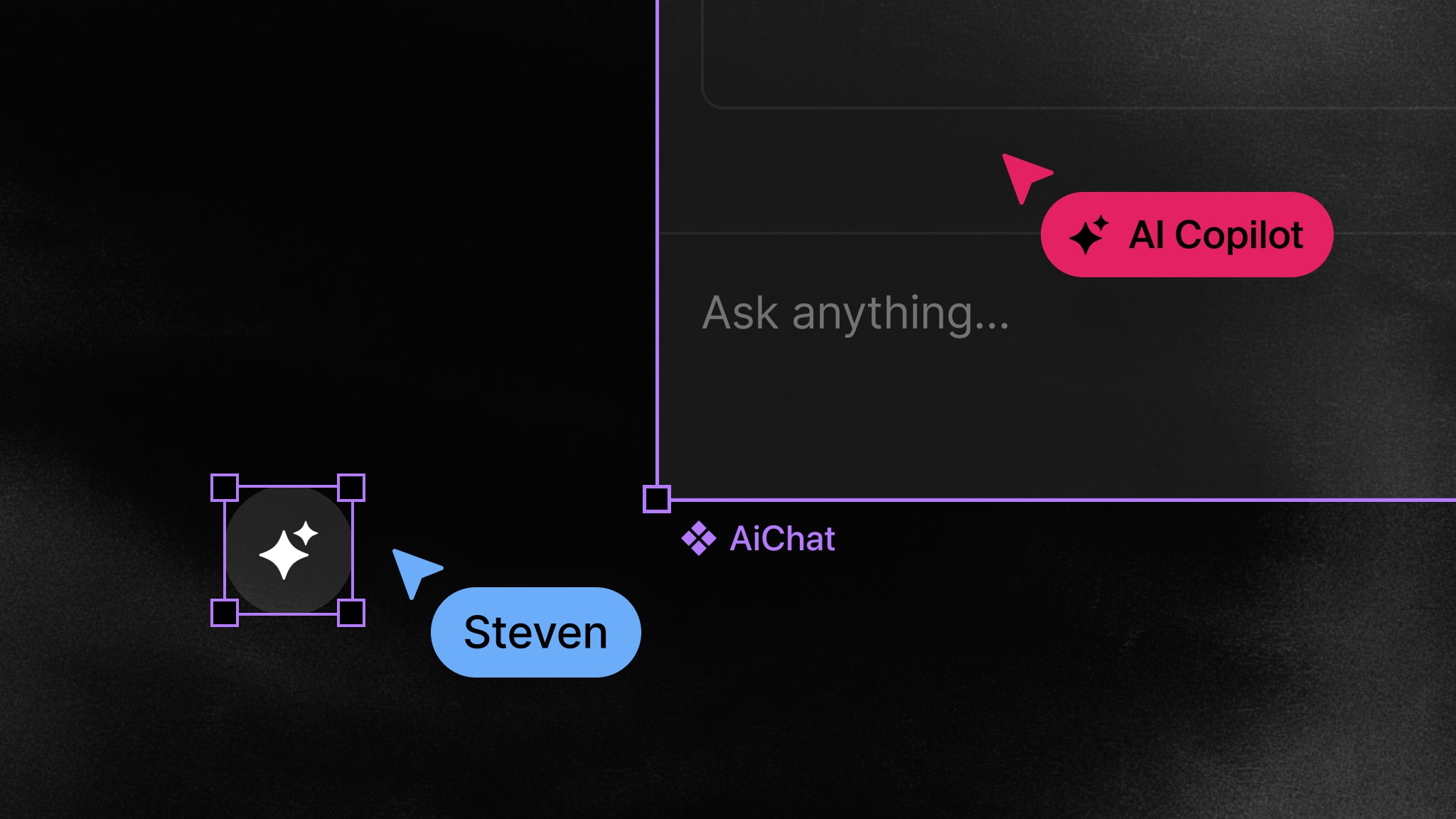
Users can create new threads with Composer. To attach a new thread to a specific element on the page, you can use metadata to reference the element. You can also add the AI assistant as a user you can @ mention inside the composer, helpful for triggering the request.

function Comments() {  return <Composer metadata={{ element: "title-1" }}>;}

To pass the thread’s context into the agent, use getThread in your back end.

const thread = await liveblocks.getThread("my-room-id", "thread-123");
const { text } = await generateText({ model: openai("gpt-5.5"), prompt: ` A user requested a change, see the latest message. The thread is anchored to ${thread.metadata.element}. `, messages: thread.comments.map((comment) => ({ role: comment.user.id === "agent-123" ? "assistant" : "user", content: comment.text, })),});

Learn more in our documentation under get started with AI comments.

Notifications

Additionally, when a user is tagged in a comment, instead of an agent, they’ll receive a new notification in their inbox. The same primitives that power agent collaboration power human collaboration too.

Your browser does not support the video tag.Comments and notifications for people

Learn more in our documentation under get started with notifications.

The apps that will define the next decade

AI agents are becoming native users of software. They need to read, write, and coordinate inside the same documents as humans, with the same presence, conflict-free editing, and comments that people rely on. The slideshow editor is just one example—the same foundation works for design tools, docs, whiteboards, dashboards, and anything else people build together.

The apps that get this right will feel like the future. The ones that don’t will feel like single-player tools with a chatbot bolted on.

Get started now

If you’d like to build the next generation of productivity apps, get started with Liveblocks now.

Get started now

Contributors

Contributors include:jrownypierrelevaillant

2 authors