We've open-sourced our sync engine and dev server, released an open-source HTTP router, added new management APIs, deployed an improved realtime data engine, built a complex multi-tenant example, and optimized our documentation for AI agents.
This February marked a shift in how we develop at Liveblocks, moving towards an
open-source-by-default approach. In the first step of this journey, we open
sourced the Liveblocks sync engine and dev server, allowing you to run and test
your multiplayer applications with a local Liveblocks server.
This release includes open sourcing the server that powers Liveblocks Storage
and Yjs in our back end. We also have new documentation on the
dev server, and how to set up
Continuous Integration (CI)
and
End-to-End (E2E)
testing.
We also open sourced a second package in February,
Zen Router, an opinionated HTTP router that’s
powered Liveblocks for the past two years, handling billions of requests per
month.
import{ ZenRouter }from"@liveblocks/zenrouter"; const zen =newZenRouter({authorize:async({ req })=>{const user =await__getSession__(req);return{ user };},}); exportdefault zen;
It features typed path params, built-in body validation, and a clean model for
auth. Here’s an example of a simple GET route handler, returning the user
returned above, and postId from the path params.
Zen Router is useful in any project that needs an HTTP router, and is compatible
with Cloudflare Workers, Bun, Node.js, and every other modern JavaScript
runtime.
New Liveblocks rooms now use a completely rewritten realtime data storage engine
for
Liveblocks Storage
and Yjs
under the hood, which has a number of benefits:
Support for much larger documents preventing out of memory crashes.
Quicker initial load times, especially for sizable documents.
Higher limits and lower transmission overhead.
We’ve been using the new engine internally since 2025, and were confident to
make the switch public, which has proved seamless. No changes are required on
your end—you’re already taking advantage of it.
Enterprise customers can now access our new Management API, allowing you to
programmatically manage your Liveblocks projects, API keys, and webhooks. This
means you can handle dashboard operations directly from your codebase. Here’s a
few examples of new APIs.
$curl -X GET "https://api.liveblocks.io/v2/management/projects"
$curl -X POST "https://api.liveblocks.io/v2/management/projects/{projectId}/api-keys/secret/roll"
In total, 21 management APIs have been added. If you’d like to access these
APIs, reach out to us to enable it on your team. Find more
information in our new documentation.
We’ve updated our Next.js Starter Kit to support
multi-tenancy, using our recently released
Organizations feature. With
Organizations, Liveblocks resources can be fully compartmentalized into
different workspaces. For example, each organization has its own set of rooms
and notifications inbox.
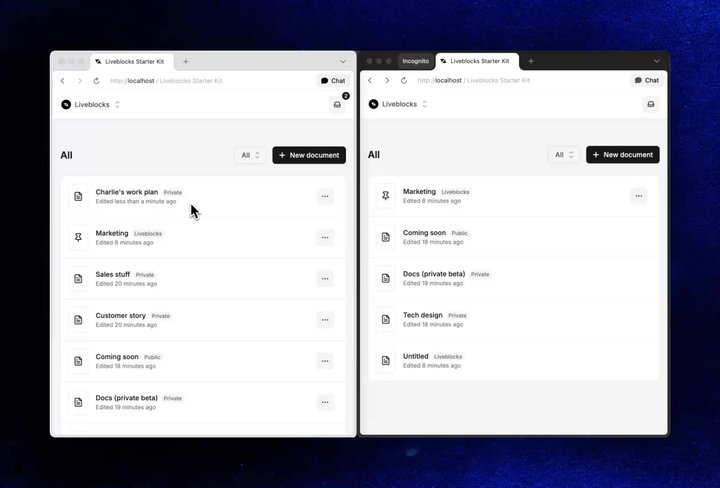
Switching between organizations, each with its own notifications and documents
Additionally, this makes it even simpler to create share menus with workspace
permissions, like you’d expect to see in modern SaaS applications.
Granting access to an organization and allowing users to edit
The Next.js Starter Kit is a realistic example of how to build a complete
multi-tenant application with Liveblocks, and you can download it now to inspect
it yourself.
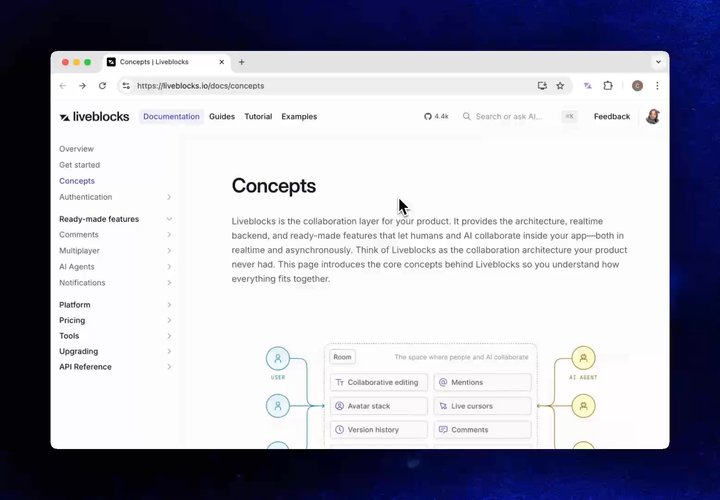
We’ve optimized our docs for AI, allowing agents to view a stripped down
markdown representation of any page, saving precious tokens. Agents such as
Claude Code request markdown content, and Liveblocks docs now support this.
Additionally, adding .md to the end of any page will also return markdown.
If you’d like to access our markdown docs programmatically, use the
"Accept: text/markdown" header, for example with cURL.
Fix paginated hooks (useThreads, useInboxNotifications, and useAiChats)
stopping pagination after the first fetchMore() call when auto-paginating in
a useEffect.
Fix text size in Next.js Starter Kit on mobile devices. Thank you
@chrrrs!
Support for selecting the preferred engine when entering new rooms:
client.enterRoom("my-new-room", { engine: 2 })
Internal protocol optimizations to support larger storage documents
Add new config option createClient({ baseUrl: "https://..." }) to allow
connecting to the
Liveblocks dev server
Improve LiveList performance when processing large batches of operations
Improve LiveList.push() efficiency to prevent unbounded position string
growth over time
Fix crash when clearing documents with a large number of keys
Remove the largeMessageStrategy client option. The WebSocket message limit
has been increased from 1 MB to 32 MB, making this setting obsolete.
Support for selecting the preferred engine when entering new rooms:
<RoomProvider id="my-new-room" engine={2}>...</RoomProvider>
Add new config option <LiveblocksProvider baseUrl="https://..." /> to allow
connecting to the
Liveblocks dev server
Exclude marking a thread or inbox notification as read from blocking
navigation when preventUnsavedChanges is enabled.
Portaled elements now respect the portalContainer option from
@liveblocks/react-ui’s LiveblocksUiConfig instead of always using
document.body.
Support for selecting the preferred engine when entering new rooms:
enterRoom("my-new-room", { engine: 2 })
Add new .setPresence() method to set ephemeral presence for a user in a room
via the REST API, without requiring a WebSocket connection
Deprecated tenantId parameter in client methods, use organizationId
instead.