• DocsDocs
  • PricingPricing
Sign in
Get started
Sign in
Get started
    • Realtime Infrastructure
      • Presence
        Presence

        Online users, cursors, selections

      • Broadcast
        Broadcast

        Temporary event signals

      • Storage
        Storage

        Synced conflict-free data

      • Feeds
        FeedsBeta

        Messages and activity logs

      • Threads
        Threads

        Contextual conversations

    • Collaboration features
      • Multiplayer
        Multiplayer

        Realtime collaboration

      • Comments
        Comments

        Contextual commenting

      • Notifications
        Notifications

        Smart alerts for your app

      • AI Copilots
        AI Copilots

        Individual AI assistants

    • Tools
      • Examples

        Gallery of open source examples

      • Showcase

        Gallery of collaborative experiences

      • Next.js Starter Kit

        Kickstart your Next.js collaborative app

      • DevTools

        Browser extension

      • Tutorial

        Step-by-step interactive tutorial

      • Guides

        How-to guides and tutorial

      • Figma UI Kit

        Liveblocks Collaboration Kit

    • Company
      • Blog

        The latest from Liveblocks

      • Customers

        The teams Liveblocks empowers

      • Changelog

        Weekly product updates

      • Security

        Our approach to security

      • About

        The story and team behind Liveblocks

      • Careers

        Explore opportunities to join our team

  • Docs
  • Pricing
  • Realtime Infrastructure
    • Presence
    • Broadcast
    • Storage
    • FeedsBeta
    • Threads
    Collaborative features
    • Multiplayer
    • Comments
    • Notifications
    • AI Copilots
    Solutions
    • People platforms
    • Sales tools
    • Startups
    Use cases
    • Multiplayer forms
    • Multiplayer text editor
    • Multiplayer creative tools
    • Multiplayer whiteboard
    • Comments
    • Sharing and permissions
    • Document browsing
  • Resources
    • Documentation
    • Examples
    • Showcase
    • DevTools
    • React components
    • Next.js Starter Kit
    • Tutorial
    • Guides
    • Release notes
    Technologies
    • Next.js
    • React
    • JavaScript
    • Redux
    • Zustand
    • Yjs
    • Tiptap
    • BlockNote
    • Slate
    • Lexical
    • Quill
    • Monaco
    • CodeMirror
  • Company
    • Pricing
    • Blog
    • Customers
    • Changelog
    • About
    • Contact us
    • Careers
    • Terms of service
    • Privacy policy
    • DPA
    • Security
    • Trust center
    • Subprocessors
  • HomepageSystem status
    • Github
    • Discord
    • X
    • LinkedIn
    • YouTube
    © 2026 Liveblocks Inc.
Blog/Updates

What's new in Liveblocks: May 2026

We've written new guides and examples that detail how to build AI agents into Comments, and how to create collaborative grids with Handsontable. We’ve also improved Storage performance, added a new history method, and made it easier to get started with Liveblocks from AI coding tools.

Picture of Chris Nicholas
Chris Nicholas on June 4th
What's new in Liveblocks: May 2026
June 4th·7 min read
  • Picture of Chris NicholasChris Nicholas
Share article
Product updatesStorageAI CopilotsCommentsDocumentation

Ready to get started?

Join thousands of companies using Liveblocks to build multiplayer experiences for people and agents.

Get started for free

Related blog posts

  • Official n8n nodes for Liveblocks

    Official n8n nodes for Liveblocks

    Picture of Chris Nicholas
    April 16th
    Updates
  • Unveil Week recap: Realtime collaboration for humans and agents

    Unveil Week recap: Realtime collaboration for humans and agents

    Picture of Chris Nicholas
    April 13th
    Updates
  • Agent skills for Liveblocks

    Agent skills for Liveblocks

    Picture of Chris Nicholas
    April 10th
    Updates

This May, we’ve written new guides, new examples, and upgraded Storage.

  • AI agents in Comments: How to build complex agents into comments.
  • Collaborative grids with Handsontable: Add comment pins & multiplayer.
  • Liveblocks Storage improvements: Better performance & new history method.
  • Install with a prompt: Copy AI prompts to get started with Liveblocks.

Upgrade now

To use the latest features, update your packages with the following command.

$npx create-liveblocks-app@latest --upgrade

If you were previously on Liveblocks 3.17 or below, make sure to follow our upgrade guides before updating.

AI agents in Comments

Liveblocks allows you to add AI agents to your comment threads, and we’ve created new examples highlighting how you can deeply integrate it into your apps. We’ve also created a new helper to simplify adding markdown to comments.

AI flowchart editor

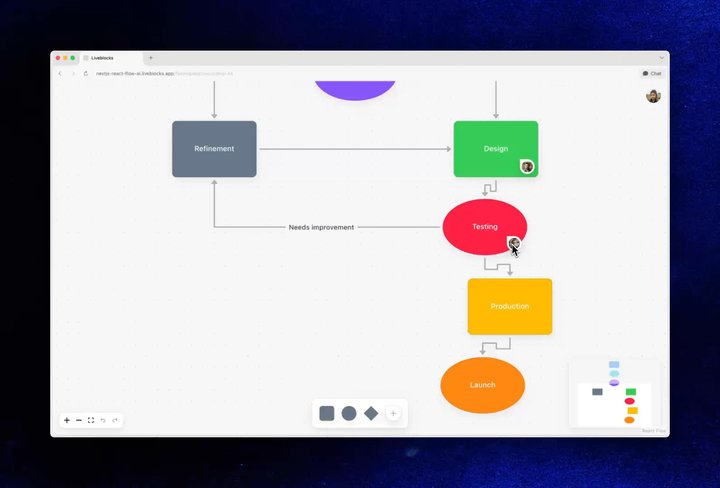
In our flowchart example, you can place comment pins down and ask AI to make changes to the document. Because our React flow integration uses Liveblocks Storage, our sync engine, multiple agents can work at the same time as humans.

Your browser does not support the video tag.Collaborative Flowchart AI example

Our Collaborative Flowchart AI example

We’ve written a new guide that explains how to get started with AI agents in React Flow.

AI issue editor

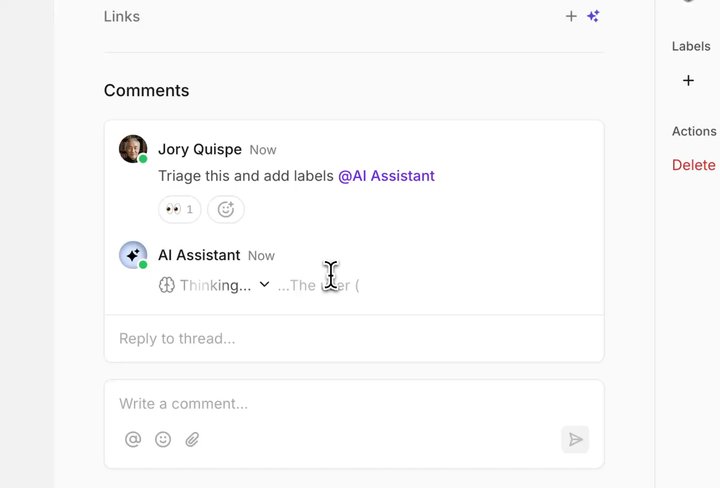
In our issue tracker example, agents have the ability to read and edit issue content and properties. While the AI makes changes, its agent presence is displayed in the UI, so you can see exactly which changes it’s making.

Your browser does not support the video tag.Linear example

Our Linear-like Issue Tracker example

We’ve written a new guide on how to get started with AI presence.

New markdown helper

AI agents often generate markdown output, so to simplify AI replies, we’ve created a new helper function that converts markdown into a CommentBody object that can be posted back into threads. Here’s how markdownToCommentBody works.

import { markdownToCommentBody } from "@liveblocks/node";
// Generate a markdown replyconst { text: markdown } = await generateText({ model: openai("gpt-5.5"), prompt: `Reply to the comment thread: ${thread}`,});
// Convert to a comment bodyconst commentBody = markdownToCommentBody(markdown);
// Reply to the threadawait liveblocks.createComment({ roomId, threadId, data: { userId: "agent-123", body: commentBody, },});

Collaborative grids with Handsontable

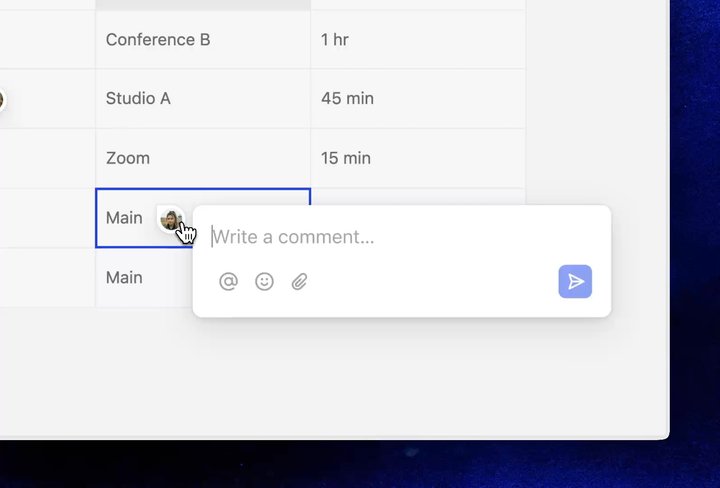
We’ve written new guides and examples that show you how to add collaboration to Handsontable grids. The first example enables you to add contextual comments to individual cells.

Your browser does not support the video tag.Handsontable blog

Our Handsontable Comments example

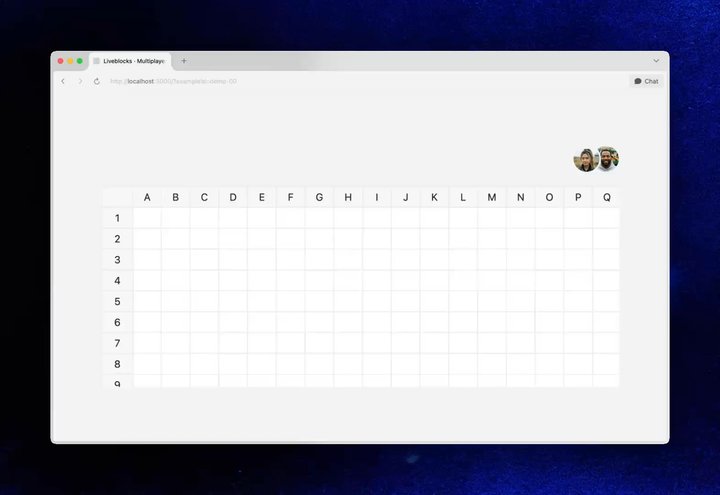
In the second example, the table state is multiplayer, and you can edit cells in realtime with other users. As cells are selected, live presence shows who’s editing them.

Your browser does not support the video tag.Handsontable multi window blog

Our Multiplayer Handsontable example

We’ve written two new Handsontable guides to help you get started with contextual comments and multiplayer editing.

Liveblocks Storage improvements

Liveblocks Storage now has improved performance and a new history method.

Faster realtime data storage

In February, new rooms started using our rewritten v2 realtime data storage engine. The v2 engine brings a number of benefits to every room:

  • Faster initial connection and load times, especially for larger documents.
  • Support for much larger documents, preventing out-of-memory crashes.
  • Higher limits and lower transmission overhead.

This May, we completed the rollout—all existing rooms have now been seamlessly migrated to use the v2 engine. Learn more about the new engine.

Make changes outside of history

Previously, all changes to Storage were tracked by the undo/redo history. You could batch changes together, but they were still added to the history stack. Our new method, room.history.disable, allows you to make changes that aren’t saved in history.

room.history.disable(() => {  root.set("title", "Hello world");});

This method is particularly useful for background or async changes, for example adding AI-generated content to the document—changes that a user didn’t make themselves, and shouldn’t be able to undo. Import useHistory to use disable() in React.

import { useHistory, useMutation } from "@liveblocks/react/suspense";
function AiChanges() { const { disable } = useHistory();
const generateInfo = useMutation(async ({ storage }) => { const title = await __generateTitle__(text); const description = await __generateDescription__(text);
disable(() => { storage.set("title", title); storage.set("description", description); }); });
return <Button onClick={generateInfo}>✨ Generate info</Button>;}

Calling useUndo after generateInfo has run will not undo the changes made.

Install with a prompt

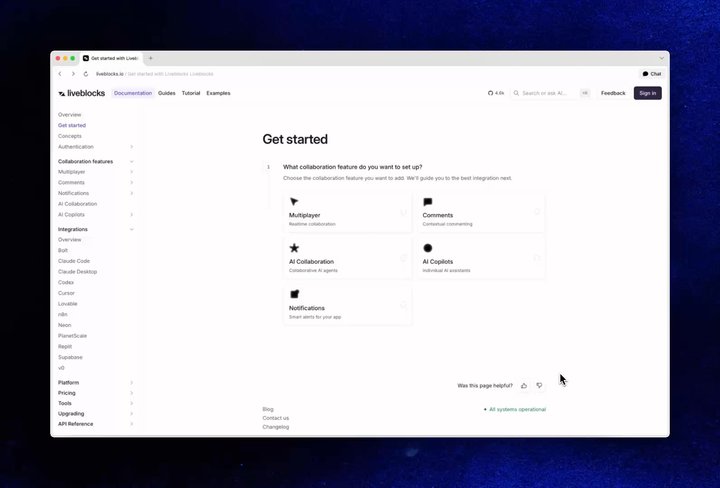
We've made it much faster to start building with Liveblocks from inside AI coding tools like Cursor and Claude Code. Every get started guide now has a “Copy prompt” button that copies a ready-to-paste prompt straight into your editor, and any docs page can be copied as Markdown from a new dropdown.

Your browser does not support the video tag.Install with a prompt

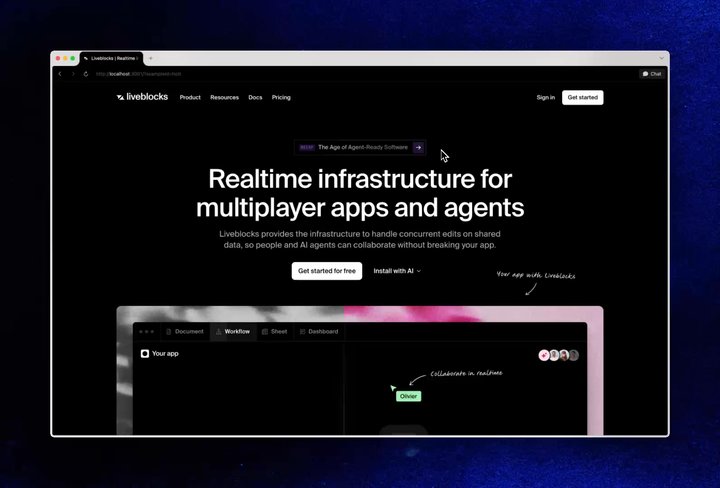
You can even get started from our homepage—your agent will quiz you on what you’d like to add before it starts working.

Your browser does not support the video tag.Homepage prompt

We've also added a new Integrations section to our documentation, covering how to bring Liveblocks into the tools you already use, including Bolt, Claude, Codex, Cursor, Lovable, Neon, PlanetScale, Reply, Supabase, and v0.

Minor improvements

  • Added 20+ new videos to our showcase highlighting AI agents, presence, and multiplayer editing across Comments, React Flow, Handsontable, and AG Grid.
  • New get started guides for AI Presence, AI agents in React Flow, and AI agent notifications.
  • Updated the Notifications get started guide to use a secret key.
  • Added AI comments, buttons, and presence to the Linear-like Issue Tracker example—it can read and edit issue content and properties.
  • Added AI comment pins to the Collaborative Flowchart AI example, which can read and edit flow state.
  • Added AI comments to the AI Dashboard Reports example, which can answer questions on the app's data.
  • Update provider models in @liveblocks/node and the Python SDK to support newer models up to GPT-5.5 variants, Sonnet 4.6, Opus 4.7, and Gemini 3/3.1 variants.
  • Fix unexpected disconnects that could happen while receiving large or long-running streaming responses from the server (e.g. loading a large initial storage state).
  • Fix @liveblocks/client so clients with backgroundKeepAliveTimeout enabled no longer disconnect before pending Yjs updates have synced to the server.
  • Fix keyboard shortcut in the strikethrough tooltip in @liveblocks/react-tiptap. Thank you @HellBoy-OP!
  • Fix Yjs undo/redo silently breaking in @liveblocks/react-tiptap after editor.registerPlugin / unregisterPlugin is called (e.g. when Tiptap's BubbleMenu, DragHandle, or SlashCommand mount). Thank you @lucasmotta!
  • New breadcrumb UI on docs pages.
  • Add --random-port (-P) flag to liveblocks dev in the dev server (v1.5.0) to bind a random free port, ideal for avoiding port collisions in CI.
  • Fix LiveList.push() in the dev server so concurrent pushes from multiple clients no longer settle out of order.
  • Fix client.getOrCreateRoom() in the dev server so it no longer errors when the room already exists, matching production behavior.
  • Fix Yjs document updates made via PUT /v2/rooms/<roomId>/ydoc in the dev server so they get broadcast to connected WebSocket clients, matching production behavior.

Upgrade

To use these latest features, update your packages with:

$npx create-liveblocks-app@latest --upgrade

Contributors

Contributors include:ctnicholasHellBoy-OPlucasmottamarcbouchenoirenvieofoucherotpierrelevaillant

7 authors