Collaborative Flowchart Builder (Advanced)
This example shows how to build a collaborative flowchart with Liveblocks, React Flow, and Next.js.
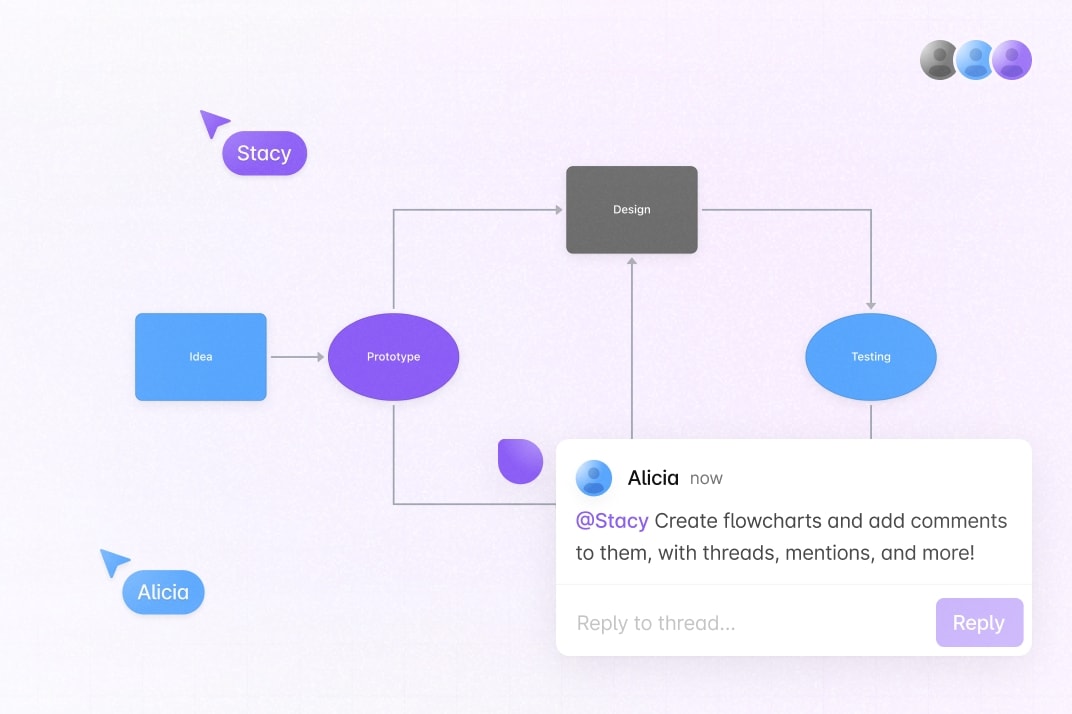
You can place blocks, connect them, edit labels, undo and redo, and attach comments to the canvas or to specific blocks. Open version history from the clock button next to the avatars to preview and restore earlier flowchart states.
Getting started
Run the following command to try this example locally:
This will download the example and ask permission to open your browser, enabling you to automatically get your API key from your liveblocks.io account.
Manual setup
Alternatively, you can set up your project manually:
- Install all dependencies with
npm install - Create an account on liveblocks.io
- Copy your secret key from the dashboard
- Copy
.env.exampleto.env.localand setLIVEBLOCKS_SECRET_KEY - Run
npm run devand go to http://localhost:3000
Dev server setup
You can optionally run this example locally using the Liveblocks dev server.
- Install the example as detailed above
- Run
npx liveblocks devto start the server - Replace the secret in
new Liveblockswith"sk_localdev" - Run
npm run devand go to http://localhost:3000
Deploy on Vercel
To both deploy on Vercel, and run the example locally, use the following command:
This will download the example and ask permission to open your browser, enabling you to deploy to Vercel.
Develop on CodeSandbox
After forking
this example
on CodeSandbox, create the LIVEBLOCKS_SECRET_KEY environment variable as a
secret.