• DocsDocs
  • PricingPricing
Sign in
Get started
Sign in
Get started
    • Realtime Infrastructure
      • Presence
        Presence

        Online users, cursors, selections

      • Broadcast
        Broadcast

        Temporary event signals

      • Storage
        Storage

        Synced conflict-free data

      • Feeds
        FeedsBeta

        Messages and activity logs

      • Threads
        Threads

        Contextual conversations

    • Collaboration features
      • Multiplayer
        Multiplayer

        Realtime collaboration

      • Comments
        Comments

        Contextual commenting

      • Notifications
        Notifications

        Smart alerts for your app

      • AI Copilots
        AI Copilots

        Individual AI assistants

    • Tools
      • Examples

        Gallery of open source examples

      • Showcase

        Gallery of collaborative experiences

      • Next.js Starter Kit

        Kickstart your Next.js collaborative app

      • DevTools

        Browser extension

      • Tutorial

        Step-by-step interactive tutorial

      • Guides

        How-to guides and tutorial

      • Figma UI Kit

        Liveblocks Collaboration Kit

    • Company
      • Blog

        The latest from Liveblocks

      • Customers

        The teams Liveblocks empowers

      • Changelog

        Weekly product updates

      • Security

        Our approach to security

      • About

        The story and team behind Liveblocks

      • Careers

        Explore opportunities to join our team

  • Docs
  • Pricing
  • Realtime Infrastructure
    • Presence
    • Broadcast
    • Storage
    • FeedsBeta
    • Threads
    Collaborative features
    • Multiplayer
    • Comments
    • Notifications
    • AI Copilots
    Solutions
    • People platforms
    • Sales tools
    • Startups
    Use cases
    • Multiplayer forms
    • Multiplayer text editor
    • Multiplayer creative tools
    • Multiplayer whiteboard
    • Comments
    • Sharing and permissions
    • Document browsing
  • Resources
    • Documentation
    • Examples
    • Showcase
    • DevTools
    • React components
    • Next.js Starter Kit
    • Tutorial
    • Guides
    • Release notes
    Technologies
    • Next.js
    • React
    • JavaScript
    • Redux
    • Zustand
    • Yjs
    • Tiptap
    • BlockNote
    • SuperDoc
    • Slate
    • Lexical
    • Quill
    • Monaco
    • CodeMirror
  • Company
    • Pricing
    • Blog
    • Customers
    • Changelog
    • About
    • Contact us
    • Careers
    • Terms of service
    • Privacy policy
    • DPA
    • Security
    • Trust center
    • Subprocessors
  • HomepageSystem status
    • Github
    • Discord
    • X
    • LinkedIn
    • YouTube
    © 2026 Liveblocks Inc.
Blog/Updates

What's new in Liveblocks: June 2026

We've added collaborative .docx editing with SuperDoc, automatic re-ingestion of AI knowledge sources, shipped a complex AI spreadsheet examples, and shared our vision for how humans and AI will work together.

Picture of Chris Nicholas
Chris Nicholas on July 1st
What's new in Liveblocks: June 2026
July 1st·6 min read
  • Picture of Chris NicholasChris Nicholas
Share article
Product updatesText editingAI Copilots

Ready to get started?

Join thousands of companies using Liveblocks to build multiplayer experiences for people and agents.

Get started for free

Related blog posts

  • What's new in Liveblocks: May 2026

    What's new in Liveblocks: May 2026

    Picture of Chris Nicholas
    June 4th
    Updates
  • Official n8n nodes for Liveblocks

    Official n8n nodes for Liveblocks

    Picture of Chris Nicholas
    April 16th
    Updates
  • Unveil Week recap: Realtime collaboration for humans and agents

    Unveil Week recap: Realtime collaboration for humans and agents

    Picture of Chris Nicholas
    April 13th
    Updates

This June, we’ve added collaborative .docx editing and new AI features.

  • Collaborative .docx files with SuperDoc: Multiplayer Microsoft Word files.
  • AI knowledge re-ingestion: Automatically keep copilot knowledge up to date.
  • New AI examples: An advanced AI spreadsheet and a realtime AI chat.
  • The future of human and AI apps: Our vision for agent collaboration.

Upgrade now

To use the latest features, update your packages with the following command.

$npx liveblocks upgrade

If you were previously on Liveblocks 3.17 or below, make sure to follow our upgrade guides before updating.

Collaborative .docx files with SuperDoc

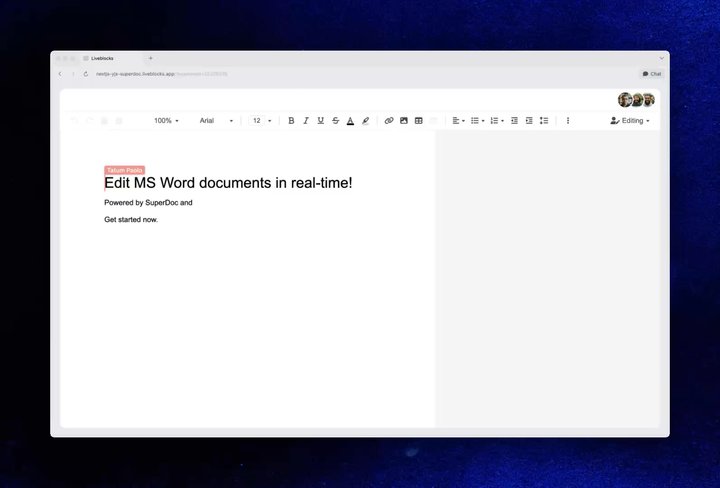
SuperDoc is an open-source editor that runs in the browser and works directly with .docx files, the format used by Microsoft Word.

With Liveblocks, you can add a realtime collaboration layer around SuperDoc, handling shared document state, presence, and conflict-free syncing so teams can build collaborative Word editing without having to engineer the multiplayer infrastructure from scratch.

Your browser does not support the video tag.Superdoc example

Our Collaborative SuperDoc editor example

The collaborative editor uses Liveblocks-powered Yjs, and supports rich-text formatting, multiplayer undo/redo, and a suggestion mode, allowing owners to easily accept/deny changes from other users.

Get started with SuperDoc

To get started, we’ve published guides for five frameworks: Next.js, React, JavaScript, Svelte, and Vue.js. There is also a live example you can download and try out.

AI knowledge re-ingestion

AI Copilots allows you to create advanced singleplayer AI chats with a ready-made React component. In minutes, you can import a chat into your application, that can understand context, take actions, and interact with your front end.

Our AI Dashboard Reports example highlights many different features.

One of its key features is knowledge, which allows you to submit websites and files to your AI, enabling it to accurately answer questions using your own information.

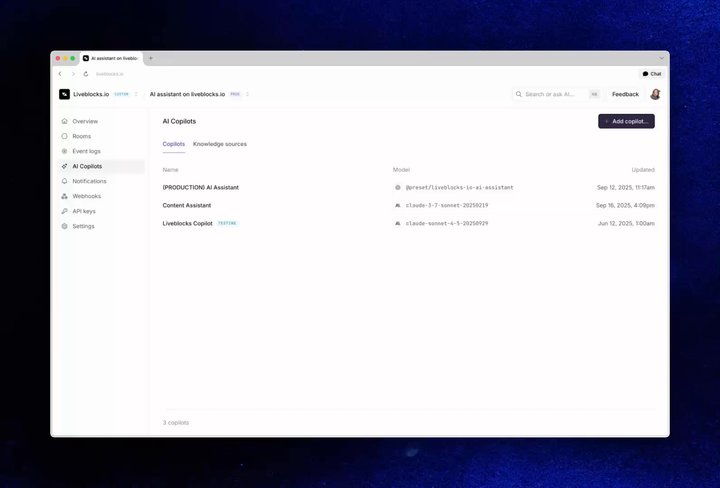
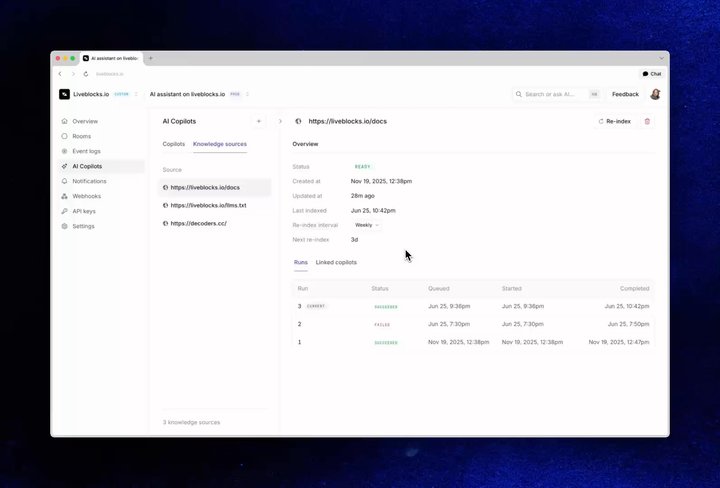
You can now re-ingest web knowledge sources automatically on a set interval, so a copilot’s answers stay current as the underlying pages change—for example, re-crawling your docs or pricing page every day. Additionally, we’ve also reworked the dashboard UI, making it easier to manage copilots and reuse knowledge sources across multiple copilots.

Your browser does not support the video tag.AI knowledge re-ingestion dashboard

Opening a copilot, enabling a knowledge source, and setting daily re-ingestion.

You can also trigger re-ingestion manually at any time, by clicking the “Re-index” button.

Your browser does not support the video tag.Knowledge manual reindex

Triggering re-ingestion manually.

You can find the new UI in the dashboard, or get started with a new project.

New AI examples

We’ve added two new examples showing how to build realtime AI apps with feeds and Vercel AI Elements. These examples demonstrate exactly how to add these features to your product, and are a solid starting point for your own projects.

AI Spreadsheet

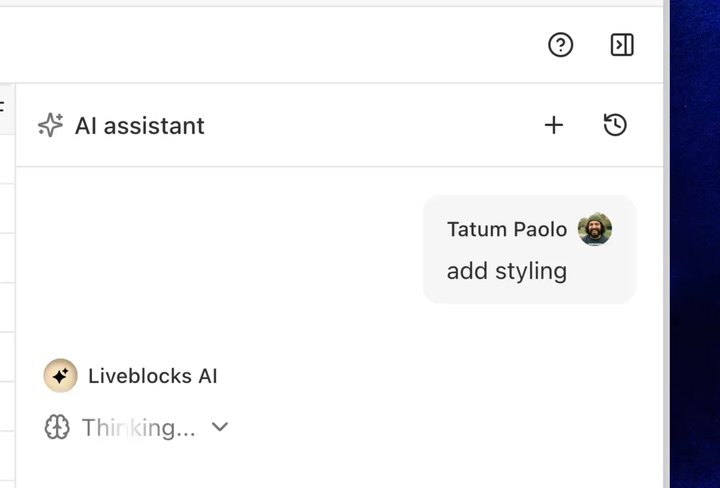
In our new AI Spreadsheet example, an AI agent can read and edit cells alongside you, in realtime. Each cell is synched to Liveblocks Storage, meaning state is fully multiplayer, for both humans and agents.

Your browser does not support the video tag.AI Spreadsheet example

Our AI Spreadsheet example

As the AI works, you can see its presence in the UI as it modifies cells. Additionally, you can leave comments on table cells, and trigger AI by tagging it inside a thread.

You can find the example in our gallery, under AI Spreadsheet.

Realtime AI Elements Chats

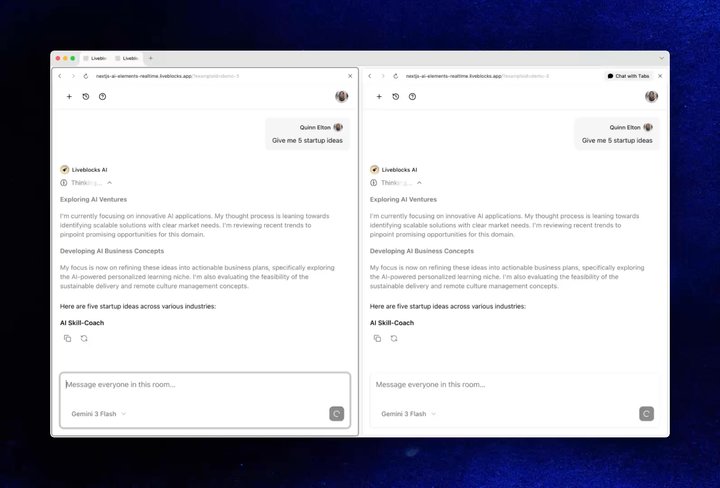
Our Realtime AI Elements Chats example shows how to build a multiplayer AI chat with AI Elements, where multiple users share and follow the same conversation in realtime.

Your browser does not support the video tag.Realtime AI Elements Chats example

Our Realtime AI Elements Chats example

Messages update live for all connected users, including as they stream in. You cnn also create new chats, and switch between them.

You can find the example in our gallery, under Realtime AI Elements Chats.

The future of human and AI apps

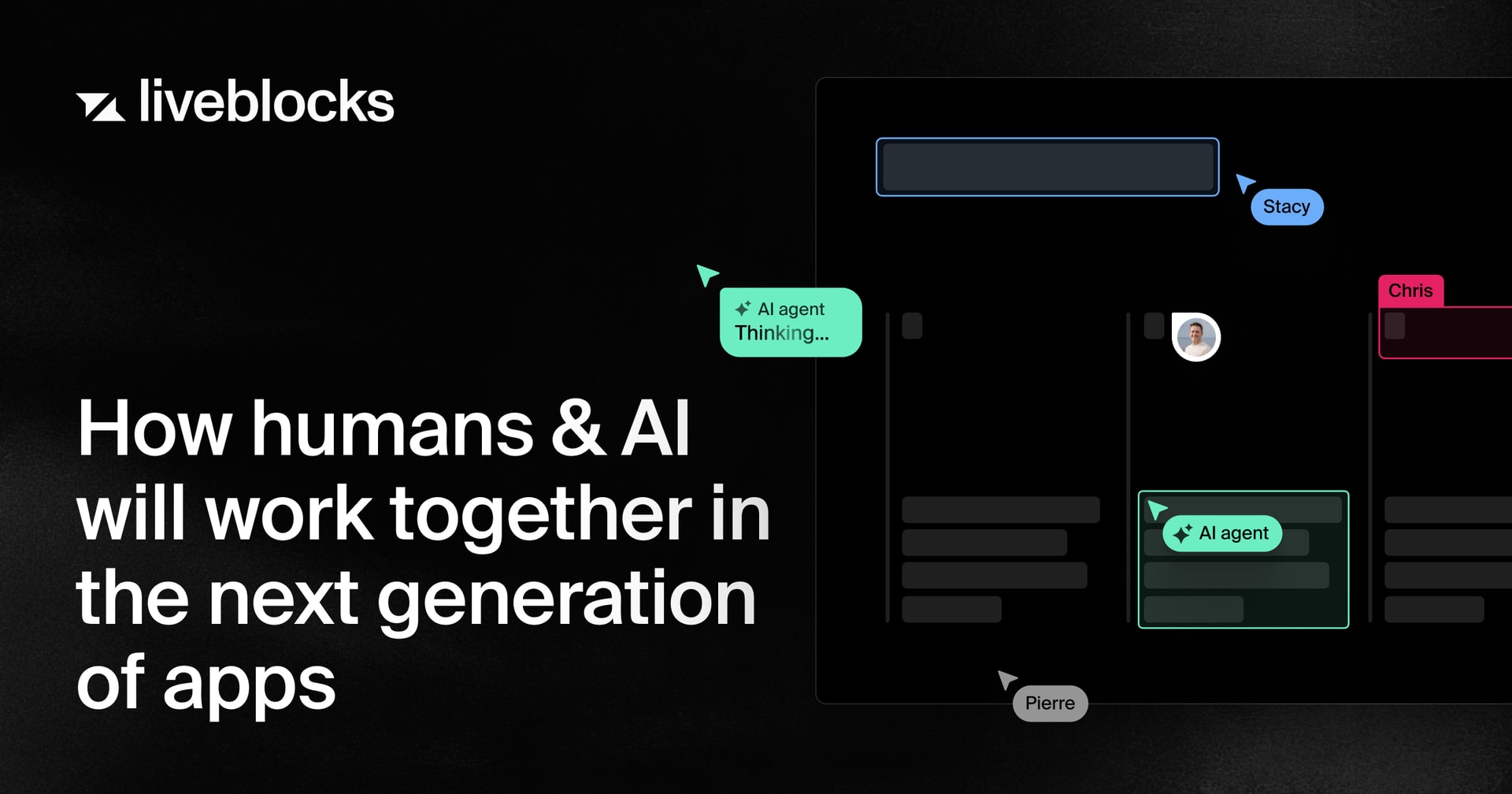
This June, we published a new post on how humans and AI will work together in the next generation of apps—our perspective on where collaborative software is heading as AI agents become active participants alongside people.

How humans and AI will work together in the next generation of apps

It details how you can integrate AI agents into your product as active participants.

Read blog post

Minor improvements

  • Fixed a bug where sending a too-large WebSocket message could sometimes overwrite a room’s top-level Storage key with initialStorage, causing data loss. Thanks for reporting @watemerald!
  • Fixed several LiveList and LiveObject divergence and reconnection issues: concurrent LiveList.push() calls settling out of order, a LiveObject key deleted while offline reappearing on reconnect, redundant update notifications on reconnect, and the removed value (deletedItem) missing from change notifications.
  • Fixed a remaining LiveList divergence after reconnects, where a pending push could still diverge under specific timing conditions despite the earlier 3.19.4 fix.
  • Added resource-specific permissions. You can now start from a *:read or *:write base, then grant or deny access per resource—Storage, Comments, and Feeds—using new permission strings like storage:none or comments:read.
  • Deprecated session.FULL_ACCESS and session.READ_ACCESS in @liveblocks/node in favor of ["*:write"] and ["*:read"] respectively.
  • Deprecated room.getStorageSnapshot() in favor of room.getStorageOrNull().
  • Added a “?” button to various examples, featuring a pop-up that explains how to use them.
  • Updated the get started guides for Liveblocks Storage with more hook examples.
  • Updated the dev server with a new internal storage format (v1.6.0; existing local dev rooms are not migrated and appear empty after upgrading), along with matching LiveList reconnect fixes (v1.6.1).

Upgrade

To use these latest features, update your packages with:

$npx liveblocks upgrade

Contributors

Contributors include:ctnicholasmarcbouchenoirenimeshnayajunvieofoucherotpierrelevaillantwatemerald

7 authors