• DocsDocs
  • PricingPricing
Sign in
Get started
Sign in
Get started
    • Realtime Infrastructure
      • Presence
        Presence

        Online users, cursors, selections

      • Broadcast
        Broadcast

        Temporary event signals

      • Storage
        Storage

        Synced conflict-free data

      • Feeds
        FeedsBeta

        Messages and activity logs

      • Threads
        Threads

        Contextual conversations

    • Collaboration features
      • Multiplayer
        Multiplayer

        Realtime collaboration

      • Comments
        Comments

        Contextual commenting

      • Notifications
        Notifications

        Smart alerts for your app

      • AI Copilots
        AI Copilots

        Individual AI assistants

    • Tools
      • Examples

        Gallery of open source examples

      • Showcase

        Gallery of collaborative experiences

      • Next.js Starter Kit

        Kickstart your Next.js collaborative app

      • DevTools

        Browser extension

      • Tutorial

        Step-by-step interactive tutorial

      • Guides

        How-to guides and tutorial

      • Figma UI Kit

        Liveblocks Collaboration Kit

    • Company
      • Blog

        The latest from Liveblocks

      • Customers

        The teams Liveblocks empowers

      • Changelog

        Weekly product updates

      • Security

        Our approach to security

      • About

        The story and team behind Liveblocks

      • Careers

        Explore opportunities to join our team

  • Docs
  • Pricing
  • Realtime Infrastructure
    • Presence
    • Broadcast
    • Storage
    • FeedsBeta
    • Threads
    Collaborative features
    • Multiplayer
    • Comments
    • Notifications
    • AI Copilots
    Solutions
    • People platforms
    • Sales tools
    • Startups
    Use cases
    • Multiplayer forms
    • Multiplayer text editor
    • Multiplayer creative tools
    • Multiplayer whiteboard
    • Comments
    • Sharing and permissions
    • Document browsing
  • Resources
    • Documentation
    • Examples
    • Showcase
    • DevTools
    • React components
    • Next.js Starter Kit
    • Tutorial
    • Guides
    • Release notes
    Technologies
    • Next.js
    • React
    • JavaScript
    • Redux
    • Zustand
    • Yjs
    • Tiptap
    • BlockNote
    • SuperDoc
    • Slate
    • Lexical
    • Quill
    • Monaco
    • CodeMirror
  • Company
    • Pricing
    • Blog
    • Customers
    • Changelog
    • About
    • Contact us
    • Careers
    • Terms of service
    • Privacy policy
    • DPA
    • Security
    • Trust center
    • Subprocessors
  • HomepageSystem status
    • Github
    • Discord
    • X
    • LinkedIn
    • YouTube
    © 2026 Liveblocks Inc.
Blog/Updates

Comments: private threads and a natural home for AI

Comment threads can now be made private to certain users, allowing you to create internal-only notes, private review workflows, and feedback that only the right people can see. Plus, adding AI to comment threads is easier than ever.

Picture of Stacy SchmitzPicture of Chris Nicholas
Stacy Schmitz, Chris Nicholas on July 10th
Comments: private threads and a natural home for AI
July 10th·4 min read
  • Picture of Stacy SchmitzStacy Schmitz
  • Picture of Chris NicholasChris Nicholas
Share article
Product updatesCommentsAIPrivacy

Ready to get started?

Join thousands of companies using Liveblocks to build multiplayer experiences for people and agents.

Get started for free

Related blog posts

  • What's new in Liveblocks: June 2026

    What's new in Liveblocks: June 2026

    Picture of Chris Nicholas
    July 1st
    Updates
  • What's new in Liveblocks: May 2026

    What's new in Liveblocks: May 2026

    Picture of Chris Nicholas
    June 4th
    Updates
  • Official n8n nodes for Liveblocks

    Official n8n nodes for Liveblocks

    Picture of Chris Nicholas
    April 16th
    Updates

Most companies are trying to figure out how people and AI can naturally work together. Our opinion on how humans and AI will work together is that the best place to start is with patterns people already understand, such as comments. They’re familiar, they’re anchored to real context, and they turn out to be one of the most natural ways to bring AI into a product.

Check out what we’ve recently released, whether you already have Comments live or have been meaning to add them.

Public and private threads

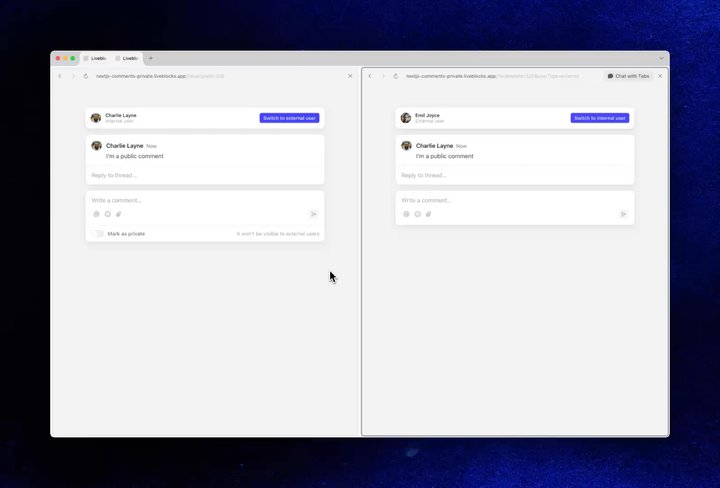
Comment threads now have a visibility property. Each thread is public by default, private when you need it, with permissions to control exactly who can see and reply. That unlocks internal-only notes, private review workflows, and feedback that only the right people can see.

Your browser does not support the video tag.Private comments blog

Creating a private comment in our Private Commenting example.

How private commenting works

To enable creating private threads, pass the visibility="private" option to Composer.

import { Composer } from "@liveblocks/react-ui";
function PrivateCommentComposer() { return ( <Composer visibility="private" /> );}

To hide private threads from certain users, ensure they cannot see them with the "comments:private:none" permission. For example, when creating a room, you can create a group of users that has no access to see them. Below, admin users will see all threads, whereas regular users will not be able to see private threads

const room = await liveblocks.createRoom("my-room-id", {  groupAccesses: {    admin: ["*:write"],    regular: ["*:write", "comments:private:none"],  },});

Get started with private commenting

To get started with this feature, follow our full guide on how to adding private commenting to your app. We also have a live example that shows how to use it.

A natural home for AI

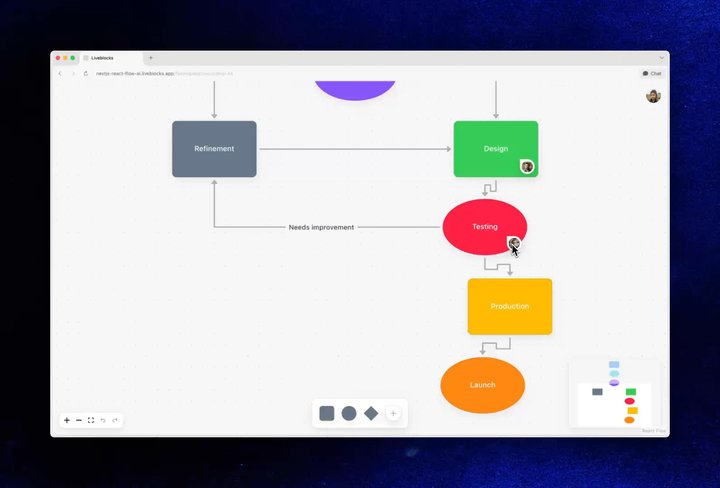
A comment thread is anchored to a specific place in your app. So when someone leaves a comment that says “make this bigger,” there’s no ambiguity about what “this” is—and any AI working in the thread has the full conversation as context.

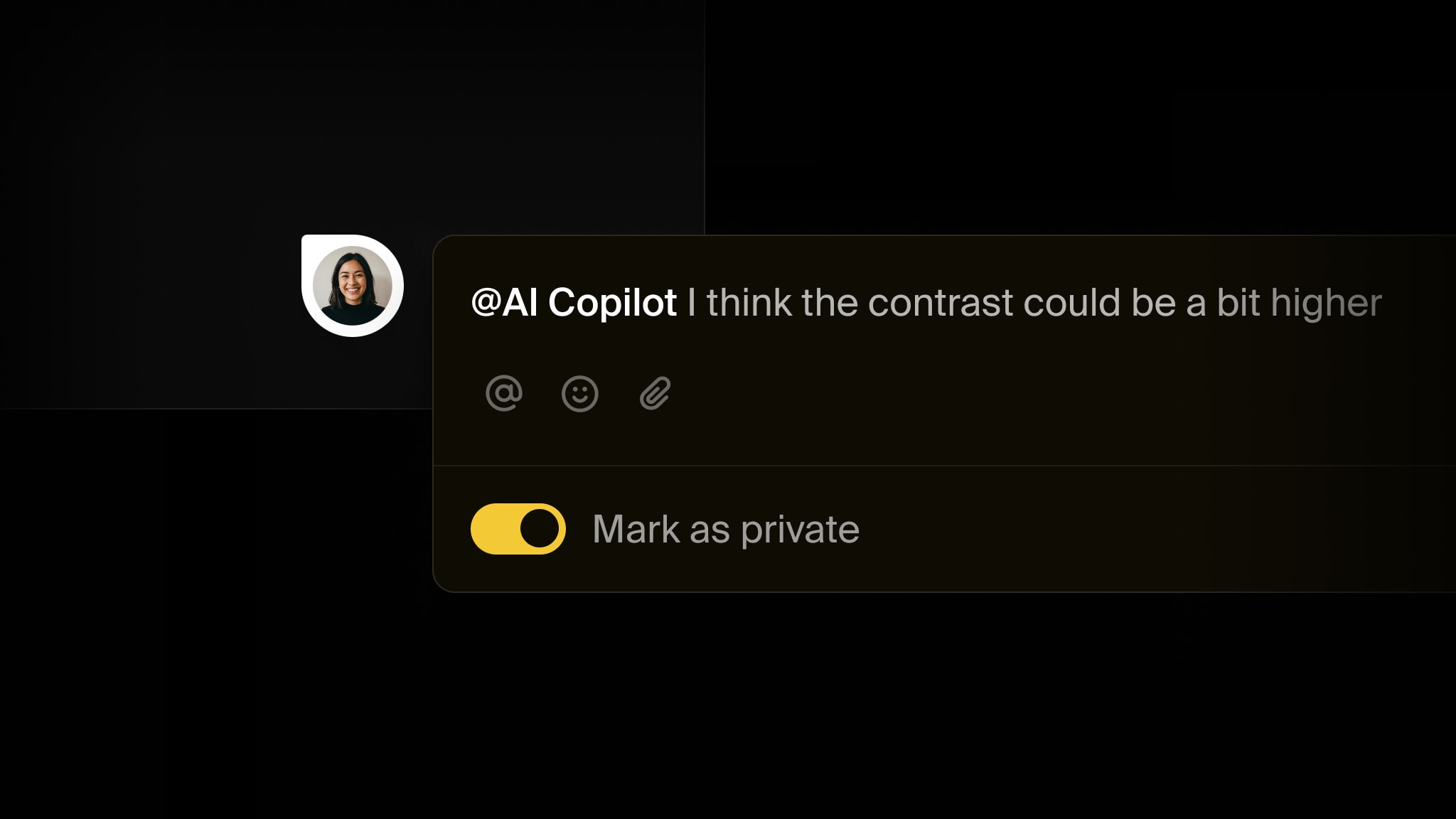
Add an AI assistant as a user people can @ mention right in the composer, and a comment becomes a way to put agents to work alongside your team.

Your browser does not support the video tag.Collaborative Flowchart AI example

A contextual comment in our Collaborative Flowchart AI example

How AI replying works

To enabling AI replies, you need to add an AI user to your app, the same way you would add a human user.

const AI_USER_INFO = {  id: "ai-123",  info: {    name: "AI Assistant",    avatar: "https://example.com/ai.png",  },};

You can then listen for commentCreated webhook events, check if the AI user was mentioned, and generate a response if they were.

if (event.type === "commentCreated") {  // Only reply if the AI user was @-mentioned  const mentions = getMentionsFromCommentBody(comment.body);  if (!mentions.some((m) => m.id === AI_USER_INFO.id)) return;
// Get the thread const thread = await liveblocks.getThread({ roomId, threadId });
// Generate a response const { text } = await generateText({ model: anthropic("claude-opus-4-8"), system: `Respond to the user's comment: ${thread}.`, });
// Update the comment with the AI response await liveblocks.editComment({ roomId, threadId, commentId: aiComment.id, data: { userId: AI_USER_INFO.id, body: markdownToCommentBody(text), metadata: {}, }, });}

Get started with AI replies

There are two ways to add AI replies to your existing Comments app:

  • AI comments: Add an AI user that responds directly inside your comment threads. Use feeds to stream in responses.
  • Chat SDK bot: Build a cross-platform bot that can reply in Comments, as well as other apps like Slack, Teams, and Discord.

Haven’t added Comments yet?

We’ve expanded our get started guides with a range of new examples, so you can drop in ready-made, contextual commenting and have it working in minutes, not weeks.

Get started with Comments