• DocsDocs
  • PricingPricing
Sign in
Get started
Sign in
Get started
    • Realtime Infrastructure
      • Presence
        Presence

        Online users, cursors, selections

      • Broadcast
        Broadcast

        Temporary event signals

      • Storage
        Storage

        Synced data and file storage

      • Feeds
        FeedsBeta

        Messages and activity logs

      • Threads
        Threads

        Contextual conversations

    • Collaboration features
      • Multiplayer
        Multiplayer

        Realtime collaboration

      • Comments
        Comments

        Contextual commenting

      • Notifications
        Notifications

        Smart alerts for your app

      • AI Copilots
        AI Copilots

        Individual AI assistants

    • Tools
      • Examples

        Gallery of open source examples

      • Showcase

        Gallery of collaborative experiences

      • Next.js Starter Kit

        Kickstart your Next.js collaborative app

      • DevTools

        Browser extension

      • Tutorial

        Step-by-step interactive tutorial

      • Guides

        How-to guides and tutorial

      • Figma UI Kit

        Liveblocks Collaboration Kit

    • Company
      • Blog

        The latest from Liveblocks

      • Customers

        The teams Liveblocks empowers

      • Changelog

        Weekly product updates

      • Security

        Our approach to security

      • About

        The story and team behind Liveblocks

      • Careers

        Explore opportunities to join our team

  • Docs
  • Pricing
  • Realtime Infrastructure
    • Presence
    • Broadcast
    • Storage
    • FeedsBeta
    • Threads
    Collaborative features
    • Multiplayer
    • Comments
    • Notifications
    • AI Copilots
    Solutions
    • People platforms
    • Sales tools
    • Startups
    Use cases
    • Multiplayer forms
    • Multiplayer text editor
    • Multiplayer creative tools
    • Multiplayer whiteboard
    • Comments
    • Sharing and permissions
    • Document browsing
  • Resources
    • Documentation
    • Examples
    • Showcase
    • DevTools
    • React components
    • Next.js Starter Kit
    • Tutorial
    • Guides
    • Release notes
    Technologies
    • Next.js
    • React
    • JavaScript
    • Redux
    • Zustand
    • Yjs
    • Tiptap
    • BlockNote
    • SuperDoc
    • Slate
    • Lexical
    • Quill
    • Monaco
    • CodeMirror
  • Company
    • Pricing
    • Blog
    • Customers
    • Changelog
    • About
    • Contact us
    • Careers
    • Terms of service
    • Privacy policy
    • DPA
    • Security
    • Trust center
    • Subprocessors
  • HomepageSystem status
    • Github
    • Discord
    • X
    • LinkedIn
    • YouTube
    © 2026 Liveblocks Inc.
Blog/Updates

What's new in Liveblocks: July 2026

We've added version history and a new data type for uploading files to Liveblocks Storage, public & private comment threads, and a new AI Slideshow Generator example.

Picture of Chris Nicholas
Chris Nicholas on August 4th
What's new in Liveblocks: July 2026
August 4th·6 min read
  • Picture of Chris NicholasChris Nicholas
Share article
Product updatesStorageCommentsAI

Ready to get started?

Join thousands of companies using Liveblocks to build multiplayer experiences for people and agents.

Get started for free

Related blog posts

  • LiveFile: upload and share files in collaborative apps

    LiveFile: upload and share files in collaborative apps

    Picture of Chris Nicholas
    July 27th
    Updates
  • Comments: private threads and a natural home for AI

    Comments: private threads and a natural home for AI

    Picture of Stacy Schmitz
    Picture of Chris Nicholas
    July 10th
    Updates
  • What's new in Liveblocks: June 2026

    What's new in Liveblocks: June 2026

    Picture of Chris Nicholas
    July 1st
    Updates

This July, we’ve added improvements to Storage and Comments.

  • Version history: Snapshot and restore Liveblocks Storage documents.
  • LiveFile: Upload and share files with our new data type for Liveblocks Storage.
  • Public and private threads: Set permissions on Comments threads.
  • AI Slideshow example: Generate slide decks with AI.

Upgrade now

To use the latest features, update your packages with the following command.

$npx liveblocks upgrade

If you were previously on Liveblocks 3.17 or below, make sure to follow our upgrade guides before updating.

Version history for Liveblocks Storage

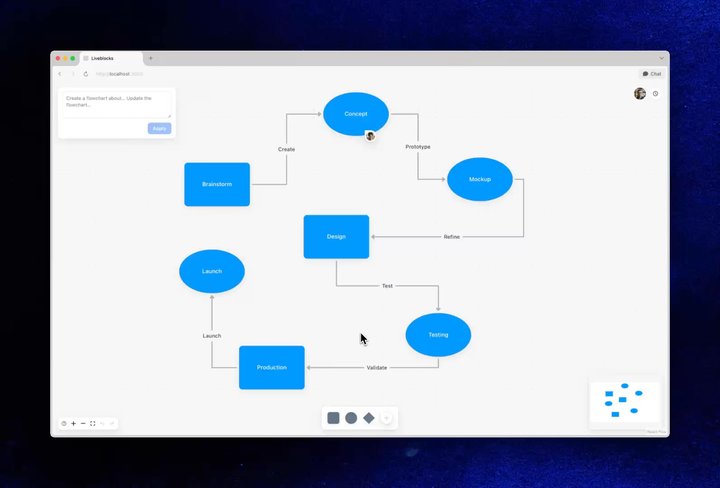
Liveblocks Storage now supports version history, enabling users to browse previous snapshots of a room’s data, preview earlier states, and restore any version when needed. You can easily create a version history dialog box in your application, for example in this flowchart.

Your browser does not support the video tag.Restoring an old history version

Restoring an old history version in our Collaborative Flowchart AI example

Creating version snapshots

Versions can be created automatically via a setting on the dashboard, or manually on the server with createVersionHistorySnapshot()—each snapshot includes timestamps and contributor information.

const { data } = await liveblocks.createVersionHistorySnapshot("my-room-id");
// { id: "vh_d75sF3..." }console.log(data);

Listing versions

useHistoryVersions returns a list of versions for a room, and our version history components make it easy to display a polished version UI.

import { useHistoryVersions } from "@liveblocks/react/suspense";
function VersionsList({ onSelectVersion }) { const { versions } = useHistoryVersions();
return ( <HistoryVersionSummaryList> {versions?.map((version) => ( <HistoryVersionSummary onClick={() => { setSelectedVersionId(version.id); }} key={version.id} version={version} selected={version.id === selectedVersionId} /> ))} </HistoryVersionSummaryList> );}

Previewing versions

Before restoring, you can preview or diff a version with useHistoryVersionStorageData, which returns that version’s Storage as a read-only LiveObject.

import { useHistoryVersionStorageData } from "@liveblocks/react/suspense";
function StorageVersionPreview({ versionId }: { versionId: string }) { const { data } = useHistoryVersionStorageData(versionId);
return ( <pre>{JSON.stringify(data.toJSON(), null, 2)}</pre> );}

Restoring versions

With useRestoreToStorageVersion, you can restore a version to the room’s Storage, applied as a single undoable change.

import { useRestoreToStorageVersion } from "@liveblocks/react";
function RestoreButton({ versionId }: { versionId: string }) { const restoreToStorageVersion = useRestoreToStorageVersion(versionId);
return ( <button onClick={() => restoreToStorageVersion()}> Restore this version </button> );}

To learn more, read our guide on adding version history to your app.

Learn more

LiveFile: upload and share files

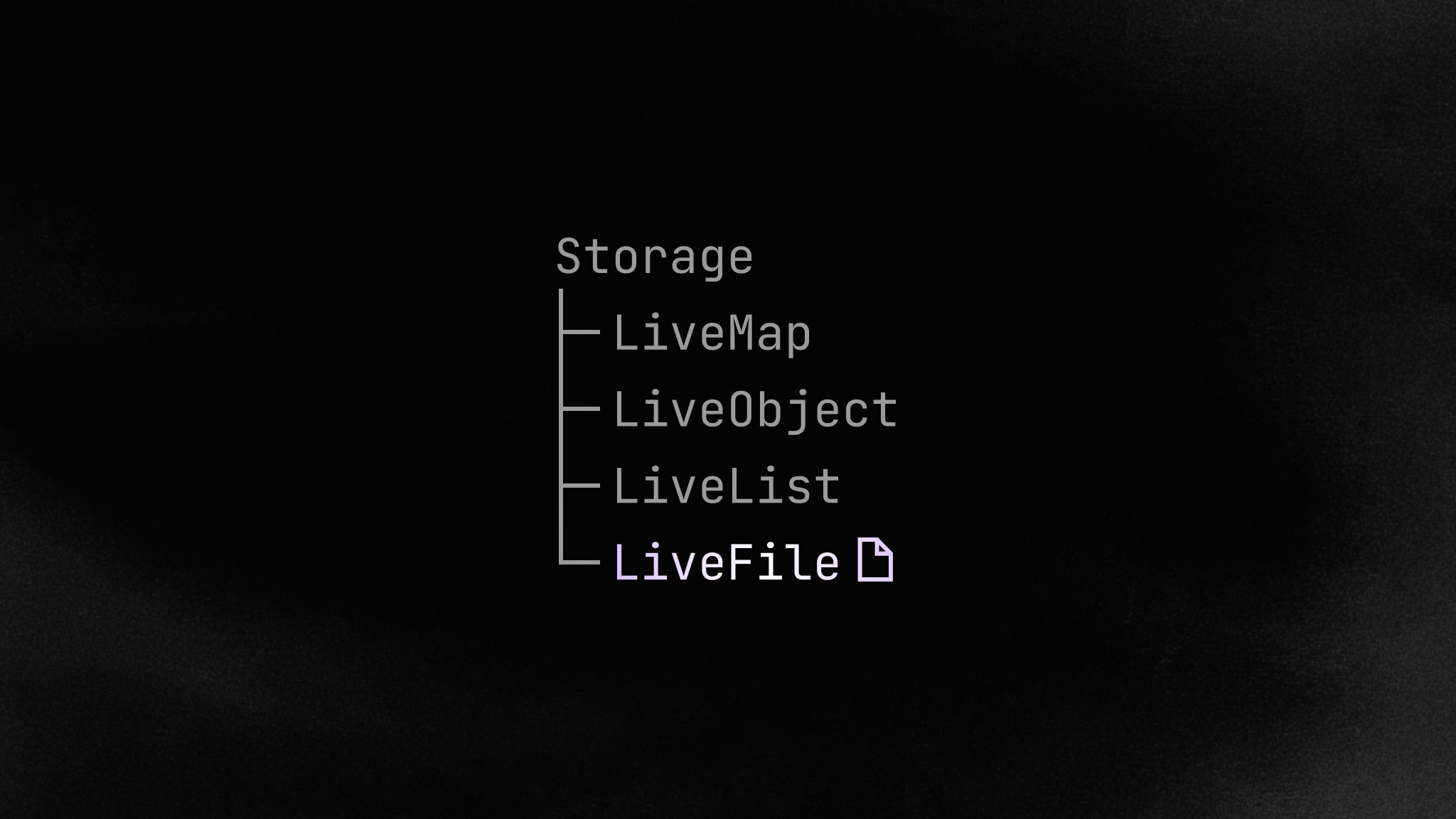
We’ve released LiveFile, a new data structure for storing files in a room’s Storage tree. Users can upload files directly to their collaborative document, no third-party upload service required, and everyone in the room will see them appear live.

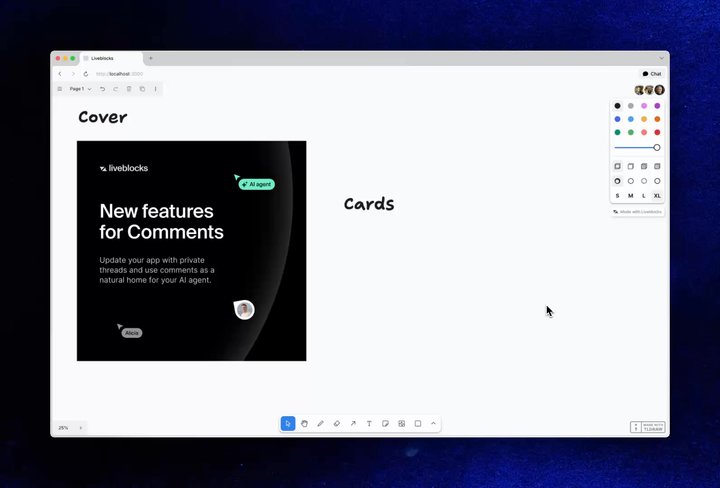
Your browser does not support the video tag.Uploading an image to a collaborative canvas with LiveFile

Uploading an image in our Tldraw Whiteboard example.

All file types are supported, including images, videos, and PDFs. To find code snippets, and learn more, read the dedicated blog post on LiveFile.

Learn more

Public and private threads

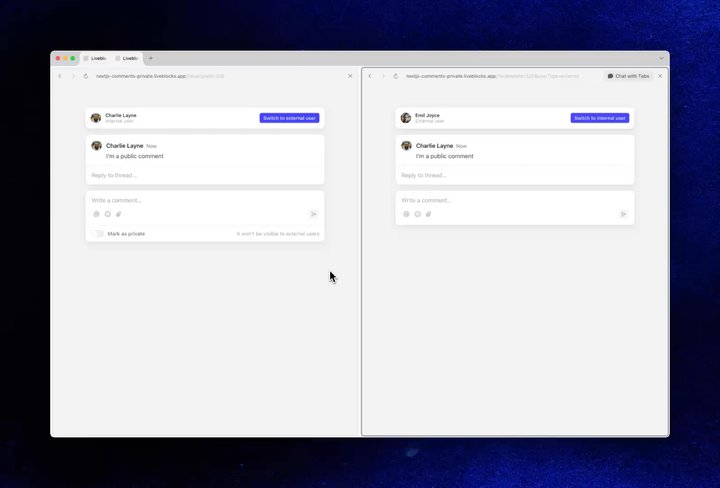
You can now control who can see and reply to comment threads, enabling internal-only notes and private review workflows. Comment threads now have a visibility property—each thread is public by default, and can be made private when created.

Your browser does not support the video tag.Creating a private comment thread

Creating a private comment in our Private Commenting example.

To learn more, read our recent blog post on private comment threads.

Learn more

AI Slideshow Generator example

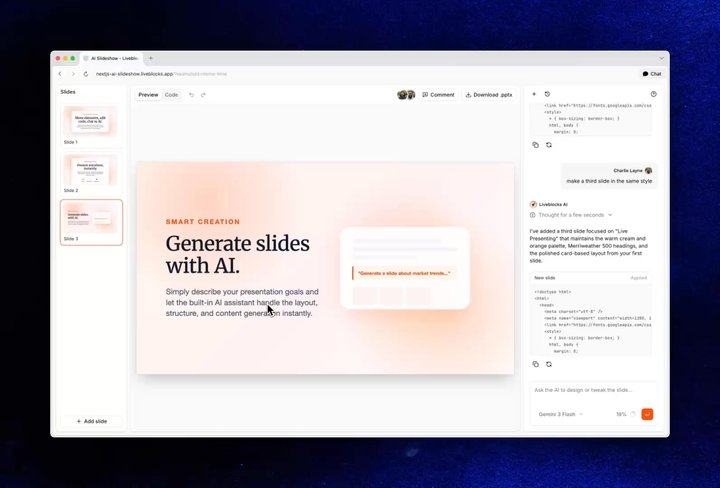
We’ve added a new AI Slideshow Generator example, highlighting a number of different ways you can use Liveblocks in your own application.

Your browser does not support the video tag.AI Slideshow Generator example

Features

  • Generate slides: Create slides with AI and approve/reject each modification.
  • Drag-and-drop: Drag elements on each slide and double-click to edit text.
  • HTML-powered slides: Edit the code behind each slide inside an editor.
  • Multiplayer: Chat, document, and editor all use realtime multiplayer.
  • Commenting: Pin draggable comments to each slide for user feedback.
  • Export: Export slides as .pptx files, ready for presentation.

How it works

Inside the example, chat messages are stored in feeds, and update in realtime for all users. Feeds APIs allow you to stream in answers, create new chats, and list all existing chats within the UI.

Each slide is stored as HTML inside Yjs, and a collaborative CodeMirror editor is used to edit the HTML code. Drag-and-drop edits modify the HTML code behind each slide.

The comment pins use our default components and hooks for commenting. Each thread holds x/y coordinates in thread metadata, which are used to position the comment pin.

Download it now

You can find the new AI slideshow example in our gallery.

View the example

Minor improvements

  • Added a skill that can create examples, including images and code.
  • Added uploadAttachment() to @liveblocks/node to upload comment attachments, combined with attachmentIds params in createThread(), createComment(), and editComment().
  • Added methods to upload comment attachments in the Python SDK, including multipart uploads.
  • Added a button to download a room’s Liveblocks Storage as JSON from the dashboard’s room detail view.
  • Added links to examples at the top of relevant get started guides, and links to guides in overview pages.
  • Added more info on comments metadata throughout the docs.
  • Added version history methods to @liveblocks/node and the Python SDK to list room versions, create a version snapshot, and delete a version.
  • Added useDeleteHistoryVersion() to permanently delete a room version.
  • New docs section on rendering custom components inside threads.
  • Updated all pages in the pricing section, increasing clarity.
  • Removed the type and kind fields from the HistoryVersion type in @liveblocks/client—the backend no longer returns these.
  • Added useHistoryVersionYjsData() hook to retrieve raw Yjs binary data for a given version, deprecating useHistoryVersionData() in its favor.
  • Prevented Composer in @liveblocks/react-ui from collapsing after focusing and blurring unless it was explicitly meant to support a collapsed state.
  • Added a visibility prop to Composer in @liveblocks/react-ui.
  • Updated the Linear-like Issue Tracker example to use the latest Next.js caching features.

Upgrade

To use these latest features, update your packages with:

$npx liveblocks upgrade

Contributors

Contributors include:ctnicholasmarcbouchenoirenvieofoucherotpierrelevaillantstacyschmitz

6 authors